
When you buy through links on our site, we may earn an affiliate commission. Learn more

I wanted to try Incogni because removing personal information from the internet is easy to put off until there’s a reason to worry about it. An address, phone number or list of relatives can look like a collection of ordinary details, but together they can reveal a household, enable unwanted contact or give somebody enough information to make a scam feel personal.
AI makes that last part easier. A convincing message doesn’t have to be written from scratch, and a caller knowing an old address or a family member’s name can sound more credible than they deserve to. Removing broker listings won’t stop every scam, but reducing what’s easily available gives someone less material to work with.
The difficulty is keeping up with it. Finding the right brokers, submitting opt-outs and checking whether the information has returned can become another job. I wanted to see whether Incogni could take over enough of that repeated work to justify a subscription, without leaving me guessing about what had actually changed.
I worked through setup, individual request histories, source checks and the account controls, then looked separately at the custom-removal options. The question I kept coming back to was whether I could connect the progress on screen to an exposure that mattered, rather than simply feel reassured by a growing completed total.
My starting recommendation is Standard for routine broker removal. Unlimited needs a specific reason to pay more. Here’s what I found useful, what I’d still check myself and when I’d choose another approach.


Best for recurring broker removal without managing every opt-out yourself.
Incogni’s appeal is the ongoing work it takes over. I assessed the request history, the information needed for matching and the route for exposures outside routine coverage. The strongest part is having a process that returns to the problem, because broker records can reappear after a successful request.
The main limit is evidence. I can inspect a public source, but a dashboard status can’t tell me everything about private records or copies elsewhere. I’d prioritise the listings exposing an address, phone number or household connection and keep their URLs for verification and support.
Standard is my starting point for routine work. Unlimited earns the extra cost when eligible additional pages need specialist handling. Family plans can reduce the household bill, provided each member needs the service and has an accurate profile.
I’d use Incogni as one part of privacy and security. Less exposed information can give a scammer less material for impersonation, but it doesn’t protect passwords, undo fraud or remove an original public record. That makes the service useful without treating it as complete protection.
Here’s my final take:
Features (8/10): Recurring broker requests take repeated opt-out work off your hands. Unlimited adds specialist handling for eligible additional pages, but country coverage and source exclusions still matter.
Privacy (8/10): Removal requires identifiers and authorisation. I value the account controls and published policies, while still checking retention, permissions and the sources that receive requests.
Value (8/10): Standard is the sensible starting point for ongoing broker exposure. Unlimited needs a concrete custom-removal use; a handful of simple listings may be better handled manually.


You give Incogni the personal details it needs to identify you and authorise it to submit requests on your behalf. It then contacts relevant brokers, tracks their responses and follows up. Public people-search listings can be scanned; private databases can’t be inspected in the same way, so some requests are sent to brokers that may hold your information.
I see the value in reducing the repeated work rather than expecting one dramatic clean-up. Brokers can obtain fresh records later, and a listing that disappears today is worth checking again. Incogni’s recurring process is the reason I’d consider it a subscription rather than a one-off purchase.
If you’d rather start manually, our guide to removing your personal information from the internet explains the steps.
I worked through Incogni from account setup to the point where I could distinguish a processed request from an exposure I could check myself. I entered the identifying details needed for matching, reviewed the authorisation and used Standard as the baseline for judging the automated broker service. I then examined the Unlimited workflow separately, because custom removal solves a different problem from routine opt-outs.
My checks followed individual records through the dashboard: which broker was involved, what status appeared, what the expanded request said and whether a public source was available to revisit. I kept the original URL for important exposures and checked the identifying details, rather than treating a name match or a rising total as proof.
I also reviewed scheduled follow-ups, previous addresses, account security, the subscription controls and the support route. On desktop and a phone, I checked whether I could reach the same useful request details and settings. The test was about understanding the service over time, including what happens when a listing remains accessible or returns after an opt-out.
I judged value by the work Incogni took over and the exposures its plan could address. I didn’t use changing spam volumes as a removal score: calls and emails can change for reasons that have nothing to do with the subscription.
The useful unit in my review was an individual exposure, not the headline request count. I checked whether the broker record concerned the right person and whether it exposed contact details, a location or family links worth prioritising. A private database request needs a different interpretation from an address I can still open on a public page.
That changed how I read the dashboard. A request tells me Incogni has contacted a company; a response tells me something about that company’s handling of it. Neither automatically proves that every copy of the information has disappeared. For the records with a practical safety consequence, I returned to the source and kept a dated note of what was visible.
I’d use the same approach if a scan looks alarming. Start with the current address, phone number or household connection that creates an identifiable risk. You don’t need to resolve every historical fragment before making useful progress.
I prefer to separate activity from an outcome I can check. Incogni’s status definitions make that distinction worth understanding: Completed means a removal or suppression request has been processed; the expanded entry supplies the context for that broker. In progress means work is still under way, while scheduled activity includes future follow-ups.
That makes a large completed total useful evidence of processed requests, but it shouldn’t be read as the same number of public profiles disappearing. For a visible address listing, I’d open the original page again and check the relevant details. Keep its URL if it remains accessible so support can investigate the actual exposure.
Community discussions repeatedly raise the gap between a completed status and a page still being visible. Those reports are a reason to check your important listings, rather than proof that the whole service works or fails. Search-engine snippets and cached copies may also need separate attention after the source changes.
I followed the scheduled work rather than expecting a completed request to stay finished forever. Brokers can collect a record again or obtain it from another supplier. Returning to the same source is therefore part of the service’s value, rather than automatic evidence that the first opt-out was pointless.
The distinction I looked for was between a new exposure, a follow-up and the same unresolved page. Those need different responses. A repeated public listing deserves a fresh source check; a technical sending failure is something the service should retry; a disputed removal needs a support case with the URL and request history.
I’d keep a short list of the exposures that matter most and revisit them at intervals. That makes recurring protection manageable without turning the dashboard into another daily task.
Standard handles the automated network. Unlimited adds custom removal requests for additional supported websites, with specialists working on those cases. I’d upgrade when I can point to exposures outside the routine broker coverage and want somebody to pursue them for me.
The advertised additional-site coverage is separate from the automated network. Custom requests still need an eligible page and cooperation from its operator. According to Incogni’s custom-removal rules, exclusions include government and court records, criminal proceedings, social accounts, blogs and forums. I wouldn’t buy Unlimited to erase any mention of me anywhere online.
You can submit specific URLs, and the current custom-removal workflow also uses a scanner to identify possible exposures. I’d review suggested matches carefully: a similar name alone is a poor reason to send a removal request.
I assessed custom removal as a separate case: an eligible page outside the routine network, the exact URL and a match that genuinely concerns the account holder. Incogni’s current workflow accepts a full profile URL in the Scanner results area. A homepage or search-results URL won’t give the team the right page to act on.
This is where Unlimited can earn its higher price. It gives me a route for a specific exposure rather than another coverage total. I’d check the queue and case comments, and confirm the source changes after resolution. An ineligible source doesn’t become removable because the plan allows unlimited requests.
Incogni can pursue eligible broker records and supported custom exposures. It can’t erase every source that mentions you. Government and court records, criminal proceedings, social accounts, blogs and forums are among the exclusions in its custom-removal rules. A broker copy and the original public record aren’t the same thing.
If the source remains online, removing one broker listing may leave other copies or a search result behind. I’d deal with the source operator first where appropriate, then use the relevant search-engine removal route for an eligible result or outdated snippet. Removing a search result alone doesn’t delete the page it points to.
It also can’t retrieve data already copied into a private file, undo fraud or protect an account someone has taken over. If there’s an immediate safety concern, report the specific exposure and use the appropriate safety or incident-response support alongside removal. A subscription queue shouldn’t be your only response to active unwanted contact.
That boundary makes Incogni easier to use well: it reduces repeated broker exposure, while account security, source-level requests and urgent incidents still need their own action.
The automated network currently covers more than 420 broker sites. That’s the service’s overall network, not a promise that all 420 hold your information or are relevant to your country. I’d check the particular sites exposing me before treating any headline coverage figure as the deciding factor.
Requests are revisited over time to deal with reappearance. The useful question is whether your important listings stay down, rather than whether the request counter keeps growing. Our data brokers explainer covers why records can circulate between companies.
Keeping those listings down matters beyond cutting unwanted marketing. An address, employer and relatives’ names can help someone identify your household, make unwanted contact or build a convincing impersonation. Old details can still be useful when combined with newer social profiles, which is why I’d prioritise exposed contact details and family connections rather than chase a bigger removal total.
I’d assess this over weeks, with a short list of meaningful exposures to revisit. Brokers respond at different speeds, and a request awaiting a response is different from a confirmed removal. Custom work can involve several stages and a queue; a subscription doesn’t make every website operator respond immediately.
My practical approach would be to save the key URLs before starting, check progress at sensible intervals and escalate a stubborn exposure with that evidence. Counting quieter spam calls alone is unreliable because contact volumes change for many reasons.
Incogni supports the US, Canada, the UK, the Isle of Man, EU countries, Switzerland, Norway, Iceland and Liechtenstein. Availability doesn’t mean identical local broker coverage, so I’d check the relevant network for my country. The main removal plans are useful to compare internationally; the Protect and Concierge offers have narrower eligibility.
Multiple identifiers can help find older records. You can add up to three emails and addresses; multiple phone-number support is currently for US residents. I’d prioritise the previous addresses and email accounts that actually appear in public records.
The account was easier to understand once I treated it as a record of requests rather than a definitive map of every copy of my data. I moved from the overall dashboard into individual broker entries, checked their explanations and used the scheduled work to understand what would happen next.
The practical friction is interpreting progress. A quiet account can still be doing useful recurring work; a high count can include several stages or follow-ups. I’d rather have a clear explanation of an important listing than a number that looks reassuring without context.
I’d set a reminder to review the account and key source URLs periodically, with extra attention after moving home or changing contact details. On a phone, those same details matter more than whether the dashboard looks tidy.
Yes: Incogni is an established removal service within the Surfshark group, with a defined request process, support channels and published policies. My trust decision would also include the permissions I’m granting and the evidence available for the particular listings I want removed.
I’d avoid equating legitimacy with guaranteed disappearance from every source. A legitimate service still depends on broker cooperation, regional rights and the limits of what can be removed.
Removal requires sharing identifiers with the service and, where necessary, with brokers so they can locate your record. I’m comfortable considering that trade-off when the information is already exposed, but I’d supply accurate details and understand the authorisation before proceeding.
Incogni’s privacy policy states that it doesn’t sell personal information and describes sharing with processors and brokers for delivering the service. Service data may be retained for up to 24 months after service termination, unless you request deletion and no legal restriction prevents it. Support records have a separate six-year retention period. Cancelling payment therefore doesn’t automatically delete all account information.
I’d make an explicit deletion request when leaving permanently. Account security and a clear record of what I have authorised matter just as much as the coverage count.
AI makes that exposure more useful to scammers by reducing the work needed to turn personal details into convincing messages. The NCSC’s assessment of AI and cyber threats describes its use in reconnaissance and phishing. My reason for reducing broker exposure is to leave less material for that personalisation: a message mentioning a relative or previous address can feel credible even when the sender has no legitimate connection to you.
Incogni won’t stop phishing, deepfake calls or account takeover, and it can’t retrieve copies somebody has already saved. I’d combine removal with unique passwords, multi-factor authentication and a separate check of unexpected payment or account requests. If an address listing creates an immediate stalking or safety concern, I wouldn’t wait for a subscription queue to be the only response.
The following are the current public prices checked in October 2026. Annual prices are monthly equivalents with the full upfront bill shown. Taxes and checkout offers may change the final amount.
| Plan | Price |
|---|---|
| Standard | US annual: $7.99/month, billed $95.88 annually UK annual: £5.99/month, billed £71.88 annually US / UK monthly: $15.98 / £11.98 each month |
| Unlimited | US annual: $14.99/month, billed $179.88 annually UK annual: £10.99/month, billed £131.88 annually US / UK monthly: $29.98 / £21.98 each month |
| Family | US annual: $15.99/month, billed $191.88 annually UK annual: £11.99/month, billed £143.88 annually US / UK monthly: $31.98 / £23.98 each month |
| Family Unlimited | US annual: $22.99/month, billed $275.88 annually UK annual: £16.99/month, billed £203.88 annually US / UK monthly: $45.98 / £33.98 each month |
Family plans cover up to five members. I’d compare the household total with individual subscriptions rather than assuming everyone needs a separate plan. Each person still needs an accurate profile and the appropriate authorisation.
For one person, Standard is my value pick when routine broker exposure is the problem. Unlimited is easier to justify when I have specific extra pages to remove. I’d use monthly billing if flexibility matters more than the lower annual equivalent, while remembering that some requests will take longer than one month.
Protect combines Unlimited with Coveron monitoring and identity-recovery support for eligible US users. That changes the purchase from broker removal to a wider identity service. I’d check the features available at my location, any insurance exclusions and the separate account setup before judging the value. The monitoring still needs information and action from the user; an alert doesn’t resolve misuse by itself.
Concierge is a separate US-resident offer with a dedicated specialist, manual exposure searches and additional help when exposure creates a safety risk. Its potential value is personal handling of a persistent or higher-risk problem. I’d ask how the specialist prioritises exposures, reports progress and handles an urgent case, rather than assume a premium plan makes every source removable.
The annual discount is valuable only if I want the recurring service for the full term. Monthly billing costs more but limits the upfront commitment; it still doesn’t promise that every request will finish within that month. I’d compare the current renewal amount as well as the first bill.
Family plans make financial sense when several eligible people genuinely need ongoing removal. They don’t turn one person’s authorisation into permission to remove records for everyone else. Check who can join, who manages billing and how each member controls their own profile.
The subscription renews automatically unless you stop renewal. You can do that through Profile, Subscription and billing, then Manage subscription and Cancel subscription. Access continues until the paid term ends. If you bought through another service, use that service’s cancellation process.
I’d save the confirmation and check the next billing date after cancelling. Stopping renewal and requesting a refund are separate actions. Incogni offers a full refund within the first 30 days of signing up through customer support; don’t assume cancelling alone starts it.
I followed the account route through Profile, Subscription and billing, Manage subscription and Cancel subscription, checking where renewal stops and what confirmation is provided. The important endpoint is a recorded cancellation and a changed renewal state. Closing the browser or deleting an app doesn’t achieve that.
If I wanted a refund within the eligible period, I’d request it separately through support and keep the reply. If I wanted my personal information deleted as well, I’d make that a third explicit request. Those actions have different consequences.
I approached support with a specific status question rather than asking whether the service was working in general. The useful case included the broker name, exact profile URL, dashboard status and the identifying information still visible. That gives the team a discrepancy to investigate and gives me something concrete to check afterwards.
For me, a useful support answer needs to distinguish a broker confirmation from an independently checked public page, explain the next action and say whether the case needs an escalation or a custom request. A general reassurance about coverage doesn’t settle an address listing that remains accessible.
I also separated subscription questions from removal questions. Incogni lists chat support, with phone support in Unlimited offers, but a support channel is only part of the value. What matters is whether the answer explains the case clearly enough for me to decide what to do next. I’d keep the conversation and return to the original URL after any claimed resolution.
Before contacting support, collect the URL, request date and status. Share only the details needed for the case through the official channel. Don’t post a screenshot of your address or relatives’ details in a public review to demonstrate the problem.
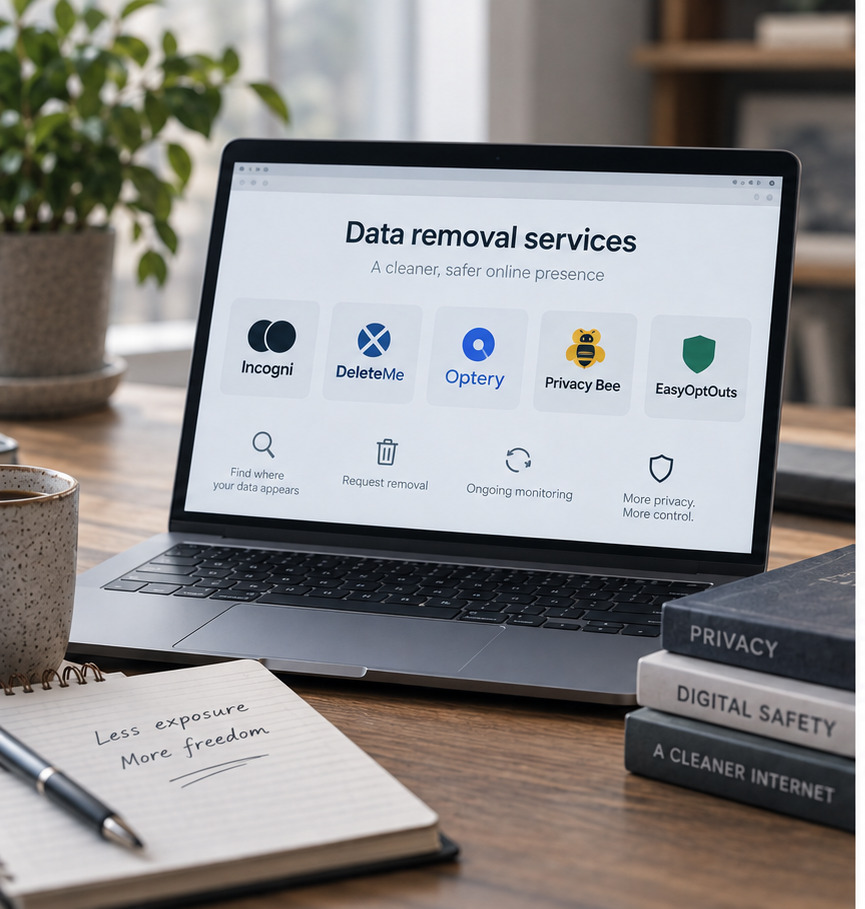
Optery: I’d choose it for a free exposure check and more visible screenshot evidence, especially on Extended or Ultimate. Its personal service is unavailable in the UK, and its low-cost Core tier has narrower profile and support features.
DeleteMe: I’d consider its managed model when personal assistance and regular reports matter more than the lowest price. Confirm local coverage and the relevant regional subscription before comparing costs.
Aura: I’d consider it when the main problem includes identity monitoring and recovery, with removal as part of the package. Our Aura Review covers that wider product.
DIY removal: good for a small set of clear public listings when I’m willing to track opt-outs and revisit them. Incogni’s advantage grows when that work repeats or spreads across brokers. I’d compare the time and follow-up burden, rather than assume a paid service can erase sources a manual request cannot.
Optery now shares Surfshark ownership with Incogni following the September 2026 acquisition. Reporting and plan differences still matter, but choosing another brand within the group isn’t choosing separate corporate ownership.
For a shortlist organised by the reason to switch, see my Incogni alternatives.
A recurring concern in user discussions about completed requests is a page that remains accessible. That’s a useful test question, although an individual post can’t establish the overall success rate. I’d compare the source URL with the expanded request, distinguish a cached snippet from a live page and ask support to investigate any mismatch.
Discussions about Standard versus Unlimited show how easily a buyer can mistake a larger plan for a different automatic broker network. The important difference is the additional custom-removal workflow. Check the actual broker and eligible page before paying more.
The strongest check was to follow a meaningful exposure rather than argue over the total. Some waiting is normal when another company must respond; an unexplained mismatch between a claimed outcome and a current page needs attention. Renewal concerns deserve the same specificity: check the paid term, next charge and cancellation confirmation rather than rely on an old promotional price.
Incogni’s strongest contribution is taking over repeated broker requests while keeping the account reasonably straightforward. My review centred on what the requests actually meant, because a completed total is much less useful than understanding whether an important exposure has changed.
I’d recommend Standard for routine broker removal in a supported country. Unlimited makes sense when specific eligible pages fall outside that work and I want specialists to pursue them. I wouldn’t upgrade simply because a dashboard looks busy or a plan name sounds more comprehensive.
The privacy trade-off deserves attention. Incogni needs identifiers and authorisation to act, and cancelling a subscription doesn’t automatically delete the information held for delivering the service. I’d protect the account, review the current policy and make a separate deletion request if I left permanently.
The longer-term benefit is fewer accessible fragments that can be combined into a household profile or a convincing impersonation. AI can make that combination easier and cheaper, but removal won’t stop phishing, recover copied records or prove that a caller is genuine. I’d keep multi-factor authentication and independent checks of unusual requests alongside it.
Annual billing offers a lower equivalent price, but I’d accept the upfront commitment only when the relevant coverage fits my needs. Families should compare the household cost; buyers needing fraud monitoring or personal incident help should assess Protect, Concierge or another eligible wider service separately.
I’d keep Incogni for recurring exposure that otherwise demanded repeated manual work. I’d choose DIY for a small, manageable problem and another service when inspectable screenshot evidence or a different kind of support mattered more. My recommendation rests on that practical fit, with important listings and support outcomes checked directly.
Compare current Incogni plans against the exposures you need to address.

Incogni Alternatives 2026: Which Service Would I Choose?
Best Data Removal Services in 2026: Reviewed & Compared

Best Apps to Catch a Cheating Partner in 2026: My Top Picks

Protecting Your Digital World One Step at a Time.
Some pages include affiliate links. We may earn a small commission at no extra cost to you. Our reviews remain unbiased and independent.
Copyright © 2025 | Digital safety squad | All Rights Reserved