
When you buy through links on our site, we may earn an affiliate commission. Learn more

Aura was one of the few all-in-one services that made me jealous of eligible US users when we last reviewed it. The attraction wasn’t another antivirus or VPN. It was the prospect of dealing with identity alerts, exposed personal details and family safety without juggling a separate subscription for each.
Coming back to it, I wanted to know whether that attraction still held up. A bigger feature list wouldn’t convince me on its own. I wanted to understand what had become more useful, what still needed work outside the dashboard and whether I’d give the same buying advice now.
I reviewed it with our US testing team because the identity-protection package isn’t an eligible UK purchase. The expanded data-removal offer gives me more reason to like the privacy side. The March 2026 incident gives me reason to be more careful about the trust claims in our earlier review. Both matter more than calling this an updated security suite.
I still see a strong case for an eligible household that will use several parts of Aura. I’m less convinced when someone only wants a VPN, antivirus or removal service. Here’s what changed my view, what didn’t, and where I’d spend the money.


Best for an eligible US household that wants identity monitoring and recovery help alongside device and privacy tools.
I’d consider Aura when several of those jobs need covering. Recurring broker removal adds useful maintenance, while the family features can make the household package easier to justify.
The important limits are eligibility, permissions and the action still required after an alert. The March 2026 contact-data incident belongs in the security assessment. Encryption and third-party audits shouldn’t become a promise that every kind of information is inaccessible or every attack can be prevented.
I’d compare the full annual bill with the tools I’ll use. For removal alone, an eligible specialist service may be the better fit.


Aura combines identity and credit monitoring, fraud support, device security and privacy tools in one subscription. Family membership adds child-safety features. I’d consider it when several of those jobs matter together; I wouldn’t buy the whole bundle just because one feature sounds useful.
The distinction matters because exposure, an attempted scam and identity fraud need different responses. Removing a broker listing can reduce what’s easily available about you. An alert can flag a problem. Recovery support can help you act after misuse. None of those is the same as preventing every incident.
Our earlier review was enthusiastic about having identity protection, device tools and family safety in one place. I still see the appeal. What I’m less willing to do now is treat the size of the bundle as a recommendation on its own.
The clearest product change is data removal: Aura’s current 425+ site positioning replaces the older 200+ coverage described in our review. That gives the privacy side more weight in my recommendation, although coverage still isn’t a personal removal result. Google Search Cleanup and Unused Account Cleanup also deserve separate consideration because they solve different problems and involve different permissions.
The March 2026 employee-account incident changes the trust discussion, too. I’ve replaced the old clean-record wording with the disclosed scope and the information Aura says wasn’t compromised. Current plan prices, annual billing and refund eligibility are set out below. Those are the changes I’d want to understand before renewing or buying; a new date on the page wouldn’t tell me enough.
I reviewed Aura with our US testing team because the identity-protection package isn’t a suitable purchase for a UK resident. We considered the family experience and device tools separately, then brought the findings together around one practical question: does the bundle make the next useful action easier to find?
I worked through the alert information, matching details and account controls with that question in mind. An alert needed to identify what was involved and where to check next. I separated a monitoring notification from a confirmed fraud outcome, and a submitted opt-out from a public listing I could revisit.
For the family side, I looked at the distinction between the adult account, the child settings and an insight that needs a conversation. For the device tools, the useful checks were whether protection was enabled on the intended device and what happened when a warning appeared. I didn’t treat the presence of an antivirus or VPN tile as evidence that every device was configured.
I also reviewed the current plans, permissions, renewal terms and support routes. My recommendation is based on that practical fit rather than a claim that one dashboard automatically makes every security task work better.
Country eligibility comes before the feature comparison. Aura’s current service terms describe eligibility for residents of the US and Canada, while its identity-theft protection requires a US Social Security number and US mailing address. A Canadian reader needs to confirm the actual local offer and included features; eligibility for some services doesn’t mean the full US package is available.
For a UK reader, I wouldn’t convert these US prices into pounds or assume that the VPN makes the subscription an eligible international purchase. If recurring broker removal is the main need, our Incogni Review covers a UK-supported alternative. If the need is device protection, compare an eligible security suite for your country.
This is the main reason I’d consider Aura over a basic antivirus subscription. The identity plans combine monitoring with a route to fraud-remediation help. I’d judge an alert by whether it identifies the account, bureau or exposed detail clearly enough for me to investigate.
For an unfamiliar credit inquiry or account, I’d check my own recent applications, then contact the lender or bureau through a trusted route. A monitoring alert doesn’t establish that fraud happened, and it doesn’t resolve it on my behalf. It gives me a reason to investigate sooner.
Aura offers three-bureau monitoring and an Experian credit-lock control. The Experian lock isn’t the same as freezing all three credit files. I’d handle bureau freezes separately where appropriate, and keep account recovery details accessible.
I wouldn’t turn Aura’s marketing speed comparison into our own measured result. The useful question is whether the notice helps me recognise the issue and take the right action; there’s no single alert time that proves every future incident will be caught.
Aura now advertises opt-outs across 425+ broker and people-search sites, with repeated checks and requests when information returns. That updates the older 200+ positioning. It’s a coverage claim, not a claim that every listed company holds your information or that the same number of profiles has disappeared.
This is one of the parts I’m more positive about now. In the earlier review, removal sat among the bundle’s extras; the wider current coverage gives it a stronger reason to be there. But the first thing I care about is still the record, not the count. I’d start with the records that expose a current address, phone number or household connection. In the dashboard, I’d separate pending and in-progress work from completed requests, then revisit the important source URLs. A completed entry needs context; it isn’t proof that every copied record has gone.
Google Search Cleanup is a separate workflow: you review results and Aura submits selected removal requests to Google. Removing an eligible search result doesn’t necessarily delete the source page. Unused Account Cleanup identifies old accounts through a connected inbox, so I’d review the permission and the accounts found before choosing what to close.
The value is reducing repeated administration alongside the identity tools. For removal alone, compare Best Data Removal Services. If inspecting screenshot evidence is your priority, our Optery Review explains that different approach.
I can see why call screening matters alongside identity monitoring: an alert after misuse and a pause before answering solve different problems. Aura’s Call Protection blocks known spam and screens unknown callers, providing a summary before you answer. It works on supported iOS and Android phones and carriers; spam-text protection is iOS-only. It’s included with Family or available as an add-on to Individual and Couple. Email Protection is a separate add-on, so I wouldn’t assume the basic subscription filters every channel.
The practical irritation I’d watch for is a legitimate delivery or appointment call getting caught in the screening flow. I want a clear summary and an easy pause when I’m expecting an unknown number. That is more useful to me than a broad promise about stopping scams.
A convincing message can still use a real name, address or familiar voice to push me into acting. AI-assisted impersonation makes those familiar details a poor reason to trust the request. I’d verify payment or account instructions through a contact route I already know. Aura adds screening and reduces some public exposure; it doesn’t authenticate every caller or stop every AI-assisted scam.
I still wouldn’t buy Aura purely for the VPN. Having it in the same account is convenient, but convenience isn’t enough to make me replace a specialist service I already like. This is still the part of the bundle I’d value as an extra rather than the main reason to subscribe. I’d still check each installation and setting, because a subscription isn’t the same as an active antivirus, connected VPN or unique passwords on every important account.
Antivirus addresses harmful software; safe-browsing tools can warn about dangerous sites; a VPN protects traffic on the connection it covers. A VPN doesn’t make a fraudulent website genuine or prevent me giving information to the wrong person. The password manager is useful when it helps replace reused credentials and maintain reliable recovery details.
Aura supports tools on Windows, macOS, iOS and Android, but I wouldn’t assume every platform has the same features. Check the particular device and feature before buying. Linux users and people who need specialist VPN controls or detailed device administration should compare alternatives directly.
For me, the bundle makes sense when these tools replace subscriptions I’d otherwise maintain. Someone already happy with a specialist VPN and antivirus may get less value from paying for another set.
Aura’s password manager stores and generates passwords, syncs them across supported devices and flags weak or compromised credentials. It also supports CSV import. Those are useful basics if they get someone away from reusing the same password.
This still isn’t the part of Aura I’d buy it for. I’d judge it by whether saving, filling and updating logins works on the browsers I actually use, and whether recovery is clear. If I’m already comfortable with a dedicated password manager, I’d keep it rather than move every login simply to make the bundle feel complete. A breach warning is a prompt to change the affected password and check the account; storing it doesn’t make a reused credential safe.
The family side was one of the reasons I was jealous of eligible US users in the original review. That enthusiasm survives the refresh, but I’d make the recommendation more specific now: several adults who need identity coverage, plus children whose devices will actually be configured. I don’t think most people need the most expensive plan simply because it includes more. Family membership covers five adults plus unlimited children and devices in the advertised offer. Kids is a separate child-safety subscription, rather than the full adult identity bundle. I’d choose between them by the people and jobs that need covering, not simply the lowest headline price.
The family tools include content filters, screen-time settings, wellbeing insights and gaming-related alerts where supported. I’d start by agreeing the purpose with the child, setting reasonable limits and checking the actual device permissions. An insight should help start a useful conversation, rather than become a diagnosis or a reason to assume every interaction is visible.
Aura’s privacy explanation says it generally presents insights rather than raw messages, while allowing limited raw content in serious safety situations. That distinction deserves attention before enabling monitoring. It doesn’t promise complete real-time oversight or identical capabilities across every phone and game.
I’d compare the required feature with our parental-control shortlist. If location sharing or a different kind of supervision is essential, choose a tool that explicitly supports it instead of expecting the Aura bundle to cover every family need.
After years of wrestling with overcomplicated security software, I still appreciate the idea of fewer places to check and fewer settings to hunt down. That was one of the original review’s strongest points, and it remains the standard I’d judge Aura against. I’d work through the identity details, adult invitations and device installations separately, then confirm which protection is actually active. A clear dashboard is helpful only when I understand what the entries mean.
Where I’m more demanding now is the meaning behind the dashboard status. A tidy screen can make a pending task look reassuring; I want to know whether it needs something from me or whether Aura is still working on it. That distinction matters more to me than another feature tile. The more demanding part is deciding what to connect. Identity matching needs accurate identifiers; transaction monitoring involves financial-account access; inbox cleanup and child features require their own permissions. I’d enable the services I intend to use, protect the account and review access when the household or devices change.
On mobile, I’d check that I can read the alert context and reach the relevant action without losing important details. Offline access to a stored item shouldn’t be confused with live monitoring continuing without connectivity.
The following are the current public US offers checked in October 2026. Annual billing takes the full yearly amount; the smaller monthly equivalent is a comparison figure. Checkout offers, taxes and renewal amounts can differ.
| Plan | Price and coverage |
|---|---|
| Kids | US monthly: $13/month US annual: $120/year ($10/month equivalent) Child-safety tools; unlimited children and devices |
| Individual | US monthly: $15/month US annual: $144/year ($12/month equivalent) One adult; 10 devices |
| Couple | US monthly: $29/month US annual: $264/year ($22/month equivalent) Two adults; 20 devices |
| Family | US monthly: $50/month US annual: $384/year ($32/month equivalent) Five adults, unlimited children and devices; child-safety features included |
This is where Aura either starts to make sense or becomes an expensive collection of extras. I’d compare the full household bill with the tools I’ll actually use. Family at $384 annually can be worthwhile for several eligible adults and children, but it’s an expensive way to obtain only basic antivirus or broker removal. Kids doesn’t replace the adult identity-protection plans.
The identity plans advertise insurance limits of $1 million for Individual, $2 million for Couple and $5 million for Family, subject to the policy and eligible claims. Those figures aren’t automatic payouts or a promise that every scam loss is covered. Read the actual exclusions and claims process before treating insurance as the deciding benefit.
There’s no applicable UK price for the reviewed package. I wouldn’t invent GBP equivalents or use the US offer to imply UK eligibility.
Aura advertises a 14-day trial. I’d check the payment requirement, full post-trial charge and renewal date at checkout rather than assume the trial can’t lead to a bill. Annual and monthly billing need different decisions.
You can manage cancellation online. I’d retain the confirmation and check the renewal state; uninstalling an app doesn’t stop payment. If the subscription came through another seller, follow that seller’s route and terms.
Aura’s 60-day refund policy applies to eligible initial annual purchases through its own websites or support, with exclusions including third-party billing and monthly plans. Subsequent annual renewals don’t qualify for a full refund under that guarantee. For a trial, the policy counts the purchase date from trial signup. Cancellation and a refund request are separate steps.
This is the biggest correction to our earlier review. I was too comfortable with the old clean-record description; it no longer belongs here. I can’t describe Aura as having an incident-free history. In its March 2026 disclosure, Aura said a targeted phone-phishing attack gave an unauthorised party access to an employee account for about an hour. It reported access to roughly 900,000 records, mainly names and emails from an acquired marketing list, and contact details for fewer than 20,000 current and fewer than 15,000 former customers.
Aura said the identity-protection application databases weren’t accessed and that monitored Social Security numbers, passwords and financial information weren’t compromised. That’s the company’s account of the incident. The contact-data exposure still belongs in the trust assessment; it shouldn’t disappear behind a statement about encryption.
Aura says sensitive information is encrypted in transit and at rest and describes ISO 27001 certification and SOC 2 Type II audits. I wouldn’t translate those statements into a blanket claim that nobody at Aura can ever access any customer information. Encryption, employee access controls and resistance to social engineering address different parts of the problem.
My decision would include the information I’m supplying, permissions I’ve enabled and how the company responds when something goes wrong. I’d use a unique password, available account protections and the official support route, particularly for unexpected calls claiming to concern my account.
The support I’d care most about isn’t help finding a VPN switch. It’s help making sense of an unfamiliar credit account when I’m worried and don’t know which action comes first. That is a much stronger reason to pay for the bundle than another device feature. Aura advertises round-the-clock US-based support and specialist fraud-remediation help. I’d separate a billing question, a broker-removal discrepancy and an active identity incident so the request reaches the right team.
For a removal issue, I’d keep the exact URL, visible identifiers and dashboard status. For suspected fraud, I’d gather the account or bureau notice and contact the relevant institution through a trusted route. A useful support answer should explain the next action and the evidence needed, rather than simply repeat the feature list.
I wouldn’t promise a particular reply time or recovery outcome. Support’s value is helping me navigate the incident; it doesn’t replace urgent action with a bank, lender or relevant authority.
This is the part of the subscription I hope a reader never needs, but it carries more weight in my recommendation than another bundled device tool. Aura’s US-based fraud team offers a remediation plan and help working through an identity-theft incident. That is a different service from an ordinary technical-support answer.
I’d want the plan to make responsibilities clear: which accounts need securing, which institutions I need to contact and which documents the specialist needs. I’d keep notices, case references and a record of what I’ve already done. The team can guide the process; it can’t make every dispute disappear or guarantee a recovered loss. Insurance is a separate, eligibility-based claims process, so I’d read the policy rather than treat its headline limit as money automatically available after any scam.
I wouldn’t use Family as a business-plan workaround. Personal membership and organisational security have different permissions and administration needs. Aura now has separate business offerings; assess those separately if you’re buying for staff.
Incogni makes more sense when recurring broker removal is the main job, particularly for a UK reader. Optery suits a supported-country buyer who values inspectable exposure and higher-tier screenshot reporting. Neither comparison should be decided by a broker count alone.
Guardio is a narrower browser-focused choice when scam and phishing websites are the concern. Our Guardio Review should be read alongside the broader feature needs and local eligibility. For the removal shortlist, see Incogni alternatives.
I’d compare Norton, Bitdefender or another local security suite when protecting the device is the primary task. Their promotions and renewal prices need checking separately; an introductory antivirus price isn’t a like-for-like comparison with identity recovery and household coverage.
The thing I keep coming back to with Aura is the problem the original review identified: juggling subscriptions, passwords and separate places to check whether anything needs attention. That is still a good reason to consider it. I’m more positive about the privacy side now that removal has a broader role, but more cautious about the old security assurances after the March incident. My recommendation has become more specific, rather than simply more enthusiastic.
I still wouldn’t choose Aura for any single device feature in isolation. Where it makes sense to me is identity monitoring and help after fraud alongside recurring removal and everyday protection, all for people who will use them. The family package remains the part I find most compelling for the right household. Paying for unused tools is still paying for unused tools, however neatly they sit together.
What I trust most is the practical combination of monitoring and a route to help. What still needs judgement is whether an alert matches the person, whether an important source listing has gone and which permissions I’m comfortable granting. I want Aura to reduce the work, not give me a reason to stop checking.
I’d shortlist Individual for one eligible US adult, Couple for two and Family when the household will use the child-safety tools as well. I’d choose a removal-only service or a simpler security product if the rest of the bundle would go unused. For a UK reader, I’d move to an eligible alternative instead of waiting for the US identity package to work internationally.
Compare current Aura plans against the people, devices and protection you actually need.


Incogni Alternatives 2026: Which Service Would I Choose?
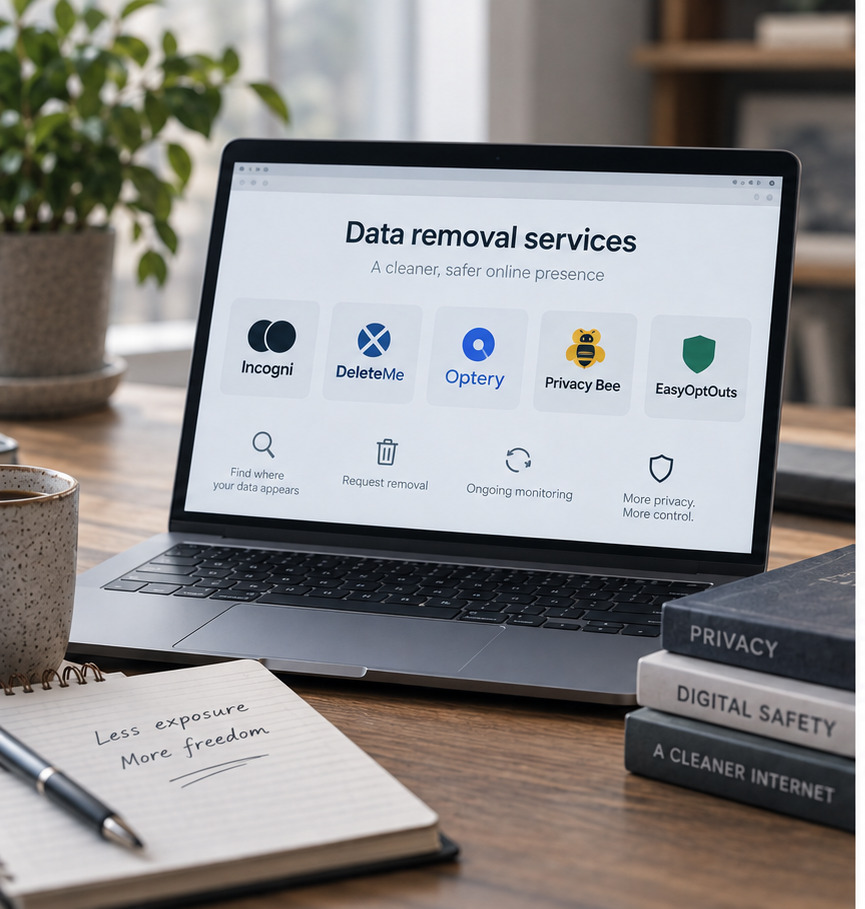
Best Data Removal Services in 2026: Reviewed & Compared

Best Apps to Catch a Cheating Partner in 2026: My Top Picks

Protecting Your Digital World One Step at a Time.
Some pages include affiliate links. We may earn a small commission at no extra cost to you. Our reviews remain unbiased and independent.
Copyright © 2025 | Digital safety squad | All Rights Reserved