
When you buy through links on our site, we may earn an affiliate commission. Learn more

I wanted to try Optery because it’s difficult to judge a data-removal service when you can’t see what it’s working on. Before paying somebody to pursue broker listings, I wanted to know what was publicly exposed, whether the profiles belonged to the right person and which details were worth prioritising.
That matters beyond cutting down on marketing. An address, phone number and relatives’ names can help someone identify a household or make unwanted contact. They can also give an impersonator the familiar details that make a message or call feel genuine. AI makes it easier to turn those fragments into convincing, personalised approaches, even though knowing something about you doesn’t prove a caller is who they claim to be.
Optery’s free exposure report was the reason I started here. I wanted something I could open and inspect before committing to recurring removal. I was sceptical of a big result count on its own: a profile sharing a name isn’t useful evidence if the age or address history belongs to someone else.
I worked from Free Basic into individual results, compared the identifying details and examined what the screenshot evidence actually established. I then compared Core, Extended and Ultimate against the help I’d need after that first scan. The question was whether the extra reporting and human handling would make genuine exposure easier to manage, rather than simply give me a larger coverage total.
The ability to inspect the evidence is what makes Optery worth considering for me, but it still takes judgement, and the higher tiers become expensive. Its personal plans currently support the US, Canada excluding Quebec, Australia, New Zealand and South Africa; I’d choose a different service for a UK resident. Here’s what the checks told me, where I’d pay for more help and when Incogni or DIY removal would make more sense.


Best for people who want to inspect public exposure and understand the removal evidence.
Optery’s profile links and reporting make it easier to ask useful questions about a listing. I assessed possible matches against the person’s history, separated exposure from removal and compared the evidence and human handling offered by each paid tier.
I’d start with Free Basic. Core is the budget route for a straightforward profile; Extended is the better fit when several past locations and periodic screenshot reports matter. Ultimate needs a specific use for its extra coverage or eligible custom requests.
The limit is that a screenshot is evidence about one source at one time. It doesn’t establish that every private copy has gone, and Expanded Reach has different verification standards. I’d check the sources with the greatest safety impact rather than maximise a counter.
I’d recommend it to a supported-country reader who values that visibility. A UK resident needs another service, while someone dealing with fraud or account takeover needs a response beyond data removal.
Here’s my final take:
Features (9/10): Free exposure visibility, profile links and higher-tier screenshot reports make individual listings easier to inspect. Human handling and identity-history support depend on the paid tier, and personal plans exclude the UK.
Privacy (8/10): Matching details, removal authorisation, Expanded Reach and AI preferences need deliberate review. Wider coverage carries different verification and data-sharing trade-offs.
Value (8/10): Core offers a low-cost route for straightforward profiles. Extended earns its higher price when reporting and human handling matter; Ultimate needs a specific coverage or custom-removal requirement.


Optery is a data-removal service that starts with free exposure visibility and offers paid recurring opt-outs. Free Basic helps you inspect possible public profiles and use self-service guidance. Paid plans take over removal work, with human handling and periodic screenshot reports on Extended and Ultimate.
The distinction from Incogni is the emphasis on inspectable public exposure and reporting, alongside tier-dependent profile limits and coverage. That makes Optery useful when I want to examine the evidence, provided I’m in a supported country. Neither service can erase every source or private copy.
I started with Free Basic because I wanted to see whether the exposure report gave me enough to investigate before I considered a subscription. I reviewed the profile information entered, then moved from the report into individual results. My first job was to establish who each record described: I compared the name, age range and address history, and checked whether the location details made sense together.
I kept possible matches separate from exposures I could confidently connect to the person being reviewed. Where a result looked doubtful, I returned to the linked page and compared its identifying details with the report. That stopped the headline count becoming my verdict before I’d looked at the records behind it.
I examined the screenshot evidence next, checking whether I could connect an image to the same broker and profile. I separated the initial Exposure Report from the periodic removal reports available on higher tiers. An image showing an exposure, a submitted request and a later change are different kinds of evidence; I wanted to know which one I was looking at.
I then compared Core, Extended and Ultimate against the work I’d need done. I checked name and location limits, human handling, reporting schedules and custom-request eligibility, rather than treating the largest broker total as the obvious winner. I reviewed recurring scans and removals with the same question in mind: could I understand what was being revisited and what still needed checking at the source?
Finally, I worked through the account settings, Expanded Reach authorisation, AI processing preferences, help route and subscription controls. I checked where cancellation sits without treating a refund or account-data deletion as the same action. Country eligibility came first throughout: a UK resident can’t use the current personal service, whatever the US pricing table suggests.
The first thing I looked at wasn’t the number of results. I opened the individual profiles and checked whether the names matched, whether the addresses belonged to the right history and whether the age and location details lined up. I also looked for clues that a result described an old address rather than a current exposure. An old record can still matter, but it needs a different interpretation from a page displaying where someone lives now.
Having a source link changed how I read the report. Instead of accepting an exposure total, I could work through the details behind it and decide which records deserved attention. A shared name wasn’t enough for me to trust a match, and a plausible-looking summary still needed checking against the original page.
I separated that investigation from the paid removal workflow. Free Basic includes exposure reporting, profile links and self-service tools; it doesn’t manage removals for you at no cost. Finding a listing, asking for its removal and checking that it’s no longer visible are separate stages.
What I took from the free scan was a more useful buying question: how much genuine exposure is there for me to deal with, and how much repeated work would it create? I’d save the important URLs and start with self-service if the problem is manageable. A clean scan still can’t rule out information held in databases that aren’t publicly searchable.
I treated a name match as the beginning of the check. I opened the result and compared the age range, locations and address history before deciding whether it belonged in the assessment. A familiar surname can make a profile feel convincing surprisingly quickly; the other details have to support it.
When a detail didn’t fit, I checked whether there was a reasonable explanation, such as a previous address, before dismissing the record. An incompatible age, a location outside the person’s history or a family connection that didn’t line up was a reason to pause. I compared those details together rather than letting one correct identifier outweigh several contradictory ones.
I kept doubtful records separate from confirmed exposures. That matters both ways: a false match can make the problem look larger and encourage an unnecessary upgrade, while time spent chasing it can distract from a genuine page exposing an address or phone number.
For a mixed record, I’d keep the exact URL and explain the discrepancy to support through the official channel. I wouldn’t supply somebody else’s identifiers to make the match fit. My advice is to do that identity check before trusting the total or deciding which plan you need.
I looked for enough context in each screenshot to identify the broker, recognise the profile and understand what the image was showing. The useful detail was the connection to a particular record: could I see the identifying information that made this an exposure worth acting on, and could I compare it with the linked source?
I then separated an Exposure Report image from evidence of a later removal. A useful before-and-after comparison needs to concern the same profile and make the change understandable. A search page with no matching result can support that check, but it doesn’t prove the broker holds no information privately or that every copy elsewhere has disappeared.
Extended and Ultimate add periodic before-and-after reporting. I checked that reporting schedule separately from the initial scan, because paying for a new account doesn’t make a quarterly report immediately due.
The screenshots gave me something to question as well as something to trust. If an image and the current source disagree, I’d keep the URL and capture date and ask support to explain the difference. For me, screenshots are evidence to inspect, not proof to accept blindly. Their value is helping me verify the right profile and prioritise the exposures with a real safety consequence.
The first practical difference I noticed was how much personal history each plan could accommodate. I compared the matching details I’d need with Core’s limit of one name and one city and state per person for managed removals. Core is automated, with no assigned human Privacy Agent or quarterly screenshot removal reports. Its low entry price is appealing, but I’d check those limits before assuming it covers a complicated address history.
Extended made more sense to me when I compared what happens after the initial scan. It adds human handling alongside automation, multiple name variations and past locations, and before-and-after screenshot reports approximately every 90 days. Those are useful upgrades when I need help with a questionable record or want clearer evidence to review later. They change the amount of help and visibility I’m buying, rather than just increasing a coverage figure.
Ultimate was harder to justify without a specific extra exposure to pursue. It adds wider coverage, priority email support and unlimited custom removal requests, eligible after 30 days. Custom requests are best-effort; I don’t read ‘unlimited’ as a promise that any page can be removed. I’d identify the relevant additional site or custom request before paying for that upgrade. The current plan guide explains those differences.
Optery can manage eligible broker opt-outs in supported countries. It can’t make its personal service available in an unsupported region, erase an original government or court record, or guarantee that every source and private copy disappears.
A doubtful match also needs investigation rather than a blind removal request. If the source contains mixed or incorrect information, clarify which record concerns you and which process can address it. Removing a people-search copy may leave the source record and other copies intact.
Custom exposure work depends on the plan and the site’s cooperation. Ultimate’s custom requests are best-effort and become eligible after 30 days. I wouldn’t buy it expecting immediate removal of any page I dislike.
Nor does broker removal resolve stolen passwords, account takeover or financial fraud. Secure the affected account and use the appropriate recovery route when an incident is already happening. If an exposed address is creating immediate danger, pursue that specific listing and relevant safety support alongside recurring removal.
Optery currently advertises 380+ sites for Core, 560+ for Extended and 635+ for Ultimate with Expanded Reach enabled. Without it, the stated counts are 150+, 330+ and 405+ respectively. I check the actual broker list rather than use those totals as a ranking of effectiveness.
Expanded Reach is an optional free add-on for paid plans covering brokers that don’t yet meet Optery’s usual removal-verification standards. Some don’t expose searchable public profiles. Optery explains that requests may share your identifying information with a broker that didn’t previously hold it, and activation requires a limited power of attorney.
My view is that wider requests can be useful, but I want to understand that trade-off before enabling them. I wouldn’t compare the Expanded Reach total directly with verified screenshot coverage. Optery’s Expanded Reach explanation makes the distinction worth reading.
I read the reporting flow by asking what each entry actually established. Was I looking at an exposure, work being pursued or evidence of a change? I checked whether I could connect the information back to a broker and a recognisable profile, because a reassuring status without that context wouldn’t tell me whether the important listing had changed.
I also checked the recurring work separately from the report schedule. Paid plans run recurring scans and removals; Extended and Ultimate provide periodic before-and-after reports. I didn’t treat a report that wasn’t yet due as missing work, or a completed snapshot as the end of the problem.
The question I’d keep returning to is whether an important record stays down. Brokers can collect information again, so I’d retain the original URLs and revisit the listings with the greatest safety impact. If a page reappears, I’d compare it with the earlier evidence before deciding whether it’s a new exposure or the same unresolved record.
That made the ongoing service easier to judge. The subscription is paying for repeated attention to a problem that can return. A screenshot helps explain what changed on one site; it doesn’t cover every private copy or stop someone combining an old address and relatives’ names with newer social information.
I found the evidence easier to interpret when I kept exposure, requests and confirmed changes separate. Profile links and screenshots give the dashboard a practical purpose: they let me revisit a specific record instead of relying on a count.
The more demanding part is deciding which matches are genuine and what the selected tier actually includes. I’d review the initial report carefully, check name and location limits, then set a reminder for the relevant reporting cycle. Constantly refreshing the account won’t make a broker respond faster.
On a phone, I’d still open the full record and source rather than judge a thumbnail. Save sensitive screenshots privately; the report can expose relatives and addresses as well as the account holder.
Optery currently lists personal-plan support for the United States, Canada excluding Quebec, Australia, New Zealand and South Africa. Business availability can differ, so I wouldn’t use an enterprise country list to decide whether a personal plan works for me. Check the current personal-plan country guidance if you’re moving or buying for someone abroad.
Optery is a legitimate data removal service with a free exposure tier, published plan differences and a clear reporting proposition. That doesn’t make every match correct or every request successful. My confidence comes from being able to examine the evidence and understand the limits of the plan.
Surfshark Group announced its acquisition of Optery on 7 September 2026, bringing it into the same group as Incogni. Optery still offers a different reporting and plan proposition, but it isn’t a separate ownership choice for someone leaving Incogni. I’d judge its permissions, evidence and current terms directly rather than assume a change of brand means a change of corporate group.
During setup, I looked at the identifying information used for matching and asked what each detail helped Optery find. Names and location history made sense against the records I was checking; I wanted the profile to be accurate before authorising requests. I separated those matching details from optional permissions, because agreeing to removal work shouldn’t mean accepting every extra processing choice without looking at it.
I paused at Expanded Reach and the AI preferences to understand where information could go beyond the initial matching task. That’s the point where I’d stop and read the explanation before sharing more. A privacy service needs enough information to act for me, but I still want a clear reason for each extra identifier or authorisation.
Optery’s current guidance says it no longer accepts government-issued identification; that option was discontinued in March 2026. Older reviews describing an ID upload can therefore be misleading. I’d follow the current identification guidance, rather than send extra documents unnecessarily.
AI can make exposed details easier to turn into convincing phishing and impersonation attempts. The NCSC describes how generated content can support more convincing social engineering. Reducing the public information available about you can leave less material to personalise those approaches, although it won’t stop scams or remove copies already collected by an attacker.
I’d keep account protection alongside removal: unique passwords, multi-factor authentication and checking urgent requests through a contact method I already trust. A caller knowing my address or a relative’s name isn’t proof of who they are. If unwanted contact or stalking is the immediate concern, I’d pursue the specific exposure directly as well as using recurring removal.
Optery uses AI to help analyse removal reports and custom requests. Its AI Model Preferences guidance says the default Internal option runs a self-hosted model in its private cloud without third-party AI processing or using customer data for training. External (OpenAI) requires an opt-in and can send screenshots and matching details to OpenAI. I’d keep Internal selected unless I had a clear reason to accept that additional processing.
The published US prices are Core at $3.99 billed monthly or $39 billed annually; Extended at $14.99 monthly or $149 annually; and Ultimate at $24.99 monthly or $249 annually. Annual plans require the full yearly payment. Free Basic is free and is for visibility and self-service.
| Plan | Price |
|---|---|
| Free Basic | US monthly: Free US annual: Free Exposure report and self-service tools; no managed removals |
| Core | US monthly: $3.99/month US annual: $39/year ($3.25/month equivalent) Budget automated removal with one name and location |
| Extended | US monthly: $14.99/month US annual: $149/year ($12.42/month equivalent) Human handling, multiple past locations and screenshot removal reports |
| Ultimate | US monthly: $24.99/month US annual: $249/year ($20.75/month equivalent) Wider coverage and eligible custom requests after 30 days |
There’s no applicable UK personal-plan price to compare because the UK isn’t currently supported. I wouldn’t convert the US prices into pounds and imply that a UK reader can buy the same service. Readers in other supported countries should check their local pricing before paying.
The jump from Core to Extended is the decision I’d spend most time on. I recommend paying it when the extra reporting, human handling and identity-history flexibility solve a real need. Ultimate needs a further reason beyond simply being the top tier.
The current account route is Account in the left navigation, then Cancel Plan at the bottom of the page. If that option is missing, contact the official support channel. I’d save the confirmation and check the renewal state.
Paid subscriptions renew automatically unless cancelled. Cancellation stops future billing. The plan normally remains active through the paid term before returning to Free Basic. I distinguish that from the consumer 30-day money-back guarantee, which applies to the first purchase and requires a refund request as well as cancellation.
Optery’s refund guidance says a refund ends the paid service and returns the account to Free Basic. I’d keep the confirmation and check the billing date rather than assume that cancelling alone requests my money back.
I checked the account’s subscription controls with the renewal date in view. The endpoint I’d look for is a recorded cancellation, not just closing the page. Keep the confirmation and check that the account returns to the intended plan at the end of the paid term. Ask separately for an eligible refund and, if leaving permanently, for the applicable account-data deletion process.
I looked for help using the sort of problem I’d actually need resolved: a profile that appears to concern the wrong person, or a report whose status doesn’t match the current source. I checked the official help route and email support, then organised the question around the broker URL, the identifying detail that didn’t fit and the report date. That gives support a specific discrepancy to investigate.
The help route was straightforward to identify; the more important test is whether the answer explains the case. I’d want to know what Optery checked, whether the issue is matching, a broker delay or reporting, and what action comes next. A general reassurance about coverage wouldn’t resolve a page that still exposes an address.
I separated removal questions from billing and cancellation questions so the request had a clear purpose. Ultimate includes priority email support, but I wouldn’t pay more for that label alone. I’d judge the explanation and follow-through, keep the case reference and revisit the original source after any claimed resolution.
I’d share only the details needed through the official channel. A report can contain addresses and relatives’ names, so it belongs in a private support case rather than a public forum.
I prefer Incogni for a UK reader or someone who wants straightforward recurring removal across its supported countries. Optery appeals more when inspectable exposure and screenshot reporting are the main priority. Those are different reasons to buy, rather than a contest between headline broker totals.
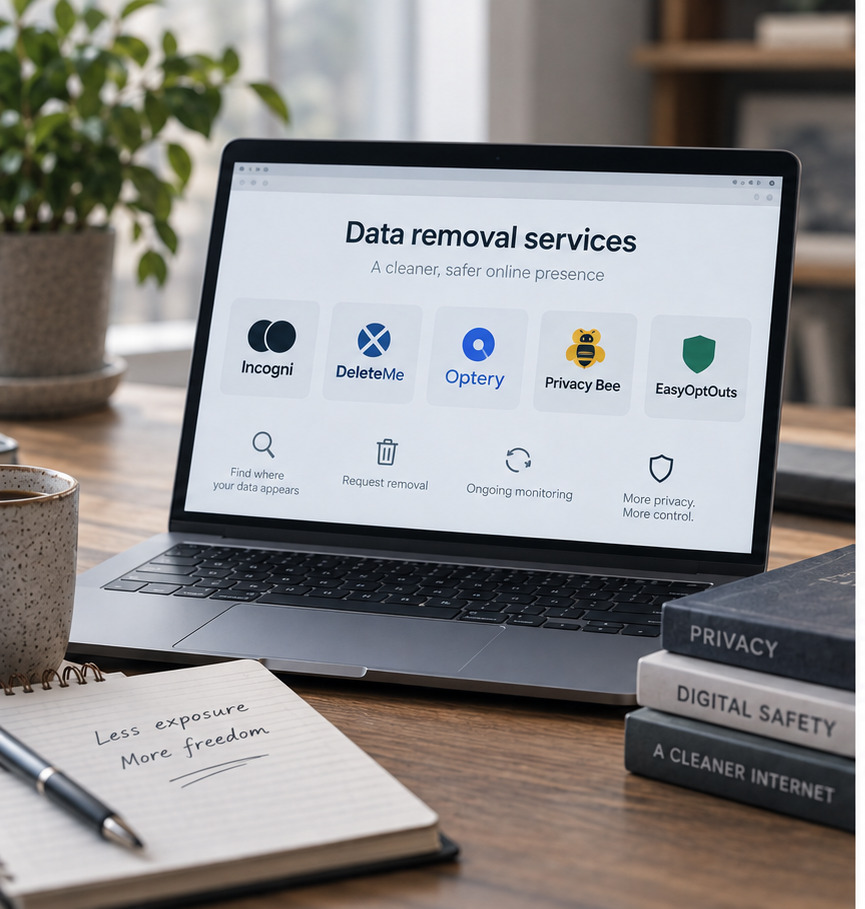
I’d consider DeleteMe if managed assistance is the deciding factor, after checking its local coverage and price. Aura makes more sense when the buyer wants a broader identity-protection package as well as data removal. For a wider shortlist, see our best data removal services.
DIY can be enough for a few identifiable public listings if I’m willing to track each opt-out and revisit it. A managed service earns its cost when that process repeats or records need help. I’d compare the actual evidence and effort, rather than assume a larger advertised network removes a different kind of source.
My Incogni alternatives guide compares the other options by evidence, support and budget.
Recent discussions raise similar-name matches and whether to enable Expanded Reach. Those are sensible questions to investigate, rather than reasons to assume that more results or more permission automatically mean better protection.
My matching check was to compare the underlying details before treating a record as genuine. For Expanded Reach, I separated the wider opt-out network from the more inspectable screenshot evidence. Some sites aren’t publicly searchable, which changes what can be demonstrated.
Users also report spam calls continuing after subscribing. I wouldn’t use call volume alone to judge removal: a number may already be held on other lists or copied elsewhere. Check the actual broker sources and use your phone’s spam controls alongside removal. A quieter phone is welcome, but it isn’t evidence that every exposure has gone.
The practical question behind the tier jump is whether human handling and periodic evidence solve a real problem. I’d judge screenshots by their dates and connection to the source, then compare the cost with the manual work they replace. A useful report shouldn’t become false confidence that all copies are gone.
Community experiences can identify a support question worth testing, but they don’t establish a typical response time or removal success rate. I’d keep my own support record and revisit the source after any claimed resolution.
The useful surprise for me was how much the free report could contribute before I chose a paid plan. Once I moved past the total and opened individual results, I had a better basis for deciding what needed attention. The strongest part of Optery was that ability to inspect the evidence and ask a more precise question about a particular listing.
I trusted the connection between a recognisable profile, its source and the report more than a headline count. Matching still required judgement, and a screenshot needed interpretation. That extra checking is part of using Optery well; it doesn’t make the visibility less valuable.
I’d start with Free Basic and work through the genuine exposures. Core is the low-cost route for a straightforward profile. Extended is the upgrade I find easiest to justify when several past locations, human handling and periodic screenshot reports solve a real problem. The price jump is substantial, so those features need to replace work I’d otherwise have to do myself.
Ultimate needs a specific reason: wider relevant coverage or an eligible custom request. I wouldn’t pay for the top tier simply to maximise the broker count, or confuse Expanded Reach’s different verification limits with screenshot-confirmed coverage.
The account checks mattered as much as the reports. I’d give accurate matching information, understand the authorisation and keep the AI processing choice deliberate. Recurring removal can reduce accessible material for impersonation and personalised scams, but it can’t retrieve every copied record or secure an account that’s already compromised.
I’d choose Optery when I wanted to examine exposure and removal evidence in a supported country. I’d choose Incogni for a UK resident, or when straightforward recurring broker removal mattered more than inspectable screenshot reporting. For a few manageable listings, I’d try DIY first. My recommendation comes back to what the initial scan showed me: buy the help needed for genuine exposures, then keep checking the important sources.
Compare current Optery plans after checking your country, the relevant brokers and the evidence you need.

Incogni Alternatives 2026: Which Service Would I Choose?
Best Data Removal Services in 2026: Reviewed & Compared

Best Apps to Catch a Cheating Partner in 2026: My Top Picks

Protecting Your Digital World One Step at a Time.
Some pages include affiliate links. We may earn a small commission at no extra cost to you. Our reviews remain unbiased and independent.
Copyright © 2025 | Digital safety squad | All Rights Reserved