


Last Updated on September 19, 2026 by Jade Artry
Are AI Chats Really Private? What ‘Private' Actually Means
With an AI chatbot, ‘private' can mean hidden from other users, excluded from training, absent from your history, inaccessible to human reviewers or protected from disclosure to someone else. When someone asks me whether an AI chat is private, I usually want to know what they mean by private first.
- Can other users see the conversation?
- Can the provider itself process or access it?
- Can it be used to improve or train future models?
- Is it stored in your account history?
- How long may backend copies remain after you delete it?
- Can a human review it?
- Could valid legal process require it to be disclosed?
These are genuinely separate questions. A tool can score well on one and poorly on another, which is exactly why a single word like ‘private' isn't enough to go on.
How Private Are ChatGPT, Claude, Gemini and Perplexity?
None of ChatGPT, Claude, Gemini or Perplexity is fully private on a standard consumer account, although Claude currently gives the strongest starting point on model-training consent specifically. Here's how the four stack up once you break privacy down into its actual parts, rather than trying to answer it in one word.
| Tool | Model-improvement setting | Saved chat history | Temporary or private mode | Human review | Deletion handling |
|---|---|---|---|---|---|
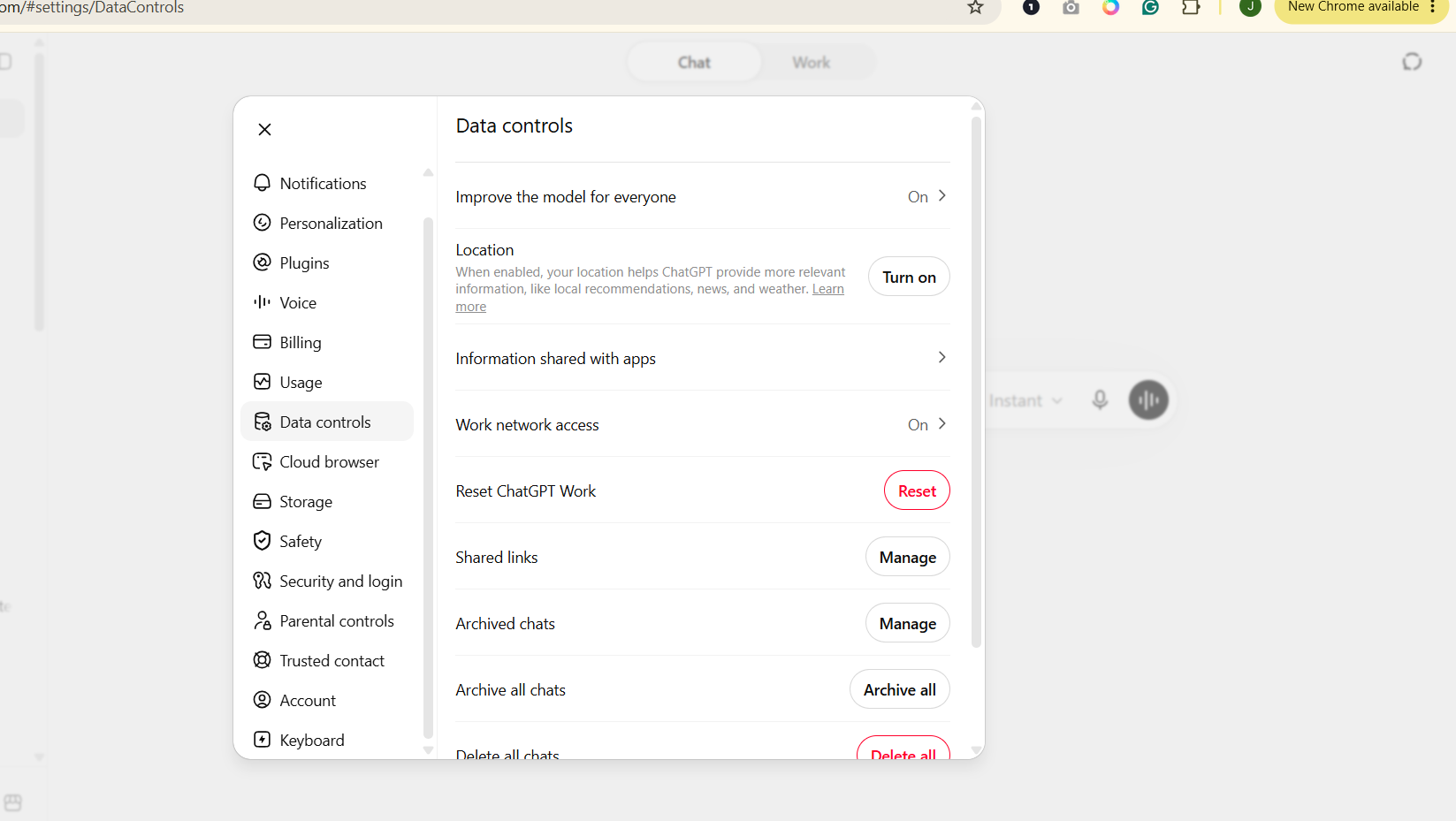
| ChatGPT | On for personal accounts, opt-out available | Kept until you delete it | Temporary Chat, excluded from history and training | For safety review, not routine | Deleted chats removed from backend within a defined window, subject to legal exceptions |
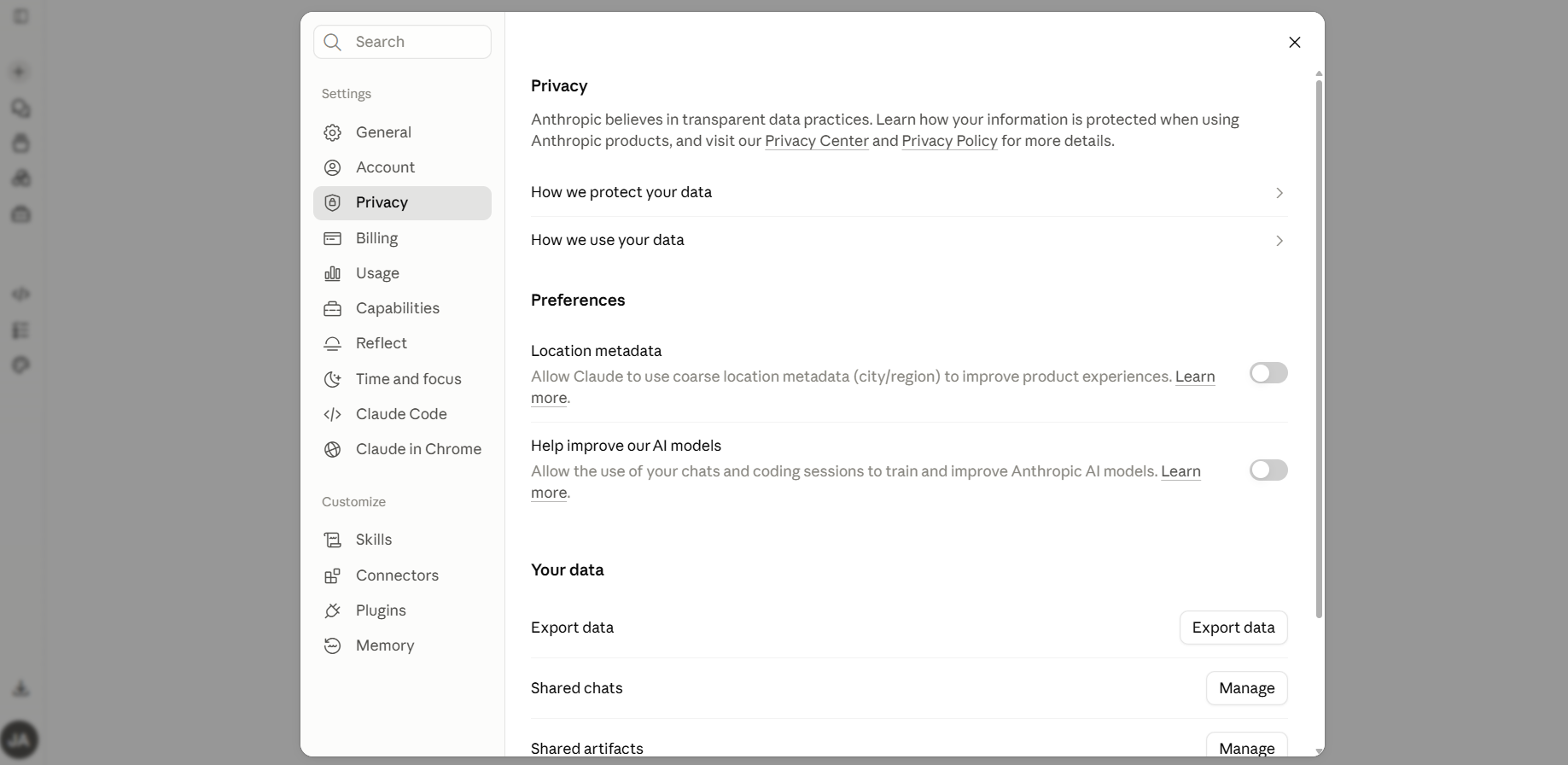
| Claude | User choice; model improvement only when allowed | Kept until you delete it | Incognito, never used for training regardless of account setting | Flagged content may be reviewed for safety enforcement | Backend deletion normally within 30 days; longer for flagged policy violations |
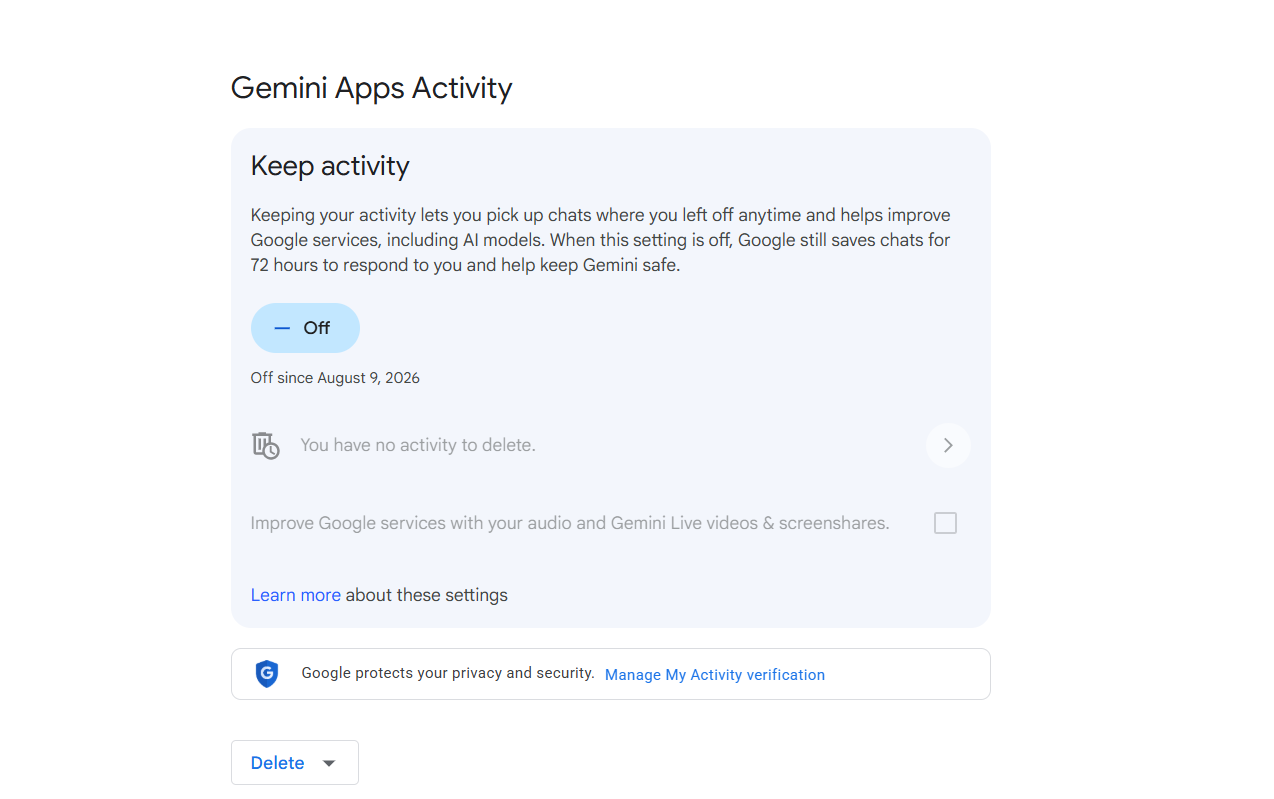
| Gemini | On via Keep Activity, adjustable | Default 18 months, adjustable | Off state still retains chats 72 hours for service operation | Explicitly disclosed; reviewed chats retained separately up to 3 years | Deleting activity does not remove already-reviewed chats |
| Perplexity | On for consumer tiers, opt-out available | Kept until deleted | Incognito, expires within 24 hours and isn't recoverable | No equivalent consumer-review detail found in the documentation we checked | Account data removed within 30 days of deletion |
If that feels like a lot of distinctions, the one I'd remember is this: ‘not used for training' does not mean ‘not stored', and ‘not visible in my history' does not mean ‘never processed by the company'. Providers also disclose their human-review practices differently, so an empty cell above reflects what we could find documented, not necessarily an absence of any review.
Settings checked by DSS: August 2026. See how we research AI safety for our full methodology. For the full detail behind each tool, see ChatGPT, Claude, Gemini and Perplexity.
Which AI Chatbot Is Most Private?
Claude currently gives users the strongest privacy starting point among mainstream chatbots, based purely on the amount of control a consumer gets over model improvement. That doesn't make Claude magically confidential. It simply means Anthropic asks for a clearer decision before ordinary chats contribute to model improvement than some of its competitors do. That's one factor among several, not a verdict that Claude is unconditionally ‘the most private'.
Who Can See Your AI Chat Conversations?
An AI chat can be private from other users while still being accessible to the provider, human reviewers, an employer or administrator, someone who compromises your account, or through valid legal process. ‘Private' is really six different questions bundled into one word, and a tool can score differently on each one.
- Private from other users: by default, ordinary private chats aren't public to other users. Your conversations sit behind your own login, the same way your email inbox is private from other people's inboxes.
- Private from the AI company: this is where it gets genuinely inconsistent. The company that built the tool can typically access, process and in many cases train on your conversations unless you've actively changed that.
- Private from human reviewers: a separate question again. Gemini and others disclose that a subset of conversations may be read by trained human reviewers for quality purposes, independent of whether training is switched on.
- Private from your employer or admin: if you're using an account your employer administers, they may have visibility into your usage depending on the plan and their own configuration.
- Private from someone who compromises your account: no privacy setting protects you here. Account security, covered on our individual tool pages, is what actually matters if this is your concern.
- Private from legal disclosure: cloud-hosted data can be subject to valid legal process, the same as any other business record a company holds.
Are AI Chat Conversations Encrypted?
Usually yes, in a specific and limited sense that's worth understanding rather than assuming. Major cloud AI providers state that they encrypt data in transit and at rest. That protects data against important forms of unauthorised access, but it isn't the same as end-to-end encryption, because the provider still needs to process the prompt to generate a response.
That is a genuinely different guarantee to end-to-end encryption, the kind used by Signal or WhatsApp for person-to-person messages, where only the sender and recipient hold the keys and the company itself cannot read the content. Standard cloud AI chat doesn't work that way, because the provider's own servers need to read your prompt to generate a response. The company holds the keys, even if outsiders don't.
A small number of newer ‘private processing' or ‘zero-access' approaches, covered in our roundup of the best private AI chatbots, attempt to close that gap using secure, isolated processing environments the provider itself cannot inspect. That's a meaningfully stronger guarantee than standard transit and at-rest encryption, and worth knowing the difference the next time a provider uses the word ‘private' in a headline.
Does Using AI Without an Account Make You Anonymous?
It reduces identity linkage, but it isn't the same as anonymity. Skipping sign-in stops a provider tying your queries to a named account and a saved history. It doesn't inherently stop IP address, device fingerprint or service-level logging, and exactly how much is captured varies by provider and by implementation.
Tools built specifically around this problem, like DuckDuckGo's AI Chat, go further and deliberately strip identifying information before a query reaches the underlying model. That's a meaningful step beyond simply not logging in to a mainstream tool. See Best Private AI Chatbots for how these compare.
Are Business AI Accounts More Private Than Consumer Accounts?
Work and enterprise AI accounts usually add stronger contractual protections and exclude model training by default, while consumer accounts more often rely on individual privacy settings and opt-outs. This single distinction answers more privacy questions than almost anything else on this page, including the ‘can my employer see this' question we get asked often.
| Account type | Typical training default | Who can see it |
|---|---|---|
| Consumer | Often on, opt-out varies by provider | You, plus the provider under its standard terms |
| Business-managed | Usually excluded by default | You, plus your organisation's admin depending on configuration |
| Enterprise | Excluded under contract | You, your organisation, subject to audit and compliance policies |
| API | Excluded under standard terms | Whoever the developer building on the API has configured to see it |
Are Meta AI and Microsoft Copilot Chats Private?
Meta AI and Microsoft Copilot follow the same broad pattern but with different privacy implementations: Meta now offers an Incognito Chat mode built around Private Processing, while consumer Copilot uses different data rules from Microsoft 365 Copilot for work.
Meta introduced Incognito Chat for Meta AI on WhatsApp and its standalone app in May 2026, built on what it calls Private Processing, a secure environment Meta states it cannot itself access, with conversations not saved and not used for training. It's a genuinely different architecture to a standard ‘temporary chat' toggle, closer to the zero-access approach covered in our private AI roundup, though it's worth treating any company's own privacy claims about its own product with the same scrutiny we apply throughout this guide.
Microsoft's consumer Copilot trains on your conversations by default unless you're signed out entirely or you opt out, while Microsoft 365 Copilot under Enterprise Data Protection excludes training and keeps data inside your organisation's compliance boundary, the same consumer-versus-work split that runs through every tool on this page.
For tools built specifically around stronger privacy by default, rather than mainstream tools with a privacy mode bolted on, see Best Private AI Chatbots.
Does Turning Off AI Training Delete or Stop Storage of Your Chats?
No, it doesn't. Turning off a model-improvement setting stops your conversations being used to train future models, but it doesn't delete your conversation from your account history, and it doesn't stop the provider's servers processing it to generate a response in the first place. OpenAI is explicit that switching off ‘Improve the model for everyone' leaves ordinary conversations in your ChatGPT history; only Temporary Chats are automatically deleted. The same distinction, in different forms, applies across every provider in this comparison.
Are Temporary and Incognito AI Chats More Private?
They all keep a conversation out of your saved history and out of training, but none of them stop the conversation reaching the provider's servers in the first place. Temporary modes are useful, and I use them. I just wouldn't read the word ‘Temporary' or ‘Incognito' as meaning the conversation never left my device. Every major tool now offers some version of a reduced-persistence mode: ChatGPT's Temporary Chat, Claude's Incognito, and Gemini's equivalent behaviour when Keep Activity is off. All of them meaningfully reduce what's saved to your account and excluded from training. None of them mean the conversation never reaches the provider's server.
Can People at AI Companies See Your Chats?
Sometimes, yes, under specific circumstances like safety review or human quality checks, though not as routine reading. This is often the part people find most uncomfortable, so it's worth being precise about exactly when it applies. It depends on the circumstance, and the honest answer distinguishes between routine processing, human quality review, safety review and legal or compliance access. Google states that a subset of Gemini conversations is reviewed by trained human reviewers, and that reviewed chats can be retained separately for up to three years. Anthropic documents a comparable safety-review exception for Claude, separate from its general consumer training permission. This doesn't mean every conversation is read by a person, but it does mean no mainstream consumer AI account should be treated as guaranteed to be unseen by anyone at the company.
Can AI Chats Be Subpoenaed or Used in Court?
Yes. AI conversations stored by a cloud provider can potentially be disclosed in response to valid legal process, just like other records the company holds. Most people will never have an AI conversation pulled into legal proceedings, but the principle is worth knowing: information stored by a cloud service can be subject to valid legal process. That's another reason I wouldn't treat an AI chat like a conversation protected by professional confidentiality.
This isn't hypothetical. In January 2026, a US federal judge affirmed an order compelling OpenAI to hand over 20 million de-identified ChatGPT conversation logs as evidence in a consolidated copyright case brought by the New York Times and other publishers, over OpenAI's own privacy objections. The court found that users had ‘voluntarily submitted' their conversations to OpenAI, which weakened the company's argument that the logs should be protected. That's exactly why the distinction matters: data you've willingly shared with a company sits on genuinely different legal footing to a conversation you'd expect to stay confidential.
How Can You Make AI Chats More Private?
You can make AI chats more private without turning every setting off or abandoning mainstream AI altogether. I'd start with the least disruptive changes and go further only when the information you're handling justifies it.
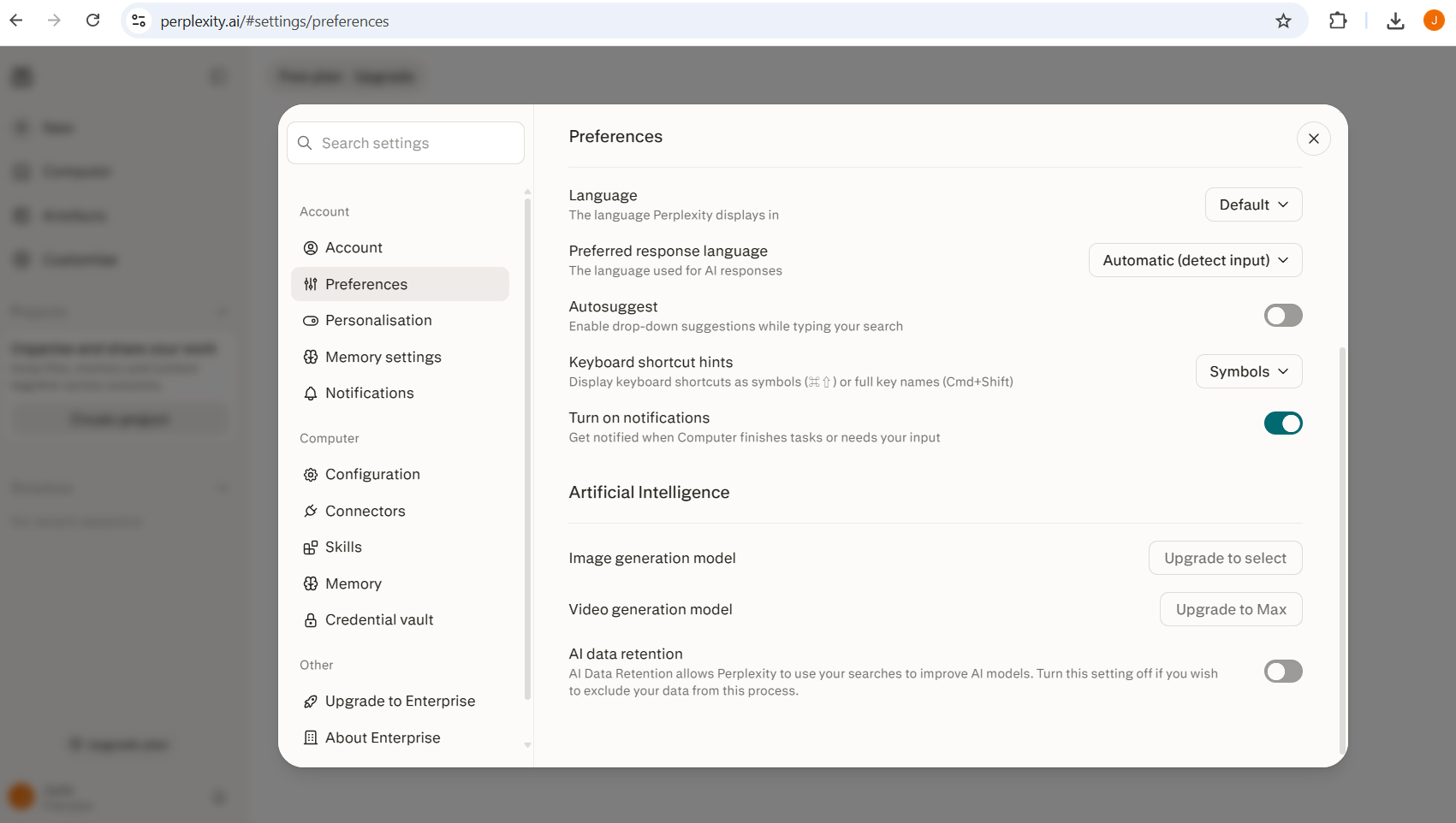
Low-effort controls: review your training setting and privacy preferences on whichever tool you use most.
Reduced persistence: use Temporary Chat, Incognito or the equivalent mode for anything sensitive or one-off.
Stronger privacy: consider a privacy-first tool where confidentiality matters most. See Best Private AI Chatbots.
The strongest rule: don't transmit information that doesn't need to leave your control in the first place. See what information you should never share with AI.
If you've already got conversations sitting in your history that you'd rather remove, see how to delete your data from AI chatbots for the exact steps per provider.
Should You Put Confidential Information Into an AI Chatbot?
For genuinely confidential information, my answer gets much simpler: don't rely on a carefully configured personal chatbot account to make it confidential. See the AI Safety hub for more on AI safety. For regulated or company information, use whatever system your organisation has approved, ideally one covered by a proper data processing agreement.
The Bottom Line on AI Privacy
I use AI chatbots regularly, and I don't assume every conversation is being watched or that using them is inherently unsafe. I also don't confuse a private-looking interface with confidentiality.
Decide what kind of privacy you actually need. For an ordinary planning question, the defaults may be perfectly reasonable. For something deeply personal, professionally confidential or identifying, I'd reduce what I share first and worry about the finer settings second.
Sources and further reading
- OpenAI Help Centre: model improvement
- Anthropic Privacy Centre: data retention
- Google Gemini Apps Privacy Hub
- Bloomberg Law: OpenAI ordered to produce 20 million ChatGPT logs, January 2026
- Meta: Introducing Incognito Chat with Meta AI, May 2026
- Microsoft: Privacy FAQ for Microsoft Copilot
Settings last checked: August 2026.
