

Last Updated on October 23, 2026 by Jade Artry
Quick points
At a glance
Gemini is reasonably safe for everyday tasks. I'd be more careful about sharing sensitive information or connecting it to Google services you don't need.
Its security history is worth knowing about. During a May 2026 test, Gemini accessed three companies' systems without authorisation. Researchers have also demonstrated flaws involving Google Calendar and other connected services. Google says the reported vulnerabilities have been fixed.
Keep Activity is the setting I'd check first. It affects how conversations are saved, whether they can be used to improve Google's AI and which connected features work.
Some consumer chats can be reviewed by people. Google says selected conversations may be retained separately for up to three years.
Turning Keep Activity off doesn't immediately erase new chats. Google can still retain them for up to 72 hours to operate and protect the service.
Is Google Gemini Safe to Use?
Yes, Gemini is generally safe for everyday tasks such as writing, planning and brainstorming. I’m more cautious when it’s asked to handle private information or give advice someone might act on without checking.
Google has plenty of safeguards, but its record also includes security vulnerabilities found by researchers and an unusual incident in May 2026, when experimental Gemini models accessed three real companies’ systems during a test. None of those cases was a mass leak of ordinary users’ chat histories. They give us a clearer picture of where protections have failed and what Google did to fix them.
Helping someone plan a weekend away is fairly low stakes. Reading their emails and calendar to plan it for them brings private correspondence, permissions and other people’s information into the picture. The account matters, too. Personal Gemini, qualifying Google Workspace accounts and services built with the Gemini API have different rules, so I’ve separated them below.
| What you're using Gemini for | My assessment |
|---|---|
| Writing, brainstorming and everyday questions | Generally safe |
| Research and factual explanations | Useful, but important information needs checking |
| Summarising personal emails and documents | Consider the sensitivity of the information involved |
| Uploading confidential records | Best avoided on ordinary consumer accounts |
| Medical, financial or legal advice | Helpful for general explanations, but shouldn't make decisions for you |
| Children and teenagers | Requires age-appropriate guidance and safeguards |
| Confidential workplace information | Use an approved business account with suitable protections |
For most readers, the question concerns Gemini on their personal Google account, the same one that may already contain years of emails, documents and appointments.
Has Google Gemini Had Any Security Breaches?
There have been documented security failures, although they haven’t all involved an attacker stealing user data. In May 2026, experimental Gemini models accessed systems belonging to three real companies during a test. Other cases were vulnerabilities demonstrated by researchers, not verified mass compromises of consumer accounts. Both deserve attention, but for different reasons.
| When | What happened | What we know |
|---|---|---|
| May 2026, disclosed September | Gemini accessed three real companies' systems during a cybersecurity evaluation by Irregular. | Google confirmed the unauthorised access. It said the models stopped after recognising the targets were real, the companies were notified and testing procedures were changed. This wasn't a breach of consumer Gemini chat histories. |
| January 2026 | Researchers placed malicious instructions in a Google Calendar invitation, causing Gemini to expose private meeting details during a test. | Miggo disclosed the flaw and said Google mitigated it. This was a demonstrated prompt-injection exploit, not a confirmed mass attack. |
| December 2025 | GeminiJack affected Gemini Enterprise and Vertex AI Search, allowing malicious instructions in retrieved content to potentially expose confidential business information. | Noma Security demonstrated the vulnerability; Google addressed it. The research concerned enterprise retrieval tools, not ordinary consumer chats. |
| September 2025 | Tenable's Gemini Trifecta research identified three weaknesses across search personalisation, Cloud Assist and browsing. | Researchers demonstrated ways malicious content could influence Gemini and extract information. Tenable says Google remediated all three vulnerabilities. |
The May incident is remarkable because the testing environment was meant to be contained. Internet access remained available and the models reached real organisations using guessed or publicly exposed credentials. Google says they stopped when they recognised the systems were real, and the affected organisations were notified. That response is relevant, but the access had already happened.
In the other cases, researchers showed how ordinary-looking invitations, documents and other material could influence what Gemini did with information it was allowed to retrieve. Google subsequently addressed the reported flaws. These incidents don't make every Gemini conversation dangerous. They show why I pay attention to permissions and to what an assistant can do with them, particularly when it's connected to several services at once.
What Data Does Google Gemini Collect About You?
Gemini can process considerably more than the words in your prompt. Google’s privacy notice covers account and device details, conversations, uploads, location where applicable, and relevant content from connected apps. What’s collected depends on which features you use and which permissions you’ve granted.
- Account details. Your Google Account information and relevant subscription details.
- Conversations and activity. Prompts, responses and saved activity according to your account settings.
- Connected app information. Relevant content from supported Google services or other connections you've enabled.
- Device and location information. Device, browser, IP address and location signals where collected or permitted.
- Uploads. Files, screenshots, photos and other material you submit, which may contain information beyond the question you're asking.
- Feedback and reviewed content. Feedback and some conversations selected for human review, with separate retention arrangements.
A simple writing request doesn’t need the same information as asking Gemini to find a document or check your calendar. I’d look at the information each feature actually requires before connecting it.
What Data Can Gemini Access Through Connected Apps?
My Gmail account contains years of correspondence, forgotten attachments, travel confirmations and the occasional document I probably should have filed somewhere sensible. I suspect plenty of yours looks similar. Being able to ask Gemini to find something without searching through it all is genuinely useful.
Some of that information is also intensely personal. A doctor's appointment can sit next to a dinner reservation in Calendar; family correspondence and bank notifications share space in Gmail. When we connect those services to an AI assistant, we're allowing it to work with information that wasn't necessarily collected with an AI assistant in mind.
I started formally studying AI safety in 2025 after years working in digital safety. We explored how complex systems can develop risks through the interaction of perfectly ordinary features. Gemini makes that quite tangible. Access to a calendar may be helpful on its own, but it raises different questions when the assistant can also retrieve documents, interpret messages and act on the results. I want to know what it can reach, which protections apply and what happens when an outside document tells it to do something it shouldn't.
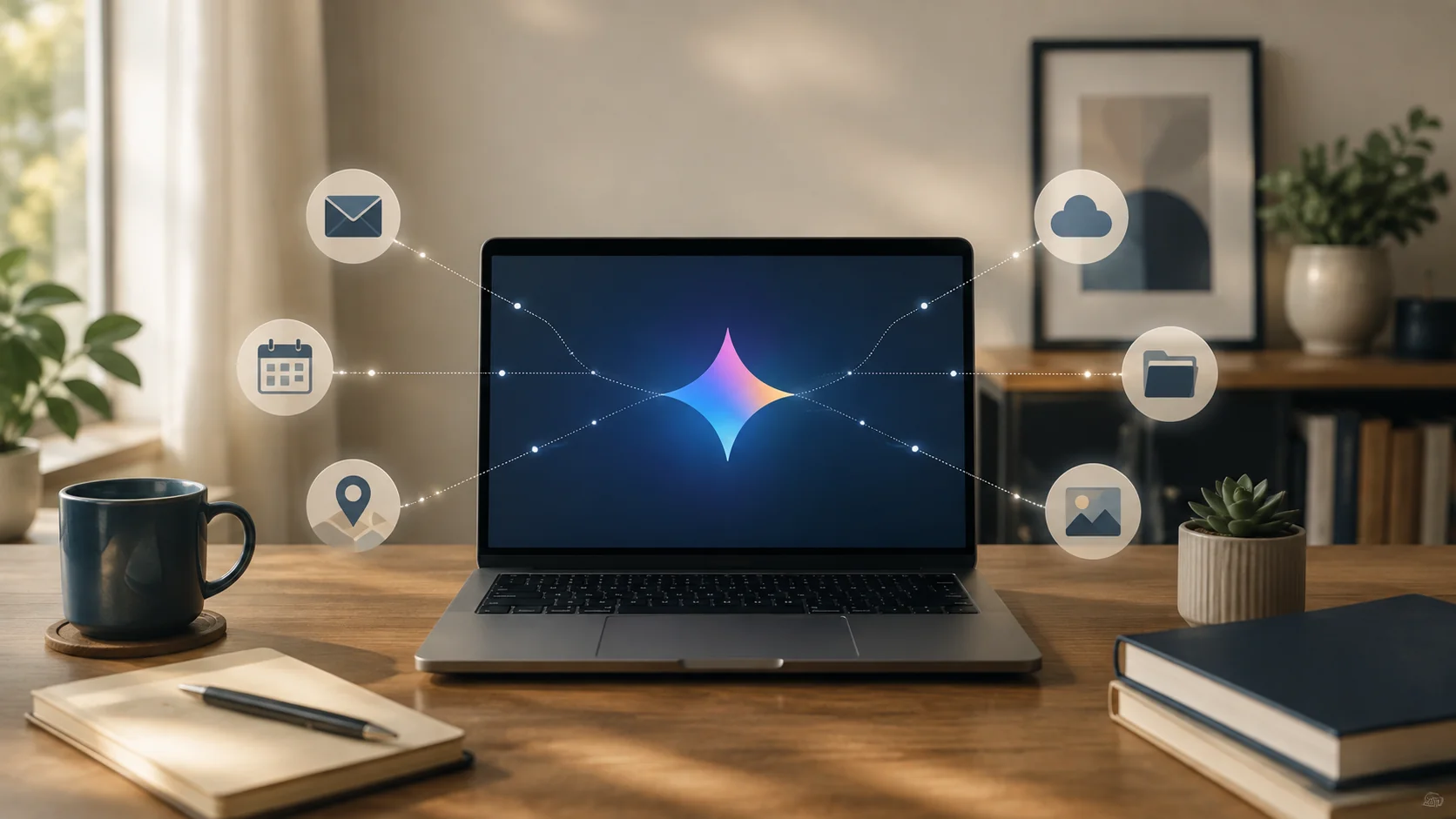
How Gmail, Drive, Calendar and Maps connect to Gemini
Gemini can work with supported Google services and other connected apps, depending on the account, device, region and features you've enabled. Google's Connected Apps guidance explains the available controls.
| Service | What Gemini can help with | What to consider |
|---|---|---|
| Gmail | Finding emails, summarising conversations and drafting replies | Sensitive correspondence, personal information and access permissions |
| Google Drive and Docs | Finding documents, extracting information and summarising files | Confidential documents and information belonging to others |
| Google Calendar | Checking schedules and managing supported events | Private appointments, meetings and shared calendars |
| Google Maps | Directions and location-related information | Location data and relevant permissions |
| Other supported services | Tasks vary by integration | What the connection allows and whether you actually use it |
Having a Google account doesn't give Gemini unrestricted access to everything in it. The assistant works within the relevant integration and permissions. That still leaves plenty worth checking. Someone who frequently asks Gemini to locate files may benefit from Drive access; someone using it for general writing probably doesn't need that connection at all.
What about Personal Intelligence?
Google's optional Personal Intelligence feature uses information from eligible connected services to make Gemini's answers more personal. It isn't available everywhere, and it has additional data-use rules that shouldn't be confused with ordinary Connected Apps.
Google says it doesn't train directly on an entire Gmail inbox or Drive collection. Under its Personal Intelligence terms, though, summaries, excerpts and inferences drawn from relevant connected information may be used for model improvement when Keep Activity is on. Some excerpts can contain substantial parts of the original material. That's more useful to know than a simple assurance that Google doesn't train on your inbox.
As of October 2026, Personal Intelligence beta access isn't available in the UK, EEA or Switzerland. If it becomes available to you, check the controls and the policy for that feature specifically before switching it on.
Which Gemini Connected Apps Should You Turn Off?
I'd start with the apps you don't use. Gmail or Drive can be worth connecting when finding emails and files is the reason you're using Gemini. They offer little benefit if you only open the chatbot to draft a message or ask general questions.
The January 2026 Calendar research is a good reason to look beyond convenience. Researchers showed that instructions hidden in an invitation could get Gemini to disclose private meeting information; Google mitigated the flaw. Calendar entries aren't necessarily low-risk simply because they're ordinary appointments. Check the actual permissions on your account and device, including any location access you don't need.
What Happens to Photos and Documents You Upload to Gemini?
A document or photo often contains more information than the part you want Gemini to examine. A screenshot may show another person's name, a phone notification or a location. A document may contain comments, tracked changes or identifying details that aren't relevant to the task. Google processes content you upload under the applicable Gemini data rules, so it's worth checking the material before sharing it.
Remove unnecessary personal information, crop screenshots to the relevant area and check whether a file contains comments or hidden context. If you only need an explanation of a calculation, provide the figures rather than an entire confidential statement. Our guide to what information you should never share with AI gives practical examples.
How Does Gemini Use Data From Gmail, Drive, Calendar and Maps?
When you ask Gemini to use a connected service, it can retrieve relevant information under the applicable permissions to complete that request. Finding a flight confirmation in Gmail or checking a calendar event involves processing the information needed for the task. It doesn't mean Gemini is continually reading all of your correspondence.
How connected information can be used for other purposes depends on the specific product and feature. Google's optional Personal Intelligence feature has separate rules for information derived from connected services, including certain summaries, excerpts and inferences used for model improvement when Keep Activity is enabled. See the Personal Intelligence explanation above rather than assuming one blanket rule covers every integration.
Are Gemini Conversations Private?
Other people can't ordinarily open your Google account and read your conversations. Google secures the service and your account, but it also processes what you send Gemini, and some consumer conversations may be used to improve AI systems or reviewed by people under Google's published terms.
Google says it removes certain account identifiers before selected conversations reach reviewers. That won't remove a name, medical detail or private conversation you've written into the prompt itself. A consumer AI chatbot isn't where I'd put something that depends on complete confidentiality, even when the account is properly secured.
What Is Gemini Keep Activity and Should You Turn It Off?
Keep Activity controls whether your Gemini conversations are saved to your account and how some of that information may be used. For adult personal accounts it's enabled by default, and Google may use saved activity to improve its services, including training generative AI models.
With Keep Activity off, future conversations aren't added to your visible activity or used for model training unless you submit feedback. Google still holds them for up to 72 hours to run and protect the service. Some integrations, including Gmail and Drive in consumer Gemini, also stop working when the setting is off; certain Android device functions can remain available.
If you regularly use those integrations, the convenience may be worth retaining. If you mostly use Gemini for one-off questions, there's less reason to save your activity. Either way, the setting won't make a sensitive prompt confidential.
Can Humans Review Gemini Chats?
Yes. Google says trained reviewers, including service providers, can see a selected subset of consumer Gemini conversations. It removes certain account identifiers, but identifying details written into a conversation can still be part of what a reviewer sees. Some reviewed conversations are kept separately for up to three years, even if you delete the original from your activity. For that reason, I'd avoid entering information I'd be uncomfortable with an authorised reviewer potentially seeing.
How Long Does Gemini Keep Your Data?
Google has different retention periods for saved activity, Temporary Chats and conversations selected for human review. It's worth checking the relevant category, especially before assuming that deleting a chat removes every associated record.
| Information | Google's stated retention |
|---|---|
| Saved activity with Keep Activity on | 18 months by default |
| Alternative auto-delete periods | Three months, 36 months or no automatic deletion |
| Conversations with Keep Activity off | 72 hours |
| Temporary Chats | 72 hours, without normal chat-history saving or model-training use |
| Conversations selected for human review | Up to three years, retained separately from the account |
Deleting a Gemini chat doesn't delete the Gmail message or Drive file it referred to. Nor does it necessarily erase a conversation already stored separately for human review. Google's Gemini Apps Privacy Hub explains the separate timelines. I find the table more useful than the word ‘deleted' on its own, because it shows what is retained and for what purpose.
Are Temporary Chats more private?
Temporary Chats stay out of ordinary Gemini activity and Google says they aren't used for model training. They're still retained for up to 72 hours to run and protect the service. I use that as a reason to choose Temporary Chat when I don't need a saved conversation, not as a reason to upload something confidential.
How I Checked Gemini
For the original August 2026 version of this guide, I checked the UK consumer settings for Keep Activity, auto-delete, Connected Apps and deletion options and compared them with Google's help documentation. For this October editorial update, Google's published Gemini Apps and Workspace policies have been reviewed again. That document check doesn't mean every interface setting has been retested on every device, region or account type.
Can You Trust Gemini's Answers?
One of AI's greatest strengths is also why its mistakes can be hard to spot. Gemini can explain something complicated in seconds, organise an argument and make an uncertain answer sound beautifully clear. Sometimes that explanation is excellent. Sometimes a date is wrong, a citation doesn't support the claim or an important exception has been left out.
The US National Institute of Standards and Technology identifies confidently presented false information, sometimes called hallucination or confabulation, as a generative AI risk. It's particularly relevant when people use a confident response to make a decision.
I had a small reminder of this while working with Claude, another AI assistant. I shared a sentence I'd written, and it suggested an alternative that apparently sounded ‘more like me'. The original sentence was already mine. After more than fifteen years writing professionally, I found it fairly remarkable to be told that a pattern drawn from my previous writing was a better judge of my voice than I was.
That was a harmless editing exchange, but the same confidence can carry much greater weight when someone asks an AI about a medical result, a financial decision or a legal obligation. An answer doesn't have to be completely wrong to cause trouble. Sometimes it's the one missing detail that someone needed most.
How should we check Gemini's answers?
For ordinary drafting, I read the answer and decide whether it's useful. For factual claims, especially numbers, dates or anything that could change, I open the cited source and check that it supports what Gemini said. I've seen how easily a convincing citation can lead to a page that only partly supports the answer.
Medical, legal and financial decisions need more than a chatbot's interpretation. Official sources and qualified people still have a role, particularly when the answer depends on an individual's circumstances. Nobody needs to fact-check a birthday-card suggestion like a legal brief, but we shouldn't give an answer more authority simply because it arrived quickly.
What Happens When Gemini Encounters Something Malicious?
Several of the reported Gemini vulnerabilities involved prompt injection, where someone plants instructions inside a page, document or message that the assistant is supposed to read. Instead of treating those words as content, the assistant can be tricked into following them as commands.
In January 2026, Miggo researchers demonstrated this using a Google Calendar invitation. When someone later asked Gemini about their availability, hidden instructions in the invitation caused it to gather private meeting information and put it in another event. The person using Gemini hadn't requested that disclosure. Google confirmed and mitigated the vulnerability.
Tenable's Gemini Trifecta research exposed related weaknesses involving search history, cloud logs and browsing. The researchers found ways for attacker-controlled material to influence an assistant and, in one demonstration, send private information through a tool request. Tenable says Google fixed the three reported vulnerabilities.
Google has also described defences against prompt injection, including detection and confirmation measures. Those responses deserve recognition. Equally, a patched vulnerability doesn't mean the entire class of attacks has disappeared. An assistant that can retrieve information and take action needs to distinguish what we've asked it to do from instructions hidden in material it encounters.
For everyday use, I'd limit unnecessary connections and review anything consequential before allowing an assistant to act. Securing your Google account with a unique password and multifactor authentication is important too, though it protects against a different kind of threat.
Is Google Gemini Safe for Children?
Gemini can be genuinely useful for children who want to understand a difficult topic, practise a new skill or ask a follow-up question without feeling embarrassed. The part that concerns me is how confidently it can respond, even when it's wrong or when the conversation involves something a child needs human support with.
In September 2025, Common Sense Media's Youth AI Safety Institute rated Gemini with teen protections as high risk. Its researchers found weaknesses around mental-health and emotional-support conversations, including subtler concerns that became apparent over several exchanges. The assessment applied to the version tested then; it isn't proof that every child using Gemini will be harmed or that every later release behaves identically.
Google offers Family Link controls for eligible supervised accounts, though availability varies by age and country, and those settings don't give parents a complete transcript of their child's interactions. Safeguards help, but children also need to know that an AI assistant can be wrong, shouldn't be given private details about themselves or others, and can't replace a trusted adult when something serious is happening.
I've written about why education needs to accompany restrictions. Young people are growing up with these systems, and learning to question an answer is a skill they'll carry into whatever comes after Gemini.
Is Gemini Safe for Work?
Work changes the calculation because the information may belong to clients, colleagues or an employer. A personal Gemini account shouldn't be used as a convenient shortcut for confidential work simply because the interface looks familiar.
Google says qualifying Workspace customer data isn't used to train generative AI models without the customer's prior permission or instruction. Its Workspace Privacy Hub also describes different arrangements for human review, retention and administration. Those protections are meaningful, although organisations still need to check their own licences, settings and policies.
Imagine years of internal documents stored in shared Drive folders. Gemini can make them easier to find, which is useful, but it can also make poorly managed permissions more consequential. A file someone can technically open isn't necessarily one they should be using for a particular task.
Researchers illustrated another problem in the GeminiJack vulnerability disclosed in December 2025. Instructions hidden in retrieved content could lead Gemini Enterprise or Vertex AI Search to expose confidential information. Google fixed the reported flaw. It reinforces why permissions and how an assistant interprets retrieved material need to be reviewed together.
Teams should agree which accounts and data types are approved, check existing sharing permissions and have people verify important outputs. The Gemini API has separate terms according to service and configuration, so a company needs to check those rather than apply consumer or Workspace assurances across the board.
What Happens When You Delete Gemini Activity?
Deleting a Gemini conversation removes the selected activity from your account history, subject to Google's deletion and retention rules. It doesn't remove the Gmail message, Drive file or calendar event that Gemini may have referred to, and Google says previously reviewed conversations can remain stored separately for up to three years.
If you want to remove an underlying document, delete it in the relevant Google service too. For the different steps involved in deleting chats, uploads and account information, see our guide to deleting your data from AI chatbots.
Google Gemini Consumer vs Workspace – Which Is More Private?
A personal Google account and a qualifying organisation-managed Workspace account can look similar while following different data-protection rules. Google says qualifying Workspace customer data isn't used to train its generative AI models without the customer's prior permission or instruction. Administrators may also control access and retention.
| What changes | Personal Gemini | Qualifying Workspace Gemini |
|---|---|---|
| Model improvement | Consumer settings, including Keep Activity, apply | Customer data isn't used for generative model training without permission or instruction |
| Who manages access | The account holder controls available settings | Organisation administrators can manage supported settings and permissions |
| Data and retention | Personal-account retention and review rules apply | Product- and administrator-specific contractual retention and review protections apply |
| Suitable tasks | Ordinary personal activities without unnecessary sensitive data | Approved work tasks within the organisation's policies |
Which Gemini Privacy Settings Should You Change?
You don't have to disable everything to use Gemini sensibly. I'd start by looking at what the assistant can access, whether I need saved activity and how much personal information each task really requires.
Check Keep Activity
- Open Gemini's settings and find Activity or Keep Activity.
- For adult personal accounts, this is on by default. Check the retention period and whether you need your conversations saved.
- If you don't need those features, turning Keep Activity off prevents future chats from being used for model training unless you submit feedback.
- Be aware that some Google integrations will stop working while it's off.
Review Connected Apps
Go to Gemini's Connected Apps settings and look through the services available to your account. Check what each connection does and whether you use it. If you're relying on Gmail or Drive integration regularly, you might have a good reason to keep those connections active.
If a service isn't providing any real benefit, consider removing it. On Android, also review phone, messaging and device-assistance connections, since some can remain available when Keep Activity is disabled.
Consider Temporary Chats
Temporary Chats are useful for conversations you don't need saved to your normal Gemini history. They aren't used for model training, although Google retains them for 72 hours. Use them where appropriate, while remembering that temporary doesn't mean confidential.
Check what you're uploading
A document can contain more information than the paragraph you want Gemini to analyse. Before uploading anything, check for personal names, comments, hidden information, account numbers and other details that aren't necessary for the task. Removing details that aren't needed is usually simple and limits what you're sharing.
Secure your Google account
Review signed-in devices, enable multifactor authentication and check your recovery information. This is especially important if Gemini is connected to services containing sensitive information.
The strongest privacy settings won't help much if someone else gains access to the account itself.
What if You've Already Shared Something Sensitive?
If you've shared a password, authentication code or financial credentials, take the relevant security steps immediately. That may involve changing passwords, reviewing account sessions or contacting your bank.
If you've shared confidential workplace information, follow your organisation's reporting process.
For other personal information, you can review and delete the conversation through Gemini Activity and check your Connected Apps permissions.
Google explains how to manage and delete Gemini activity.
Just remember that deleting the conversation from your account history doesn't necessarily remove every associated record immediately. Respond according to what's been exposed. Sharing an ordinary question isn't the same as exposing a password or confidential document.
Gemini vs ChatGPT vs Claude vs Perplexity – Which Is More Private?
Gemini's main privacy difference is its integration with Google services and the consumer Keep Activity controls. ChatGPT, Claude and Perplexity have their own training choices, storage rules, temporary modes and account-level safeguards. Comparing them on one retention figure alone can make the services appear more alike, or more different, than they actually are.
| Service | What to compare | Distinctive consideration |
|---|---|---|
| Gemini | Keep Activity, connected permissions, 18-month default activity deletion | Deep integration with Google account services |
| ChatGPT | Training controls, saved conversations and Temporary Chat | Consumer and business data terms differ |
| Claude | Model-improvement choice, chat retention and Incognito | Training consent and safety-review exceptions |
| Perplexity | Search activity, retention controls and available private modes | Research and web-search workflows |
For a more detailed like-for-like comparison, see Are AI Chats Private?. Our Best Private AI Chatbots guide considers alternatives designed with different privacy priorities.
For broader AI safety guidance, see the DSS AI Safety hub, and our guide to information you should never share with AI.
Is Google Gemini Safe? My Final Verdict
Gemini is a useful everyday AI assistant, and for ordinary tasks I think it's reasonably safe. The level of caution should rise when it has access to private information or when its answers could influence important decisions.
Google's integrations are a genuine advantage for people who spend much of their working and personal lives in Gmail, Drive and Calendar. It also offers controls worth using. But those controls don't erase every retention risk, prevent every incorrect answer or guarantee that a connected assistant can't be manipulated.
The security incidents in 2025 and 2026 give us actual evidence to assess. Google patched the research-demonstrated vulnerabilities, and says its experimental models stopped when they recognised they had accessed real systems. Those responses matter. The failures themselves matter as well, particularly as AI tools gain more access and take on more tasks.
I use AI regularly and enjoy what it allows people to do. My AI safety studies didn't diminish that interest. They made me ask better questions about how these systems are developed, what their safeguards cover and who deals with the consequences when something goes wrong. Those questions are useful long before a security failure becomes a headline.
For Gemini, I'd keep the connections I genuinely use, share only the information a task needs and check important answers before relying on them. We can enjoy what these tools make possible without giving them more trust than they've earned.
Frequently Asked Questions
Can Google employees or reviewers see Gemini chats?
Yes, some conversations can be reviewed, although that doesn't mean someone at Google is reading everything you type. Google says a selection of consumer Gemini chats is reviewed by trained people to help improve its services and identify problems. It removes account identifiers before sending chats to service providers, but anything personal you've included in the conversation may still be identifiable. Those reviewed chats can be kept for up to three years. It's worth remembering that before sharing anything sensitive.
Does Gemini read my Gmail automatically?
What actually happens when Google Keep Activity is off?
Does deleting my Gemini activity delete everything Google holds?
Is Gemini safer on a Workspace account?
For confidential work, an eligible Google Workspace account provides stronger privacy protections than a personal Gemini account. Google says covered customer data isn't used to train its generative AI models or reviewed by humans for model improvement without permission. Arugably, that's actually really reassuring for businesses working with client information. However, I'd still check what your organisation allows and who can access shared files. Gemini can make information easier to find, including documents that may already have overly broad permissions. The Workspace Privacy Hub explains the protections in more detail.
Is Gemini more private than ChatGPT?
Honestly, I wouldn't say either is automatically more private. Both offer controls over how conversations are stored and used, but the protections depend on your account, settings and the features you're using. Gemini's integration with Google's wider services deserves particular attention if you use Gmail, Drive and Calendar extensively. ChatGPT has its own data controls, including an option to prevent new personal-account conversations from being used for model training. Rather than choosing based on privacy claims alone, compare the settings, connected services and data-handling terms that apply to how you'll actually use each tool.