
Best Location Tracking Apps
Always ensure that your loved ones are safe with the best location sharing apps. Whether you want peace of mind during a late journey home, reassurance when someone is travelling, or fewer ‘where are you?' messages, these are the tried and tested apps we would personally recommend.
When you buy through links on our site, we may earn an affiliate commission. Learn more
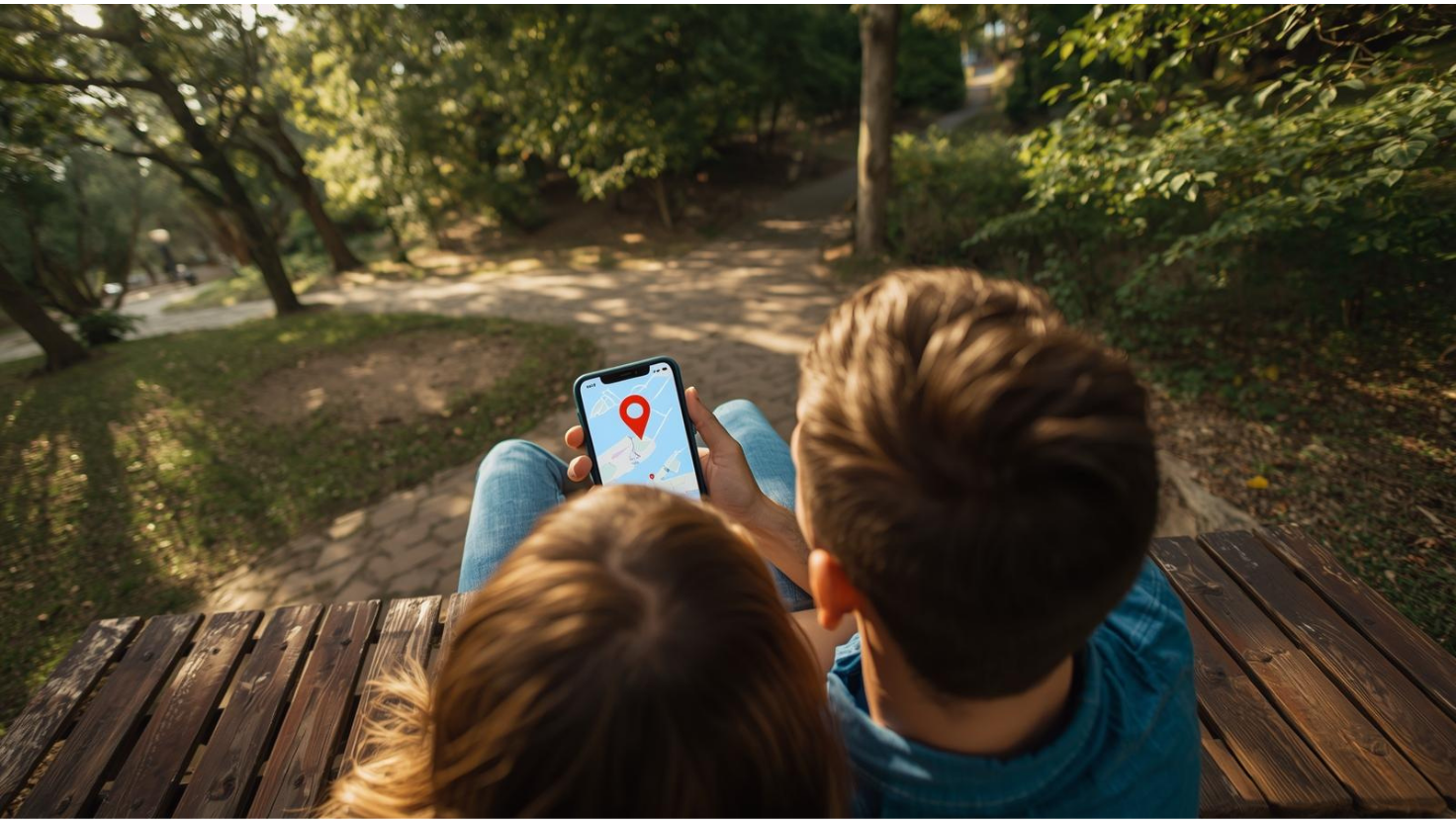
Whether you are in a long-distance relationship, juggling busy schedules, or simply want to know if someone got home safely, the right location sharing app can take a lot of worry out of everyday life. My parents have shared their locations for years, not for oversight, but because my mum is always on the go, rarely charges her phone, and will happily wander off on long walks with a bad knee. My dad usually ends up retrieving her. For them, a quick glance at a map is just practical. It's become part of their routine and a small reassurance that the other is okay.
For parents, couples, families and friends it's often the same. Location sharing is less about control and more about making things smoother, especially when someone is travelling, running late or walking home at night. The best apps give you the right level of visibility without draining your battery or feeling intrusive. Some stick to simple live updates. Others add driving history, place alerts or deeper device insight that only make sense when both people agree to that level of transparency.
I've used these in most of the situations they're built for. As a woman who travels solo, sharing a taxi route with someone at home is just part of how I get around. Nick, who co-founded Digital Safety Squad with me, uses them as a parent of two girls, which is a completely different set of needs. Between us and the wider team we've covered carers, housemates, long-distance couples and families managing an elderly relative, and the honest conclusion is that no single app wins all of it. So this guide covers the best location sharing apps in 2026 by the problem you're solving, from free tools like Life360 and Apple Find My through to the paid trackers that make sense once free sharing stops being enough.

Free tools like Apple Find My and Google Maps cover everyday sharing perfectly well, and I'd exhaust those before paying for anything. But they run out at the moment sharing stops being mutual. A young child won't remember to start a share. A phone left on a kitchen counter can't be found by an app that needs someone to open it. And a free map gives you nothing when the person you're trying to reach isn't answering. That's where FamiSafe and Scannero solve problems the free apps structurally can't.


Before choosing a location sharing app, it helps to see the main options side by side. Some are built for simple everyday sharing, some end themselves when a journey does, and others add the history, geofences and driving reports that only really matter once children or a new driver are involved. I've included the free location sharing apps most people should start with, the cross-platform tools that work properly in both directions, and the paid options worth considering when free isn't enough.
| Tool | Best for | Trial / Refund | What You Get | What's Missing | US Monthly Cost* | UK Monthly Cost* |
|---|---|---|---|---|---|---|
| Life360 | Everyday location sharing for couples and families | Free tier; 7-day free trial on paid plans | Live location, place alerts, location history, battery readings, driving reports and crash detection on higher tiers | Free tier caps you at 2 Places and 2 days of history; heavier on battery than the built-in options | Free, or $7.99 to $24.99 | Free, or £[confirm] |
| FamiSafe | Parents, younger children and teen drivers | 3-day trial on annual; 7-day money-back guarantee | Live location, history, geofences, driving reports, plus screen time, app and web controls | No free tier; noticeably weaker on iOS than Android; needs mobile data on to report location | From $9.99 monthly, less on annual | From £[confirm] |
| Scannero | Locating a phone by number with nothing installed | Low-cost trial, then subscription | Location request sent to any number, browser-based, no app or device access needed | Nothing comes back unless the person opens the link; one location per request | From $49.80 | From £39.84 |
| Google Maps | Free sharing across Android and iPhone | Free | Live sharing, journey-based sharing that ends on arrival, battery status, timeline history | No shared dashboard, no geofences, limited place alerts | Free | Free |
| Apple Find My | Free long-term sharing for iPhone users | Included with iOS | Live location, arrival and departure alerts, device and item tracking, very low battery impact | Apple only; limited history and no shared dashboard | Included | Included |
| Spynger Location Tracker | Continuous location tracking with agreed access | No trial; 14 day refunds on some plans | Fast refresh rates, stored location history, holds signal in weaker areas | No free tier; requires installation and explicit agreement | From $12.49 | From £9.99 |
| Glympse | Temporary sharing with someone who has no app | Free personal app | Expiring live link viewable in any browser, chosen expiry time, arrival estimate, and the option to request a location | No ongoing sharing, history or alerts; an active link can be forwarded | Free | Free |
| Friends, nights out and group meet-ups | Free | End-to-end encrypted live location for 15 minutes, 1 hour or 8 hours, in individual and group chats | No alerts, geofences or history; gets buried in a busy chat | Free | Free | |
| iSharing | Couples wanting a Life360 alternative | Free tier with ads; Silver, Gold and Platinum upgrades | Real-time location, panic alert, walkie-talkie messaging and up to 50 friends free; place alerts, history to 1 year and driving reports on paid tiers | Free tier allows 1 place alert and gates your own history behind watching an ad; subscription only covers your circle from Gold up | Free, or from around $[confirm] | Free, or roughly £7.99 monthly to £89.99 a year |
*All pricing and trials are accurate at the time of writing, but providers do run promotions, so I'd still check the latest rates before subscribing.

Life360 is the most recognisable location sharing app for couples, families and housemates, and it's there because it works reliably across iPhone and Android and takes about five minutes to set up. You create a private group called a Circle, and everyone who's turned sharing on appears on the same map. That's a bigger deal in practice than it sounds, because nobody's scrolling back through Tuesday's group chat looking for a link that expired on Wednesday.
It also gives you more context than the free tools do. Saved Places trigger an alert when someone arrives or leaves, there's recent location history, and you can see when a phone's nearly out of battery. The battery reading is the small feature that turns out to matter most in this case. If a location has frozen and the last update showed 3%, you've got your answer and you can stop inventing worse ones. Nick has two girls, and the place alerts are honestly the only part he uses. He doesn't want to watch a map. He wants to know they got to school, and then he wants to get on with his day. That's the version of this I'd recommend to anyone, and it's much the same logic behind our guide to emergency alerts and geo-fencing.
Life360 uses GPS, Wi-Fi and mobile signal data to keep locations current, running quietly in the background. During our testing it once placed someone at a motorway services while they were at home cooking, which is worth remembering the next time a pin looks strange. And there's one other thing I won't skip past, because we're a digital safety site. In 2021 The Markup reported that Life360 was selling users' precise location data, including children's, to around a dozen data brokers. The company said afterwards it would end those deals and sell aggregated data instead, and it's faced legal action over the original practice since. That doesn't necessarily make the app unsafe, and every free service monetises something. But if you're choosing a family safety app partly on privacy grounds, read the current privacy policy yourself rather than assuming a safety brand means a safety business model.
Performance: Platforms [iPhone and Android] | Best for [everyday location sharing] | Type [location sharing app] | Cost [Free, or $7.99 to $24.99 a month]

Life360 is built around family members sharing with each other. FamiSafe is built around a parent managing a child's device, which is a meaningfully different product and the reason it's up here rather than filed under alternatives.The matters most with younger children. A nine year old won't reliably remember to open an app, start a share, or notice that it's stopped updating, and expecting otherwise is how you end up staring at a blank map at four o'clock. What you actually want is something running in the background that tells you when the phone reaches or leaves school, without anyone at either end having to do anything. Geofences do that. A shared map doesn't.
And the driving reports take over the moment a teenager starts driving alone. Speeding, harsh braking and route history tell you something a pin on a road never will, and they give you a specific thing to talk about rather than a vague sense that you'd like to know more.
One thing to check before you buy, though. FamiSafe is considerably stronger on Android than iOS, because Apple restricts what any third-party app can see, and parents who buy expecting Android functionality on an iPhone tend to be disappointed. Location reporting also depends on the child's mobile data being on, which is worth knowing if your household turns data off to manage bills.
Where parents usually discover the next gap is slightly later. Location answers where a child is, and then the question becomes who they're talking to while they're there, which is a different tool entirely. If that's already on your mind, our comparison of the best parental control apps covers content filtering and app management, and the social media monitoring tools guide deals with the messaging side, where Bark and Qustodio both do more than FamiSafe.
FamiSafe runs as a managed app on the child's device and reports to a parent dashboard, using GPS and network positioning with geofence triggers rather than constant polling, which is easier on battery than it sounds. One thing worth weighing before you subscribe: covert monitoring of a teenager who later finds out tends to cost more than it ever gained. So if location's your only concern and your child's old enough to take part, Life360 is the lighter and more honest option.
Performance: Platforms [Android, with reduced functionality on iPhone] | Best for [parents, younger children and teen drivers] | Type [location tracking and parental controls] | Cost [From $9.99 a month, cheaper annually]

Every other app on this page needs the other person to have set something up in advance. Scannero's the one that works when nobody planned ahead. The number is all you need on your side. No app, no access to their device, no account to set up, nothing for either of you to configure beforehand, which is why it's known as the tool that tracks a phone by number. That covers situations the free apps simply can't. A parent whose child has gone quiet and isn't in any Circle. An elderly relative who's never installed anything and never will. A friend calling from a night out who can't explain where they are. Nobody's going to talk someone through setting up Life360 in that moment, and Find My is useless if you were never sharing to begin with.
What it needs from them is one tap. The link has to be opened for the location to come back, and in our testing that happened roughly two times in three, which is worth knowing before you rely on it in a hurry. It also means Scannero can't be used to check up on someone without their knowledge, whatever else you read about the category. That's the design working correctly rather than a flaw, though it does make it the wrong tool for anyone you'd share with regularly, since every check needs a fresh interaction.
Scannero sends an SMS to the number you enter. Once the person taps through and consents, it uses GPS and cell tower data to return their position, accurate to roughly the area they're in rather than the exact doorway. It's entirely browser-based, so there's no app footprint on either device and nothing for anyone to discover later. And the one-time permission model means it can't be repurposed for ongoing tracking even if someone wanted to.
Performance: Platforms [Browser based] | Best for [locating a phone by number] | Type [consent-based location request] | Cost [Low-cost trial, then from $49.80/mo US, £39.84/mo UK]



Glympse does one thing well. You set a time limit, send a link, and the other person follows your position in a browser until it expires or you end it. No account, no download, nothing left running afterwards. It's been doing this since 2008, which makes it the oldest tool on this page.
That makes it useful for people outside your usual arrangement. A friend collecting you from the airport doesn't need to join your household Circle. A host who wants to know when you're arriving doesn't need an app. You can also send a request the other way, asking someone to share with you, which is handy when the person you're waiting on isn't the type to think of it themselves. And what I like most is that expiry's the default rather than a setting you have to remember to choose, which is the opposite of how most of these work.
It's also worth noting, given what's in the Life360 section above, that Glympse states it doesn't sell user data or retain history unnecessarily. For a free tool in this category that's a meaningful difference, and it's part of why I still recommend it. That said, it isn't risk-free. An active link can be forwarded, so send it in a conversation you trust and never post one publicly.
Glympse generates a web link tied to a live GPS feed with a countdown attached. Because the recipient views it in a browser, accuracy depends entirely on your phone rather than theirs, and the link dies at the expiry time whether either of you remembers it or not.
Performance: Platforms [Android, iPhone and browser] | Best for [temporary sharing] | Type [expiring location link] | Cost [Free personal app]
WhatsApp isn't a dedicated location tracking app, and that's exactly why it works. Open the conversation, tap Location, share live for as long as you need. When plans are changing by the minute, moving everyone into a separate tracking service creates more confusion than it solves.
Worth knowing the difference, though, because people mix these up constantly and then wonder why the map hasn't moved. Sending your current location drops a single pin showing where you were at that moment. Live location keeps updating as you go. And if you've ever tried to find someone at a festival using nothing but ‘I'm by the big sign', you'll know the appeal. There are always twelve big signs and everyone's standing next to a different one. It's also the app most teenagers actually live in, which is worth knowing if you're weighing up oversight more broadly, and our roundup of social media monitoring tools for parents gets into where that line sits.
Live location in WhatsApp is end-to-end encrypted and runs for 15 minutes, one hour or eight hours. It uses your phone's standard location services, so it's subject to the same battery restrictions as anything else, and it'll stop early if the app is force-closed.
Performance: Platforms [iPhone and Android] | Best for [friends and group meet-ups] | Type [temporary sharing in a chat] | Cost [Free]
iSharing covers much the same ground as Life360, and it's structured much the same way too, with a free tier and Silver, Gold and Platinum above it. Where it suits couples is that it doesn't feel like you're building a household command centre for two people. You connect, you share, and that's the end of it.
The free tier is genuinely usable, and more generous than Life360's in a couple of ways. You get real-time location, a panic alert, walkie-talkie voice messaging, temporary sharing for up to 24 hours and up to 50 connections without paying anything. Having an SOS available for free is unusual in this category and worth knowing about. What it holds back is more restrictive than it first appears, though. You get one place alert in total, not one per person, so a couple watching for each other getting home is already over the limit. Your own location history is capped at seven days and you have to watch an advert to see it. And the free panic alert doesn't include surrounding audio, which is the part that makes an SOS genuinely useful in an emergency.
Silver lifts you to five place alerts, seven days of history and driving reports, plus battery and inactivity alerts and audio on the SOS. Gold is where it gets interesting, with unlimited places, ninety days of history, high-speed and driving alerts and Street View. Platinum adds a full year of history and desktop access, which is otherwise unavailable at any lower tier.
There's one difference from Life360 worth doing the maths on. Life360's paid plans cover everyone in the Circle. With iSharing, subscription sharing across your group only starts at Gold, so a Silver plan buys the features for you rather than for the people you're sharing with. For two people that may not matter. For a household it changes the comparison considerably.
I still wouldn't switch away from Life360 just to avoid the obvious choice, and for most households it remains the stronger recommendation. But iSharing earns its place when you want the same category of features without the family framing, and the SOS is the reason I'd look at it. If that's the part you care about, our guide to setting up emergency alerts is worth reading before you configure anything.
iSharing runs continuously in the background using GPS and network positioning. Like Find My, it can show a last known location when a phone's battery dies, which is more than most third-party apps manage. High-speed alerts trigger at 75 mph in most countries and 85 mph in the US, so if you're setting this up for a teen driver, check which threshold applies to you. As with anything permanent, agree what it's for before you turn it on. Being technically able to see someone all the time doesn't mean either of you should feel obliged to explain every stop.
Performance: Platforms [iPhone, Android and web on Platinum] | Best for [couples and small groups] | Type [location sharing and safety app] | Cost [Free tier with ads, paid plans above it]
Life360 is the best overall location sharing app, and Google Maps is the best free option across Android and iPhone. Life360's the one to pick when you want an ongoing shared map with place alerts and history, as long as you go in knowing the free tier keeps only two days. Google Maps makes more sense for temporary journeys, mixed-device couples and anyone who doesn't want another subscription.
The paid options earn their place where free sharing structurally fails. FamiSafe is the one for parents, because geofences and driving reports don't depend on a child remembering anything, though Android households will get more from it than iPhone ones. Scannero is the one for the moment nobody planned ahead, when you need to locate a phone by number and there's no app on either side. And Spynger's location tracker covers continuous tracking with history where access has been agreed.
Apple Find My is the easiest choice when everyone's on an iPhone, Glympse is right for an expiring link, iSharing is the one to look at if a free SOS matters to you, and WhatsApp is often all you need when the conversation's already happening there.
The theme running through all of it is that the best app isn't the one that collects the most, it's the one that solves the problem you actually have. For my parents that's knowing roughly where the other one has wandered off to. For Nick it's a notification that his girls got to school. For me it's one taxi route, shared with one person who knows what to do if I don't check in. Start with the lightest option that covers it, and add history, geofences or a dedicated device only when the lighter version has actually let you down.
At Digital Safety Squad, trust and transparency is at the core of everything we do. In a world where misinformation is rampant and sponsored content often clouds real advice, we're committed to giving you honest, experience-backed recommendations you can rely on. I've spent fifteen years reviewing AI tools, cybersecurity products and online safety technology, and our guides are a collaboration of the team's shared knowledge, learnings and experience.
It's important that these learnings are shared because location sharing isn't a one use case. Between us we've used these apps as solo travellers, as parents, as adult children checking on an elderly relative, and in households where nobody's routine looks the same twice, and the app that suits one of those rarely suits the others. So for this guide we looked at platform support in both directions, sharing controls, ease of setup for the person receiving as well as the person sharing, whether timestamps and battery readings are visible, history and alerts, background reliability with the screen locked, privacy and what each provider does with the data, battery use during everyday movement, and how much sits behind a subscription. Feature limits and pricing were checked directly against each provider's own documentation at the time of writing, because these change often and the marketing rarely matches the small print. We also keep voluntary sharing, parental tracking and full phone monitoring separate throughout, because they all use GPS but they don't collect the same information. Learn more about how we test.
Yes. Glympse sends a link that opens in any browser, with no account and no download at either end, and it expires on a timer you set.
This is the one worth knowing for people outside your usual circle: a friend collecting you from the airport, a host waiting on you, a taxi journey you want followed once and never again. Scannero works the other way round, letting you request a location from someone rather than push yours to them, which is more useful when you're the one who's worried.
Only if you agree to it. Services like Scannero can send a location request to any number without needing an app or device access, but nothing comes back until you open the link and allow it. That's really important to note. No-one can pull your position without access to your phone, and any site advertising silent tracking is either taking your money for something that doesn't function or describing something unlawful. Network-level location exists, but it's restricted to emergency services and law enforcement. So, if you've had a text asking you to share your location and you don't know who sent it, don't tap it. There's more on how this works in finding a phone using a phone number.
No. Once the phone dies or loses signal, the map freezes at the last position it managed to report, which is why the timestamp matters more than the pin.
Apple's Find My network can still help you locate a missing iPhone that's offline, using Bluetooth signals picked up by other Apple devices nearby, but that's for finding a handset rather than keeping someone's shared location live for a person watching. For everyone else this is the structural limit of phone-based sharing, and it's the reason a dedicated tracker is the better answer for a young child or a relative with memory difficulties. A wearable GPS tracker has days of battery and no lock screen to get past.
It depends on the app. Apple Find My and Google Maps both remove you from the other person's map, which is visible either way. Life360 shows a paused or unavailable state within the Circle.
There's no silent exit from a mutual sharing app, and I'd argue that's correct: an arrangement where one person can vanish without the other knowing isn't really mutual. What matters more is whether pausing is treated as a normal thing to do. If turning it off for an afternoon would cause a row, the problem isn't the setting.
The best way to stop someone seeing your location after a breakup is by removing them individually rather than switching the whole feature off. On iPhone that's Find My, then People, then stop sharing with that person, and Apple's Safety Check in privacy settings will walk you through everything else they still have access to. On Android, check Google Maps location sharing and any Family Link or Circle you're both in. In WhatsApp, Settings, Privacy, Live location will show and stop anything still running.
Also change your account passwords and check the recovery email and phone number, because shared account access is the route people forget about. One important caveat: if the person is controlling or abusive, a change they notice can escalate things, so speak to a domestic abuse organisation and plan the order before you start removing access. Our personal safety guides cover this in more depth.

Related Articles

Best Apps to Catch a Cheating Partner in 2026: My Top Picks
Best Private AI Chatbots in 2026: Tested Picks

Best Social Media Monitoring Tools for Parents in 2026
Ready to protect your family digital life too?
Our family safety content is crafted by digital security specialists with real-world experience. No fluff. No sponsored bias. Just clarity and control for your peace of mind.
We take your family's safety as seriously as you do.

Protecting Your Digital World One Step at a Time.
Some pages include affiliate links. We may earn a small commission at no extra cost to you. Our reviews remain unbiased and independent.
Copyright © 2025 | Digital safety squad | All Rights Reserved