
Always ensure that your loved ones are safe with the best location sharing apps. Whether you want peace of mind during a late journey home, reassurance when someone is travelling, or fewer ‘where are you?' messages, these are the tried and tested apps we would personally recommend.
When you buy through links on our site, we may earn an affiliate commission. Learn more
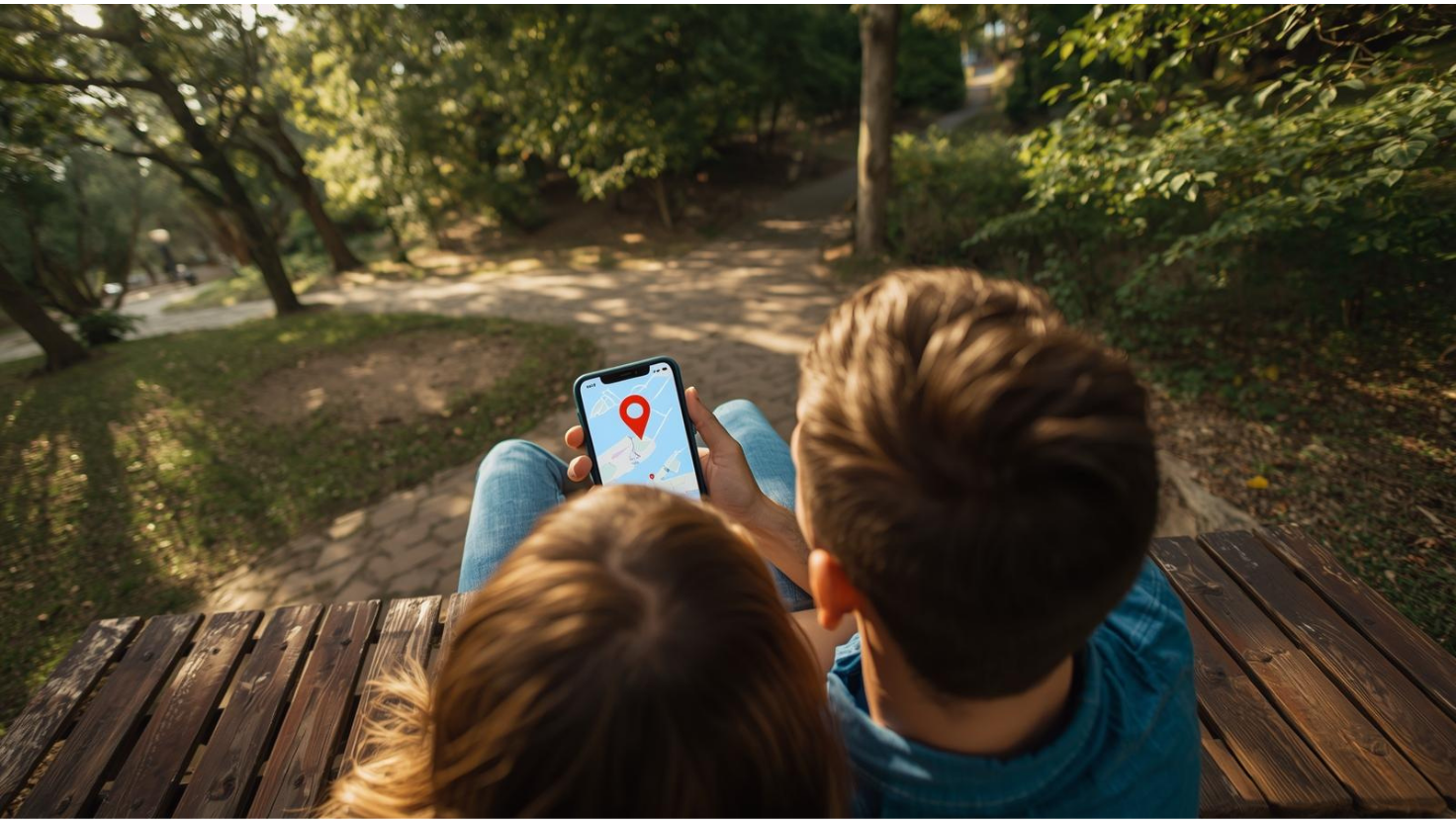
Whether you are in a long-distance relationship, juggling busy schedules, or simply want to know your partner got home safely, the right location sharing app can take a lot of worry out of everyday life. My parents have shared their locations for years, not for oversight, but because my mum is always on the go, rarely charges her phone, and will happily wander off on long walks with a bad knee. My dad usually ends up retrieving her. For them, a quick glance at a map is just practical. It is become part of their routine and a small reassurance that the other is okay.
For couples, it is often the same. Location sharing is less about control and more about making things smoother, especially when someone is travelling, running late or walking home at night. The best apps give you the right level of visibility without draining your battery or feeling intrusive. Some stick to simple live updates. Others add driving history, place alerts or deeper device insight that only make sense when both people agree to that level of transparency. In this guide, I cover the best location sharing apps in 2025, from everyday tools like Life360 and Apple Find My to more advanced mutual monitoring options that should only be used with clear consent.

Free apps like Apple Find My and Google Maps are great for quick, everyday sharing. But if you need more accuracy, better history, or stronger peace of mind, paid tools like Spynger, mSpy, uMobix and Scannero offer far more reliability and depth for couples who’ve agreed to more transparent location sharing and want tools that won’t lag, glitch or lose signal at the wrong time. I'll break down how each location sharing app compares.


A location sharing app is an app for sharing location that allows you to share your live location with the people you choose. Location sharing apps are great if you're someone who needs additional measures to keep you and your loved ones safe. Whether you're a parent, a carer or a couple who travels to exciting new places, these are tools that can help bring peace of mind.
Most people searching for terms like ‘location sharing app', ‘app for sharing location', ‘location sharing app Android and iPhone' or ‘best app for location sharing' end up choosing from the same core tools. Apple Find My works as a dedicated iPhone location sharing app. Google Maps is the most common location sharing app for Android and iPhone combined. Life360 sits somewhere in the middle, offering free location sharing with optional upgrades. Beyond these, there are more specialised tools that often work better in the age of AI.
How Do Location Sharing Apps Work?
Location sharing apps work by using GPS, Wi-Fi and mobile data to estimate where your phone is, then sharing that live location on a map with the people you approve. Once you turn location sharing on, the app sends location updates through its service, and your chosen contacts see your position refresh over time. Most apps also give you a few simple controls, so you can choose who sees your location, how long sharing stays on, and when it stops. Some location sharing apps update more frequently for a more real-time feel, while others refresh less often to reduce battery use.
A real-time location sharing app focuses on faster updates, so the map refreshes more often. A secure location sharing app puts privacy and control first, so you can share on your terms without feeling overexposed. And then you’ve got mutual monitoring apps like Spynger, mSpy and uMobix, which combine location with optional device context, but they only make sense with clear agreement and boundaries. Scannero is different again, because it works more like a fast phone number tracker than a traditional location sharing app.
Couples use location sharing for simple, everyday reasons, and in my experience it’s usually about safety and convenience, not control. My parents use it all the time. My mum walks insanely fast, and my dad is always trying to track her down, so it saves them the constant “Where are you?” loop. And it’s the same with friends too. If you’ve ever tried finding someone in Costco, at a festival, or in a packed event, you already know how quickly plans fall apart without a shared location.
Other reasons include:
If you have ever searched for ‘partner tracking app', ‘couple tracking app', ‘best location sharing app for couples' or ‘free location sharing app', this is usually what you're trying to solve. A good location sharing app for couples should make life easier, not heavier, so it reduces the number of ‘Where are you' messages and gives you both a shared view that fits naturally into your day.
For me, the difference between ‘helpful' and ‘too much' is whether it feels like peace of mind or pressure. The best location sharing app is the one you can use casually when it helps, and pause when you don’t need it, and it still feels respectful on both sides.
Before choosing a location sharing app, I always think it helps to see the main options side by side. Some tools are built for simple, everyday sharing, while others offer deeper visibility that only makes sense when both people agree to that level of transparency. I’ve included free location sharing apps, cross-platform tools, and more advanced mutual monitoring options, so you can choose what fits the way you communicate as a couple, and still keep safety at the centre.
| Tool | Best for | Trial / Refund | What You Get | What’s Missing | US Monthly Cost* | UK Monthly Cost* |
|---|---|---|---|---|---|---|
| Life360 | Everyday location sharing for couples and families | Free tier; 7 to 30 day refunds on paid plans | Live location, place alerts, driving reports, crash detection on higher tiers | Free plan has ads and limited history compared to paid plans | $0 to $14 | £0 to £12 |
| Apple Find My | Free long-term sharing for iPhone couples | Included with iOS | Live location, basic alerts and device tracking | Apple-only; limited history and no shared dashboard | Included | Included |
| Google Maps | Simple or temporary sharing across Android and iPhone | Free | Live sharing, journey-based sharing, timeline history | No shared dashboard or deeper monitoring | Free | Free |
| Spynger | Mutual transparency with optional device insights | No trial; 14 day refunds on some plans | Accurate GPS, real-time updates, location history and device usage context | More detail than casual users need; clear consent required | From $12.49 | From £9.99 |
| mSpy | Structured transparency during trust rebuilding | Demo available; 14 day refund policy | GPS tracking, app and web history, detailed activity logs | More complex setup; cannot be used secretly | From $16.66 | From £13.33 |
| uMobix | Real-time location updates with detailed history | No trial; refunds case by case | Frequent refresh rate, continuous updates and optional device insight | Can impact battery depending on settings | From $12.49 | From £9.99 |
| Scannero | Quick location checks using a phone number | No trial; refunds case by case | Locate a phone by number, no installation needed, browser-based | Not for continuous sharing; requires the person to open the link | From $49.80 | From £39.84 |
*All pricing and trials below are accurate at the time of writing, but providers do run promotions, so I’d still check the latest rates before subscribing.

Life360 is the most recognisable location sharing app for couples, families and housemates because it works reliably across iPhone and Android and is simple to set up. It is designed for everyday peace of mind, not deep monitoring, which is why so many people use it as their main live location sharing app. If you want real time location updates, place alerts and the option to see driving reports, Life360 offers a good balance of features without overwhelming you with data.
Life360 uses GPS, Wi-Fi and mobile signal data to keep live locations up to date. It runs quietly in the background but does not offer the same level of detail as advanced mutual monitoring tools. It is reliable as a day to day map sharing app, especially if all you need is to know when your partner has arrived somewhere safely or is on their way home.
Performance: Platforms [iPhone and Android] | Best for [everyday location sharing] | Type [location sharing app] | Cost [Free to $14 in the US, Free to £12 in the UK]

Apple Find My is the simplest free location sharing app for iPhone users. If you both use iOS, you already have it installed and can share your live location permanently or for a set period. It works quietly in the background with very little battery impact and is ideal for couples who want long term sharing without installing another app. It is not designed for detailed monitoring, but as a free location sharing tool it is very reliable.
Find My uses a mix of GPS, Bluetooth and encrypted Apple network data to update your partner's location. It is extremely battery efficient because it is built into iOS. You can also add place alerts, although these are simpler than the geofencing tools in dedicated apps like Life360.
Performance: Platforms [iPhone only] | Best for [free long term sharing] | Type [built in location sharing app] | Cost [Included with iOS]

Google Maps is one of the easiest ways to share your location for a short period or during a journey. It works on both iPhone and Android, so it is ideal for couples who use different devices. You can share your live location for one hour, until you arrive at a destination or indefinitely if you prefer. It is not a full location sharing app in the sense of having a shared dashboard or alerts, but it is reliable, accurate and completely free.
Google Maps uses GPS, Wi-Fi positioning, mobile signal data and route tracking to update your location in real time. If you use it while navigating, the accuracy improves even further. It is ideal for spontaneous sharing, but not a full time solution if you want structured or ongoing visibility.
Performance: Platforms [iPhone and Android] | Best for [temporary location sharing] | Type [free location sharing app] | Cost [Free]

Spynger is the tool I recommend when couples want something more dependable than free location sharing apps. It gives you accurate GPS tracking, location history and optional device insights, all in one clean dashboard. It is designed for mutual visibility, not secrecy, so both people know exactly what is being shared. For couples who want clarity, especially during busy schedules or long distance phases, Spynger is one of the most reliable options available.
Where Spynger stands out is consistency. Location updates refresh quickly, the history timeline is clear and you can add extra context like app usage or visited places if you both agree to it. Most free apps simply cannot offer that level of detail or accuracy. If you want more than basic pin sharing, but without the overwhelming setup of something like mSpy, Spynger finds a good middle ground.
Spynger uses real time GPS, Wi-Fi and mobile network signals to keep location updates consistent. It also logs movement history so you can review past routes. If both people opt in, you can enable deeper visibility such as installed apps, browser activity or phone usage patterns. These extra layers are optional and should only be used when both partners clearly understand and agree to them.
Performance: Platforms [iPhone and Android] | Best for [mutual location sharing with optional device insights] | Type [advanced couple location sharing] | Cost [From $14.99–$39.99 per month in the US / £12.99–£34.99 per month in the UK]

mSpy is the tool couples tend to choose when they want more structured transparency than a simple location sharing app can offer. It was originally built as a parental control tool, but the features translate well for adults who want clarity, reassurance or a temporary period of openness after a difficult patch. Think of it like two versions of the same jacket sold in different departments. The branding may differ, but the functionality is the same.
For couples who have agreed to deeper visibility, mSpy provides GPS tracking, location history, app activity logs and browsing reports, all in a clean dashboard. It is more detailed than Spynger and Life360, but that extra detail only makes sense when both people are fully on board. Used correctly, it can remove guesswork and help rebuild trust, because the information is all there in one place rather than scattered across different apps.
mSpy tracks GPS with regular refresh intervals and stores a detailed route history. On top of that, you can enable extra features like app usage, search history, screen time patterns and social app activity logs. These are optional and only appropriate when both partners explicitly agree, as they go far beyond basic location sharing. Many couples use mSpy temporarily, then switch to something lighter once things feel settled again.
Performance: Platforms [iPhone and Android] | Best for [structured transparency, trust-building, long distance clarity] | Type [advanced mutual monitoring with full consent] | Cost [From $13.33–$49.99 per month in the US / £10.99–£42.99 per month in the UK]


When I look at location sharing apps, I always start with one question: what are you actually trying to solve? Maybe it's travel coordination. Maybe it's checking that someone got home safely. Or maybe it's keeping tabs on an elderly parent or a teen in a crowded place. That's why the best location sharing app isn't the same for everyone.
If you're comparing apps to share location, the biggest differences tend to come down to accuracy, battery use, and how easy it is to pause sharing when you want privacy again. This guide breaks down what actually matters in real life, so you can choose a location sharing app that fits your routines rather than just picking the most recognisable name.
The best app for sharing location is rarely the one with the longest feature list. In real life, it's the one that stays accurate, respects boundaries, and doesn't become a hassle to use.
If you're relying on a real-time location sharing app, you want it to show roughly where someone actually is, not where they were ten minutes ago. Apple Find My, Google Maps and Life360 are accurate enough for everyday use. When you see phrases like ‘most accurate location sharing app' or ‘best live location sharing app', the difference usually comes down to how often the app refreshes rather than the GPS itself.
A location sharing app that drains your phone by midday won't last long. Apple Find My and Google Maps are well optimised. Life360 has improved its battery use significantly. Some paid apps let you choose update frequency, which helps you balance real-time sharing with everyday battery life.
If you're on different phones, you need a location sharing app for Android and iPhone that works smoothly on both. I always check:
Google Maps and Life360 are usually the easiest cross-platform options. Apple Find My works best when everyone uses iPhones.
Some people only want live location. Others like arrival alerts or short location history. Useful extras include:
If you want to set up arrival notifications or location-based alerts for your family, our guide on how to set up emergency alerts and geo-fencing walks through the setup process step by step.
Location sharing only works when you feel in control. The best location sharing apps make it clear who can see your location, and they let you stop sharing instantly. Apple Find My and Google Maps keep controls simple. Life360 offers more detailed permissions.
A free location sharing app is usually enough if you just want simple, reliable sharing. If you want a quick place to start, these are the options I see used again and again:
Paid plans make sense when you want longer history, safety alerts, or more reliable real-time updates during travel.
You probably don't need advanced monitoring. But if you're in a higher-risk situation, or you've both agreed to a short-term transparency setup, tools like Spynger, mSpy, uMobix or Scannero offer deeper location context. These sit closer to monitoring than casual sharing, so it only works when consent is clear and mutual.
Location sharing apps for couples are usually about everyday safety and convenience, not control. I see this play out in real life all the time. My parents use location sharing constantly. My mum walks insanely fast, and my dad is always trying to track her down in shops. And it's the same with friends trying to find each other at festivals, events, or in busy cities. A good location sharing app for couples reduces stress, not trust.
If you're searching for the best location sharing app for couples, the real question is how visible you both want to be, and when.
In my experience, couples don't want constant tracking. You want:
That's why the best location sharing apps for couples feel light, optional, and easy to pause.
A free location sharing app for couples is often enough if your goal is simple reassurance or meet-ups. Apple Find My, Google Maps and the free Life360 plan cover most couple use cases well.
Paid plans make sense when you want extra history, arrival alerts, or higher update frequency during travel or late-night routines.
You don't need advanced monitoring for everyday life. But some couples choose it during higher-risk situations, long-distance travel, or short-term transparency agreements after difficult periods. Apps like Spynger, mSpy, uMobix and Scannero offer more detailed location data and optional device insight, so it only makes sense when it's informed, mutual, and clearly agreed.
If you're trying to navigate relationship trust after infidelity or wondering whether monitoring makes sense for your situation, our guide on how to catch a cheater the right way covers healthier approaches to rebuilding trust.
Family location sharing apps are about keeping daily life moving without constant check-ins. School runs, after-school activities, weekend plans, busy shopping trips, or travelling together. Being able to glance at a map instead of sending five messages makes family coordination calmer and easier.
When choosing a family location sharing app, the most important factors are reliability, cross-platform support, and how clearly everyone can see who is sharing with whom. Parents often want to know children arrived safely. Adult children may want reassurance that elderly parents got home. And families travelling together simply want to avoid losing each other in crowded places.
Some family location sharing apps focus on simple live sharing, which is usually enough for everyday logistics. Others include history, place alerts, and safety features, which can help when routines are busy or when someone in the family is more vulnerable. The key is choosing a tool that feels supportive rather than overwhelming, and that everyone understands how to pause or adjust sharing when needed.
If you're looking for more comprehensive tracking with additional safety features like driving reports or crash detection, you might want to compare GPS tracking apps and devices designed specifically for families.
Monitoring-style location apps such as Spynger, mSpy, uMobix and Scannero sit at the more advanced end of family location sharing. They provide continuous updates and deeper device context, which can be helpful in specific safety situations, but they only work well when the person being monitored knows what is being shared and why.
The best family location sharing app is the one that keeps everyone connected when it matters, and quietly fades into the background when it doesn't.
Using a location sharing app with an elderly parent is usually about reassurance. Knowing they arrived home safely. Finding them quickly if they get disoriented in a busy place. Avoiding unnecessary panic when a phone goes unanswered. When it's set up thoughtfully, it becomes a quiet safety net rather than something that feels intrusive.
When choosing a location sharing app for elderly parents, simplicity matters most. The app should work reliably in the background, update location without constant manual steps, and be easy to pause or adjust if your parent wants privacy. Cross-platform support also helps, since family members often use a mix of Android and iPhone devices.
Some apps focus on basic live location sharing, which is enough for most families supporting older relatives. Others offer longer location history or continuous updates, which can be useful if a parent has memory concerns, health conditions, or a tendency to wander. In those cases, deeper monitoring-style location apps like Spynger, mSpy, uMobix and Scannero provide more detailed location insight, but only when everyone involved understands and agrees to what's being shared.
If you're trying to decide whether your elderly loved one would benefit from location tracking, our guide on signs an elderly loved one needs a GPS tracker covers when it makes sense and how to have that conversation respectfully.
The best location sharing app for elderly parents is one that keeps safety simple, communication open, and independence respected.
After testing a wide range of location sharing apps, the biggest difference came down to depth. Some apps simply let you share your live location. Others provide continuous real-time updates, stored history, and broader device context. That second group is where the strongest safety and reliability sits, which is why this guide focuses on monitoring-style location sharing apps.
For couples and families who want dependable, real-time location sharing with clear visibility, Spynger, mSpy, and uMobix stood out in testing. They delivered accurate GPS tracking, consistent refresh rates, and usable location history, which makes them well suited to travel, time apart, family safety check-ins, or agreed transparency periods.
If you need quick, occasional location checks without installing an app on the other phone, Scannero offers phone-number based location requests. It works well for one-off or emergency situations where continuous sharing is not needed.
Basic free sharing tools built into phones are fine for casual meetups. But when accuracy, stored history, or safety context matter, monitoring-style location sharing apps provide a level of reliability that standard apps for sharing location do not.
Quick recommendations:
The best location sharing app is the one that fits your daily routine, gives you the reassurance you’re looking for, and stays simple to manage over time.
| Tool | US Monthly Cost | UK Monthly Cost | Devices / Licence | Core Strength | Best For |
|---|---|---|---|---|---|
| Spynger | See site for latest plans | See site for latest GBP pricing | 1 device per licence | Reliable real-time GPS tracking with stored history | Couples wanting high-visibility location sharing |
| mSpy | From ~$16.66 per month | From ~£13.33 per month | 1 device per licence | Location sharing plus broader device insight | Families or couples wanting added safety context |
| uMobix | From ~$12.49 per month | From ~£9.99 per month | 1 device per licence | Fast refresh rates and strong cross-platform tracking | Real-time location sharing across Android and iPhone |
| Scannero | From ~$49.80 per month or per-use | From ~£39.84 per month | Phone-number based | No-install location lookup by phone number | Emergency or occasional location checks |
Prices may vary with promotions and currency. Always check the provider’s site for current rates.
At Digital Safety Squad, trust and transparency is at the core of everything we do. In a world where misinformation is rampant and sponsored content often clouds real advice, we’re committed to giving you honest, experience-backed recommendations you can rely on. As a team we test and review different products. Our guides are a collaboration of our shared knowledge, learnings and experience. Learn more about how we test.

The best location sharing app for couples depends on how much visibility you both want and how you communicate. For everyday use, Life360 works well for mixed households and is often included when I talk about the best online safety apps for families. Apple Find My is ideal for Apple only couples who want a simple, free option. If you both agree that you need deeper visibility for a period of time, mutual monitoring apps such as Spynger, mSpy or uMobix can make more sense.
For Apple only couples, the best free location sharing app is Apple Find My, as it is built into iOS and integrates with existing privacy controls. For mixed devices, Google Maps is usually the easiest free app for sharing location between iPhone and Android. If you want a dedicated couples or family location sharing app with more features, the free tier of Life360 is a good starting point and fits well alongside the tools I cover in my guide to the best online family safety apps.
Paid location sharing apps are not automatically better, but they usually offer more depth. Free apps like Apple Find My and Google Maps are enough if you only want simple, live sharing. Paid tools such as Spynger, mSpy and uMobix add longer location history, richer alerts and wider device context. In my reviews, for example the uMobix review and Scannero review, I break down where the extra cost is justified and where a free option is enough.
For most couples, the safest options are those that are transparent and easy to control. Apple Find My and Google Maps are strong from a privacy and usability point of view. Life360 also offers robust controls, especially on paid plans, and fits neatly with the other tools I cover in my family safety app recommendations. Mutual monitoring apps such as mSpy and uMobix become safe when they are used with explicit consent, clear boundaries and time limits.
Yes. Google Maps is the easiest cross platform location sharing app for iPhone and Android, since both phones can use the same app and see the same map. Life360 also runs on both platforms and is often chosen when people want a couples location sharing app that can later expand into a family circle. If you are also looking at wider digital safety tools across your devices, our guide to the best online family safety apps includes other cross platform options.
Most mainstream apps pull data from the same GPS, Wi Fi and mobile networks, so accuracy is usually similar across Apple Find My, Google Maps and Life360 when high accuracy mode is on. Apps like uMobix and Spynger allow more frequent refresh and deeper logging, which can feel more precise, but they should only be used as a mutual monitoring app when you have clear consent on both sides.
Yes. Scannero is designed to locate a phone via its number without installing an app on the device. It sends a link that the person has to open for the location to be shared. That makes it useful for occasional checks or emergencies, but it is not a full replacement for a live location sharing app that runs all the time.
Yes. With Apple Find My, Google Maps and Life360 you can stop sharing instantly from within the app or your phone settings. With mutual monitoring apps like mSpy, uMobix or Spynger, you would normally uninstall the app or end the agreed monitoring period. In any healthy relationship, both people should know how to switch location sharing off and feel safe doing so.
Related Articles
Best Location Sharing Apps | Stay Safe and Connected

Best Cheating Apps in 2026: Apps To Catch And Track A Cheater

Best Reverse Address Lookup Services (2026): Who Lives There?
Ready to protect your family digital life too?
Our family safety content is crafted by digital security specialists with real-world experience. No fluff. No sponsored bias. Just clarity and control for your peace of mind.
We take your family's safety as seriously as you do.

Some pages include affiliate links. We may earn a small commission at no extra cost to you. Our reviews remain unbiased and independent.
Copyright © 2025 | Digital safety squad | All Rights Reserved