


Last Updated on September 19, 2026 by Jade Artry
Is ChatGPT Safe to Use?
ChatGPT is safe to use for most everyday tasks, and not safe to use for everything. Most people use ChatGPT across a strange mix of tasks. One conversation might be dinner ideas, the next a work email, and the one after that a health question you weren't quite ready to ask someone else. Those uses don't carry the same risk, which is why I find it more useful to think about what you're giving ChatGPT than to label the whole service simply safe or unsafe.
| Activity | DSS view |
|---|---|
| Brainstorming or ideas | Low risk |
| Drafting ordinary text | Low risk |
| General research | Fine, verify anything important |
| Personal advice | Use your own judgement alongside it |
| Health, legal or financial questions | Treat as a starting point only, not an answer |
| Uploading private documents | Redact identifying details first |
| Confidential client or work data | Avoid on a personal account |
| Passwords, security codes or payment credentials | Never share |
A tool that's perfectly reasonable for planning a dinner party is the wrong choice for handling a client's medical records, and the difference has nothing to do with whether ChatGPT itself is trustworthy. It's about what you've put in front of it.
Nick and I head up DSS together, and we review most of these tools jointly before anything goes on the site, comparing notes rather than one of us signing off alone. He comes at ChatGPT from a cybersecurity background and tends to focus first on account compromise and phishing, the section below on securing the account itself is largely shaped by that. My own focus tends to sit more with the everyday privacy habits, what people type without thinking, because that's where I see the most avoidable exposure in practice.
What Data Does ChatGPT Collect About You?
ChatGPT has four broad categories of information about you: what you deliberately type or upload, your account details, ordinary service and device data, and whatever Memory has saved about you. Most of us don't consciously think about the different ways ChatGPT learns things about us. We type something, get an answer and move on. Over time, though, information can come from several places, and they're controlled differently.
- Information you deliberately provide: everything you type, upload or say to ChatGPT, including files, images and voice input.
- Account information: your email address, subscription details and any billing information tied to your OpenAI account.
- Service and device information: ordinary technical data such as device type, approximate location and how you interact with the product, collected the way most online services collect it.
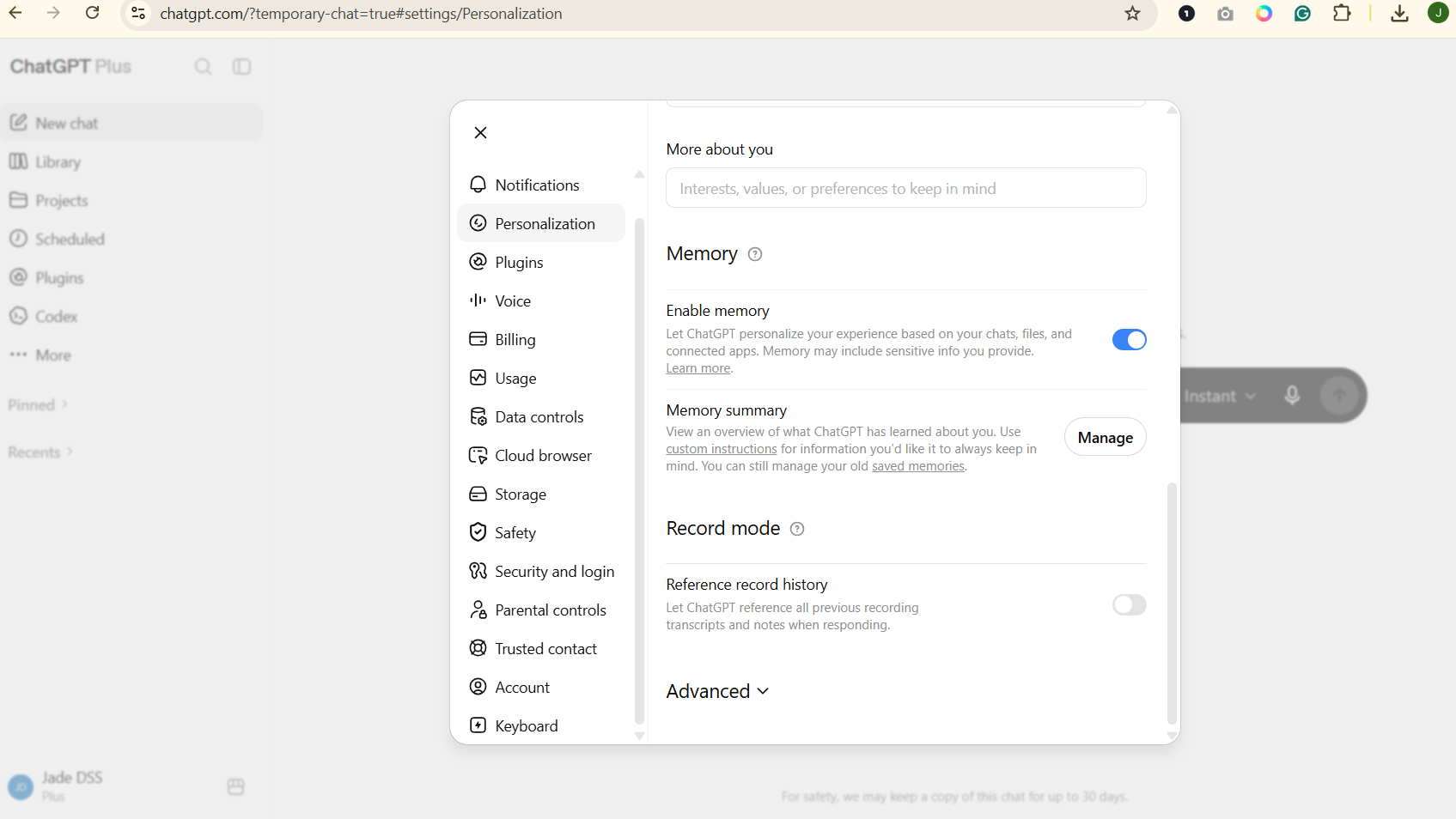
- Information saved through Memory: facts ChatGPT retains about you across different conversations, kept separate from both your chat history and the model-training setting.
Memory is useful precisely because you don't have to repeat yourself. That convenience is also why I'd check it occasionally, since it's easy to forget how much has accumulated there over time.
ChatGPT Privacy Settings: Chat History, Memory, Training and Temporary Chat
Chat history, Memory, model training and Temporary Chat are genuinely not the same thing, and mixing them up is where most privacy confusion starts. Chat history, Memory, model improvement and Temporary Chat sound related, but they control different things.
| Feature | What it does | Separate control? | What happens when you turn it off |
|---|---|---|---|
| Chat history | Saves your conversations to your account | Yes | Existing conversations remain unless you delete them separately |
| Model improvement (training) | Allows eligible chats to help train future models | Yes | Chats stop being used for training, but stay in your history |
| Memory | Lets information persist across separate chats | Yes | Stops saving new memories, does not delete chat history |
| Temporary Chat | A one-off, reduced-persistence conversation | Not a toggle, a per-chat choice | Excluded from history, Memory and training; deleted within 30 days |
In practice, I think this is where most privacy confusion comes from. People find one reassuring setting and assume it governs everything. It doesn't, so it's worth deciding separately what you want ChatGPT to remember, what you want sitting in your history, and what you're comfortable allowing to improve future models.
Does ChatGPT Use Your Chats for Training?
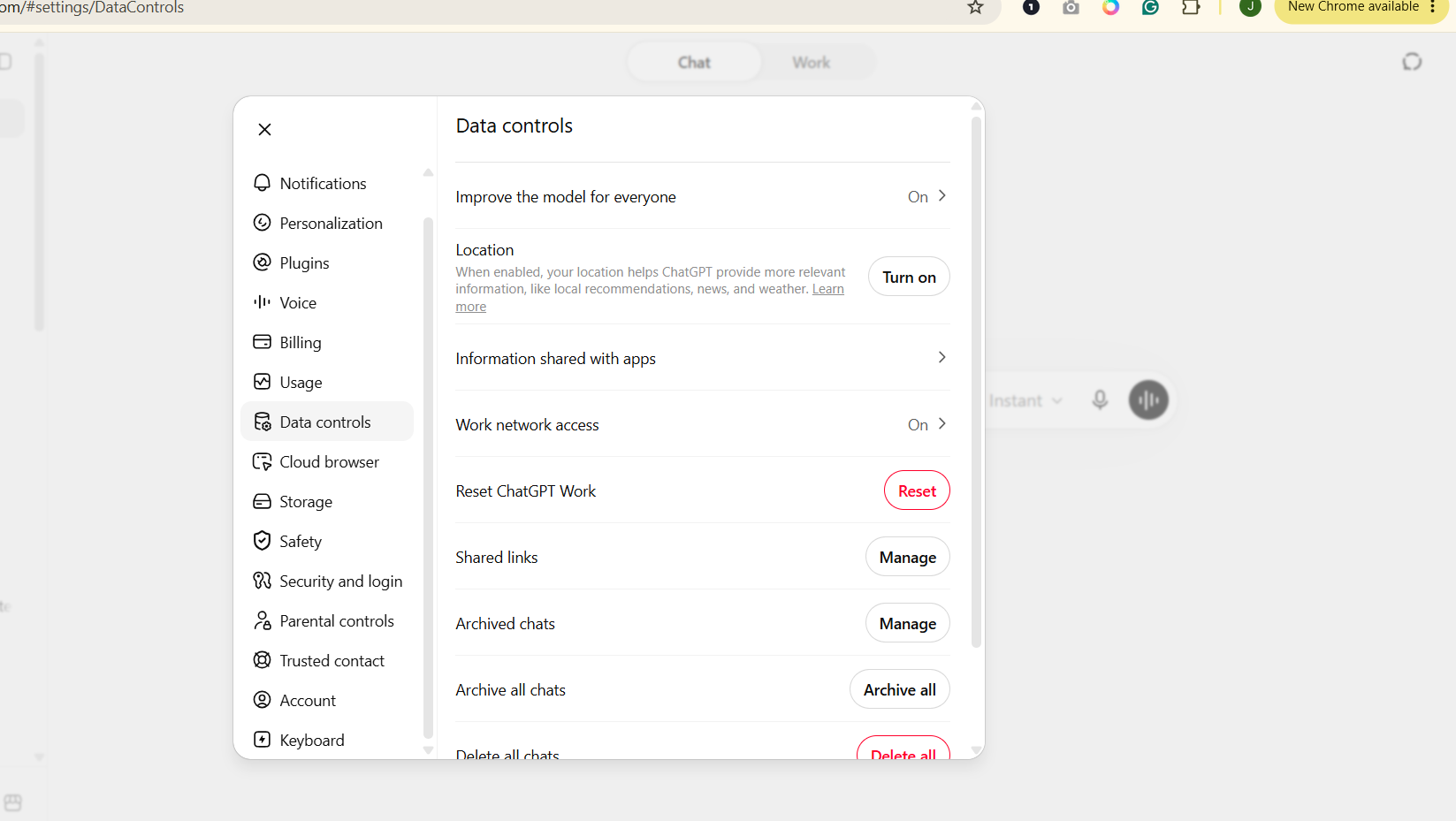
ChatGPT does use your conversations to train its models by default on personal Free and Plus accounts, unless you switch it off. The setting for this sits under Settings, then Data Controls, then a toggle labelled ‘Improve the model for everyone'. It's switched on for new accounts. Turning it off stops eligible new conversations being used for training going forward, though it has no effect on your existing chat history, which remains saved until you delete it.
Business products draw this line more firmly. ChatGPT Business, Enterprise and API access fall under separate agreements that exclude training by default. If your work involves client or regulated information, that distinction, not a personal account's settings, is what actually matters.
How Long Does ChatGPT Keep Your Chats?
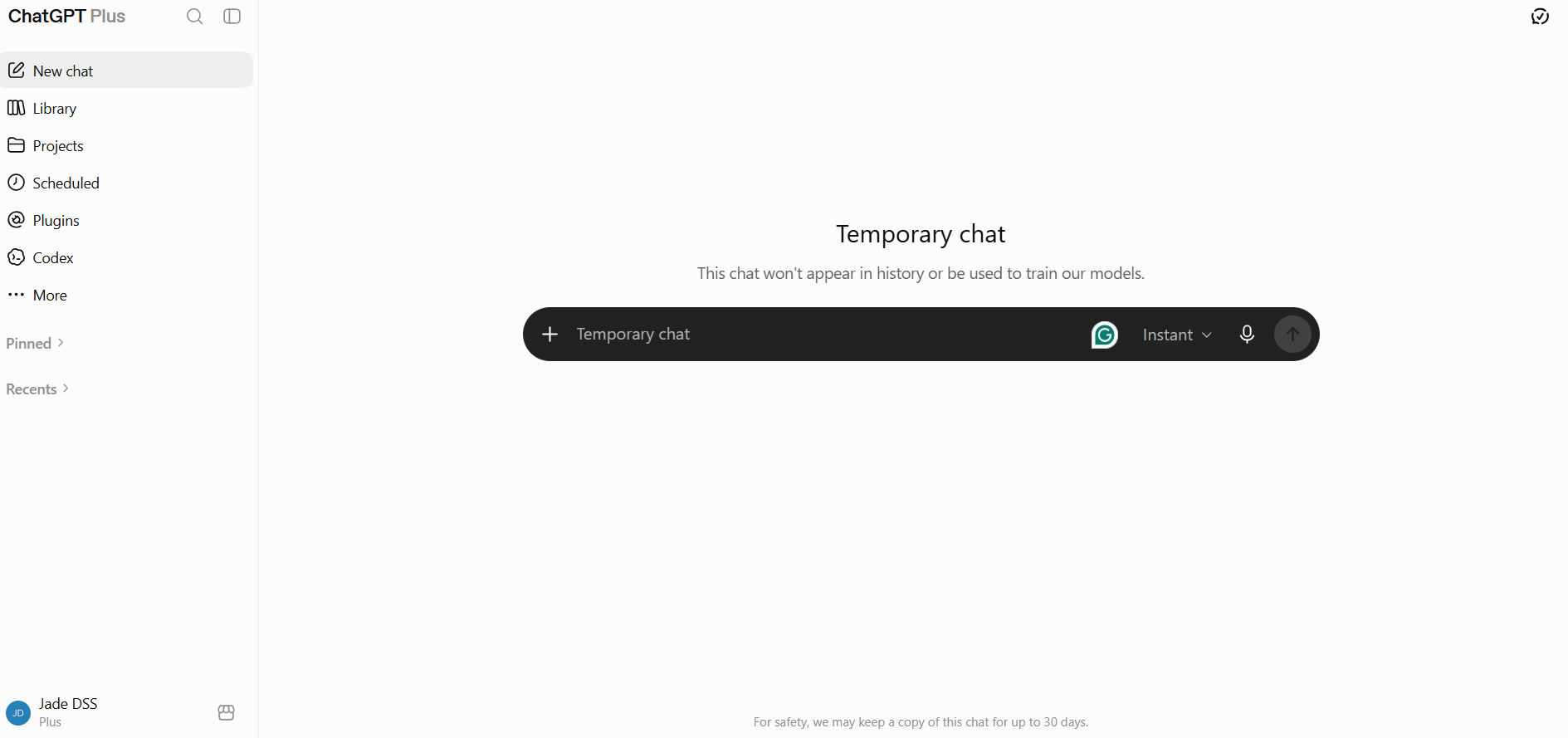
How long ChatGPT keeps your conversations depends on the kind of chat you used. Ordinary saved chats remain in your account for as long as you keep them, and are removed once you delete them, subject to a short backend window for abuse monitoring. Temporary Chats are handled differently by design: excluded from your history and from training from the outset, and deleted within 30 days regardless of anything else you do.
Legal and security exceptions can extend how long specific data is held, the way they would for any company holding user records. That's a background fact worth knowing rather than the centrepiece of your decision about whether to use ChatGPT day to day.
What Are the Main Risks of Using ChatGPT?
The main risks of using ChatGPT are oversharing personal information, trusting inaccurate answers, account compromise, exposing more data through files or connected services, and letting information accumulate through Memory. None of these are rare edge cases. They're the ordinary ways convenience makes people less careful: giving a tool more information than it needs, trusting an answer because it sounds certain, or forgetting how much has built up in one account over time. Each one has a real, documented reason it matters, not just a theoretical one.
Sharing more than the task needs
It's easy to give ChatGPT far more identifying detail than a question actually requires. See what information you should never share with AI for a practical framework.
Confidently incorrect answers
ChatGPT can state wrong information with exactly the same tone of certainty as correct information, which matters most for health, legal, financial or safety-related questions.
Account compromise
You can spend twenty minutes perfecting every privacy setting and undo most of that protection with a reused password. Strong, unique passwords and multi-factor authentication matter here more than any privacy toggle, as does watching for fake ChatGPT apps or lookalike sites built purely to harvest login details.
Files, images and connected services
Typing ‘help me rewrite this paragraph' is one thing. Uploading a full contract, spreadsheet or family photo, or connecting another account, gives ChatGPT a much larger amount of information to work with, and it's worth pausing on that specifically rather than treating it as an extension of ordinary chat.
Memory and personalisation
Because Memory persists across conversations, information can sit there for longer than you'd expect. It's worth reviewing what ChatGPT has remembered about you periodically, the same way you'd review saved payment details or stored addresses elsewhere.
Emotional reliance
Because ChatGPT is available at any hour and never sounds impatient, it's easy to lean on it for emotional support that would be better met by a person or a professional. See our guide on AI and mental health if this feels relevant to you or someone you know.
Is ChatGPT Secure? Encryption, MFA and Account Security
ChatGPT itself is reasonably secure at the infrastructure level; for most individual users, the more immediate security risk is account takeover rather than the underlying encryption itself. Privacy settings are one thing. Whether the service itself can be broken into is a different question, and it's worth answering separately.
Encryption
OpenAI states that data is encrypted in transit using TLS 1.2 or higher, and at rest using AES-256, the same standard used by banks. That protects data in transit and stored data against important forms of unauthorised access. It doesn't make your conversations invisible to OpenAI itself, since the company holds the encryption keys, which is a meaningfully different guarantee to end-to-end encryption.
Account protection
The biggest practical risk to most people isn't OpenAI's infrastructure, it's their own login. OpenAI offers standard multi-factor authentication, and in 2026 introduced an optional Advanced Account Security setting for eligible personal accounts, which replaces password login entirely with passkeys or a physical hardware security key, and disables email or SMS account recovery. That's a meaningful step up if you're a higher-risk user, such as a journalist or business owner, though it does mean you're fully responsible for your own backup credentials since OpenAI support can't recover the account for you once you're enrolled.
Account compromise
If someone gets into your ChatGPT account, they get everything in it: your conversation history, any Memory ChatGPT has built up about you, saved files, and whatever billing details are attached. Review your active sessions periodically under Settings, and sign out of anything you don't recognise. If you notice activity you didn't generate, change your password immediately and enable multi-factor authentication or Advanced Account Security if you haven't already.
Fake ChatGPT sites and apps
ChatGPT has become one of the most impersonated brands in phishing attempts, with Check Point's Q2 2026 Brand Phishing Report placing OpenAI among the most commonly spoofed names, alongside PayPal and WhatsApp. A convincing-looking email is not proof of anything. Type chatgpt.com or openai.com directly into your browser rather than clicking a link, and treat any message pushing urgency, such as a payment failure or account suspension warning, as a red flag worth verifying independently.
What Happens to Files, Images and Voice Data You Share With ChatGPT?
When you upload files or images, or use ChatGPT Voice, the resulting content can become part of your ChatGPT data, but voice needs one extra distinction: transcripts can follow your normal model-improvement settings, while OpenAI says the original audio or video clips are only used for training if you separately choose to share them. Handing ChatGPT a document, a photo or your actual voice is a different level of exposure to typing a question, and it deserves more than a passing mention.
Uploaded files and images are processed the same way as typed text for privacy purposes, meaning they can be included in your chat history and, if model improvement is switched on, potentially used for training. A photo can carry more than what's visible at a glance, including location or device metadata depending on how it was taken and shared.
Connected apps raise the stakes further, since giving ChatGPT access to another service, such as your email or calendar, extends what it can see well beyond a single conversation. OpenAI's Library, where uploaded files are saved, adds another layer worth knowing about: deleting the chat containing an upload doesn't necessarily delete the file itself if it's been saved to Library, since files and chats can be managed separately. See how to delete your data from AI chatbots if you've uploaded something you want removed properly.
The practical rule: an uploaded document can expose far more than the equivalent typed question ever would, simply because it's harder to control exactly what's inside it. See what information you should never share with AI before you upload anything you haven't checked.
Is ChatGPT Safe for Health, Legal, Financial and Personal Advice?
ChatGPT can be useful for general health, legal, financial and personal guidance, but it shouldn't be the sole basis for high-stakes decisions in any of those areas.
Health questions
Fine for general explanation of a condition, a term, or how a treatment works. Not a substitute for diagnosis, and never appropriate for an emergency decision. If something feels urgent, that's a call to a professional, not a follow-up prompt.
Financial questions
Useful for understanding concepts or running through calculations. Not the place for account credentials, and not a substitute for a decision that should involve a qualified adviser, particularly anything involving real money you can't afford to lose.
Legal questions
Genuinely helpful for understanding terminology or getting oriented before a conversation with a solicitor. Not a substitute for jurisdiction-specific professional advice, since laws vary by country and even by region, and ChatGPT has no way of confirming which applies to you.
Emotional support
Some people find it genuinely useful to talk something through conversationally. That's understandable, but it's worth staying aware of when a conversation is becoming a substitute for human connection rather than a supplement to it. See our guide on AI and mental health for where that line tends to sit.
ChatGPT Free vs Plus vs Business: Which Is More Private?
Privacy barely changes between Free and Plus, and changes significantly once you move to Business or Enterprise. This is the question that actually decides how carefully you need to think about what you type, and it's worth a proper table rather than a buried footnote.
| Account | Consumer training default | Business-grade protection | Best suited to |
|---|---|---|---|
| Free | On, opt-out available | None | Casual, everyday use with the setting switched off manually |
| Plus / Pro | On, opt-out available | None | Heavier personal use; same privacy posture as Free |
| Business | Not used for training by default | Data processing agreement, admin controls, SSO | Small teams handling client or company information |
| Enterprise | Not used for training by default | Data residency options, audit/compliance controls and configurable workspace retention | Larger organisations with compliance requirements |
Paying for Plus or Pro buys you a faster, more capable model. It does not buy you a different privacy posture to the Free tier. The actual line sits between personal accounts and Business or Enterprise, not between free and paid personal accounts.
Which ChatGPT Privacy and Security Settings Should You Change?
The ChatGPT settings I'd check first are model improvement, Memory, connected apps, account security and old conversation history. If you only do one thing after reading this, work through this list once. It takes about five minutes and covers the settings that actually matter. I wouldn't switch every feature off automatically; I'd decide which trade-offs actually make sense for how you use ChatGPT.
- Decide whether model improvement suits you. Settings, then Data Controls, then the ‘Improve the model for everyone' toggle.
- Review Memory. Check what's been saved and clear anything you wouldn't want persisting.
- Know when to reach for Temporary Chat. It's the right tool for anything sensitive or one-off, not an everyday default.
- Check connected-app permissions if you've linked ChatGPT to other services, and remove any you no longer use.
- Secure the account itself with a strong password and multi-factor authentication where available.
- Delete old conversations you no longer need, rather than letting history build up indefinitely. See how to delete your data from AI chatbots for the exact steps.
Is ChatGPT Safe for Kids and Teenagers?
ChatGPT isn't intended for independent use by children under 13, while teenagers aged 13 to 17 can use it with parental permission and additional protections. I'd treat that as a separate decision to whether it's safe for you. Age, parental controls and the way younger users trust conversational systems all change the picture. We've covered this properly in its own guide rather than compressing it here: Is ChatGPT Safe for Kids?
ChatGPT vs Claude vs Gemini vs Perplexity: Which Is Safer?
ChatGPT compares with Claude, Gemini and Perplexity mainly on training defaults and minimum age; here's the short version before the full comparison. For a tool built specifically around stronger privacy defaults, see the best private AI chatbots.
| Tool | Consumer training setting | Minimum age |
|---|---|---|
| ChatGPT | On by default, opt-out available | 13, with parental permission under 18 |
| Claude | User choice; chats used for model improvement only if allowed | 18 |
| Gemini | On via Keep Activity, adjustable | 13 (varies by region) |
| Perplexity | On by default, opt-out available | 18, or with parental consent |
For the full comparison, including what ‘private' actually means across all four tools, see Are AI Chats Private?, or the AI Safety hub.
Is ChatGPT Safe? Our Final Verdict
Yes, I think ChatGPT is reasonably safe for ordinary everyday use, provided you understand its privacy and accuracy limits. I use it myself and don't think most people need to be afraid of using it. I do think the interface makes it very easy to forget that you're still sharing information with an online service.
For ordinary writing, planning and research, that's a manageable trade-off. For passwords, confidential documents, highly personal records or anything where a wrong answer could genuinely affect your life, I'd slow down and either remove the identifying detail, use a more appropriate account, or keep it out of the chatbot entirely.
Sources and further reading
- OpenAI Help Centre: model improvement settings
- OpenAI Help Centre: Temporary Chat
- OpenAI Privacy Policy
- OpenAI: security and privacy overview
- Cybernews: ChatGPT enters top 10 most impersonated brands, Check Point Q2 2026 report
Settings last checked: August 2026.
