


Last Updated on November 17, 2026 by Nick Francis
BUSINESS SECURITY
What to Do After a Cyberattack
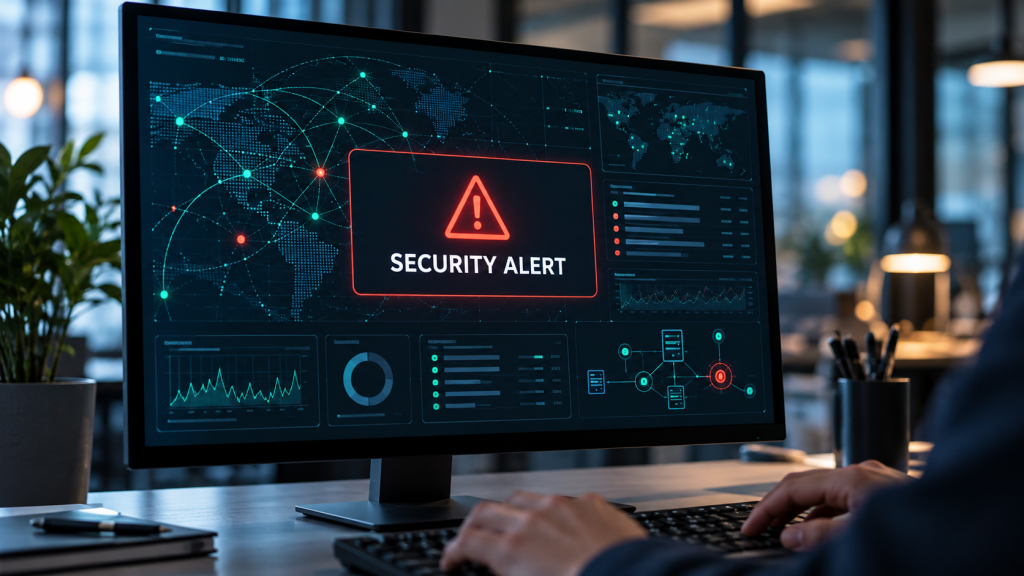
A cyberattack can bring a small business to a standstill, putting customer data, payments and essential systems at risk. What you do next matters. Here's how to contain the damage, protect your business and recover safely, without making a difficult situation worse.
When you buy through links on our site, we may earn an affiliate commission. Learn more.
What should you do immediately after a cyberattack?
A cyberattack can involve ransomware, a compromised email account, stolen customer data, fraudulent payments or a website takeover. The exact response depends on what happened, but the early priorities are the same: contain the incident, protect evidence and get appropriate help. The UK National Cyber Security Centre (NCSC) recommends identifying the affected systems and bringing the right people into the response early.
Report Fraud recorded 323 organisations reporting ransomware attacks between April 2025 and March 2026. These are reported cases, not a measure of every attack; Report Fraud is the reporting service for England, Wales and Northern Ireland.
What to do in the first hour
- Contain the attack: isolate affected devices or accounts, but don't wipe systems or destroy potential evidence.
- Contact your response team: alert your IT provider, specialist or insurer using trusted contact details. Keep a record of events.
- Protect your critical accounts and payments: secure email, banking and administrative access from an unaffected device. Verify unexpected payment requests independently.
1. Contain the attack
If a computer shows a ransom note, suspicious remote activity or rapidly changing files, disconnect it from Wi-Fi and Ethernet. Ask staff to stop using the affected system. If several devices appear compromised, your IT specialist may need to isolate part of the network. Don't routinely wipe or reset machines, reinstall software or delete messages before evidence has been preserved. The CISA ransomware response guidance advises isolating affected systems first and powering them down only when network isolation isn't possible.
If the incident appears limited to a cloud account, use an unaffected, trusted device to contact the provider, revoke suspicious sessions and secure administrative access. Avoid discussing response steps through an email or messaging account that an attacker may be monitoring.
2. Contact your response team
Tell your IT support provider, managed service provider or incident-response specialist what you've observed. If you have cyber insurance, contact the insurer before hiring external responders where policy terms require it. Nominate one person to coordinate decisions and another to record the timeline. Even a business with two employees benefits from having clear responsibilities.
Don't rely on a phone number supplied in an unexpected email or ransom message. Contact vendors, insurers and banks through independently verified details.
3. Protect your critical accounts and payments
From a clean device, prioritise email administrators, cloud storage, banking, payment processors, website hosting and password manager access. Work with your provider to revoke active sessions, reset compromised credentials, enforce multi-factor authentication and check for unauthorised email forwarding rules or new administrators. Tell finance staff to pause unusual bank-detail changes and verify outstanding supplier payments by calling known contacts.
For a broader prevention baseline, see our guide to securing a small business without an IT team.
The first 24 hours: establish what was affected
Not every security alert means that data was stolen, and not every data breach causes visible disruption. Make a written incident record with the time of discovery, the first affected person or device, screenshots or messages, systems that stopped working, suspicious logins and the actions you've already taken. Preserve logs and original messages where possible. An experienced responder can then help determine how the attacker entered, whether access remains active and what data or services were exposed.
Ask these questions:
- Which devices, accounts, services and locations are affected?
- Are customer or employee records accessible to someone unauthorised?
- Could an attacker send emails, alter invoices or access banking details?
- Are critical backups intact, isolated and restorable?
- What business services must return first, and which can safely remain offline?
The US Federal Trade Commission recommends securing operations, preserving evidence, examining service-provider access and preparing a clear communication plan after a data breach.
Who should you report the cyberattack to?
Contact your IT responder, insurer and bank where relevant, then use the official reporting routes below. Your location, the affected data and your industry determine which notifications are required.
Who to contact immediately
- Your IT support or incident-response specialist: use your support agreement or verified contact details. Ask for containment and evidence-preservation help.
- Your cyber insurer: call the claims number in your policy. Check approval requirements before appointing external responders.
- Your bank or payment processor: contact its fraud team immediately if money, card data or banking access is affected. Use its official app, your card or a known website to find the number.
Reporting in the United States
- Cyber-enabled crime or fraud: file a report with the FBI's Internet Crime Complaint Center (IC3). For an ongoing crime or national-security threat, follow the FBI's contact guidance; use emergency services for immediate danger.
- Data-breach notifications: use the FTC's Data Breach Response guide to organise your response, and ask qualified counsel which state and sector-specific notifications apply. An IC3 report does not replace those duties.
Reporting in the United Kingdom
- Cybercrime or fraud in England, Wales or Northern Ireland: use Report Fraud's official reporting service. Its guidance tells businesses experiencing a cyberattack to call 0300 123 2040 immediately.
- Cybercrime in Scotland: report through Police Scotland, including by calling 101 for a non-emergency.
- A significant cyber incident: report it to the National Cyber Security Centre. This does not replace reporting a crime or notifying a regulator.
- A personal-data breach: use the ICO's personal-data breach reporting page. A notifiable breach must be reported without undue delay and within 72 hours of becoming aware of the personal-data breach, where feasible. This clock starts with awareness of the breach, not necessarily the attack date. Explain any delay.
- Your breach record: record what happened and your assessment, even if notification is unnecessary.
- Affected individuals: if a personal-data breach is likely to create a high risk to their rights and freedoms, they must generally be told without undue delay. The ICO's breach-notification guide explains the thresholds and exceptions.
Tell affected customers, staff and partners when required, and communicate facts you can verify. Don't claim that information is safe while an investigation is ongoing. Seek specialist advice when your obligations are unclear.
How to recover without inviting a second attack
Getting your systems running again matters, but restoring them before understanding how the attacker got in could leave your business exposed to another attack. Prioritise a clean, verified recovery over bringing everything back online as quickly as possible.
Work with your response team to close the original entry point, patch vulnerable software, remove unauthorised access and check your backups before restoring affected services. Bring essential systems back first, prioritising safety, customer service and revenue, and monitor them for further suspicious activity.
If your backups are connected continuously to the compromised environment, they may be affected too. Check restore points and perform a trial recovery into a safe environment. Keep the incident record, including expenses, business interruption and customer communications, for insurance, regulatory and internal review.
What if the attack involved ransomware?
Ransomware can encrypt files and may also involve data theft. Don't assume that paying will restore information or prevent a leak. Engage a specialist, preserve the ransom message and assess recovery options. CISA recommends involving law enforcement and using known-clean restoration methods where possible.
Prevent the same incident happening again
When operations stabilise, review the cause and the decisions that helped or delayed recovery. Start with the basics: multi-factor authentication, least-privilege access, timely updates, tested offline or protected backups, email authentication and staff training. Assign an owner and a deadline to each improvement. The goal isn't a perfect security system. It's making the next attack harder to carry out and easier to contain.
Our Business Security hub brings these defences together for small teams.
Frequently asked questions
Should I turn off a hacked computer?
Usually isolate it from the network first. Shutting it down can destroy evidence held in memory. If you cannot disconnect an actively spreading ransomware infection, powering down may be necessary. Follow advice from your incident responder.
Should I tell customers immediately?
Communicate promptly when a legal duty applies or customers need to protect themselves, but first establish what is known. Give clear practical advice and avoid speculation. Your legal notification deadlines depend on the jurisdiction and nature of the exposed data.
Can a small business recover without an IT department?
Yes, particularly if backups and recovery contacts already exist. A serious incident may still require external incident-response, legal or forensic expertise. Knowing whom to call is part of being prepared.
Can I keep trading during a cyberattack?
Only if you can operate safely without exposing more data or spreading the incident. Use unaffected systems or manual alternatives where appropriate, and get advice before reconnecting compromised services.
Related Reviews and Guides

How to Securely Store Business Passwords
Protect stored credentials, staff access and account recovery.
Read Article
How to Train Employees to Avoid Phishing and Deepfake Scams
Help your team recognise suspicious requests and report them quickly.
Read Article
How to Secure Your Small Business Without an IT Team
Build practical protections for your business accounts, devices and data.
Read Article