


Last Updated on October 10, 2026 by Jade Artry
At a glance
A repeatable digital footprint self-check
Start with a short checklist. Use your own identifiers and keep a secure, minimal exposure log.
Review public visibility. Check search results, social profiles, people-search listings and relevant registers.
Keep breach checks separate. Known compromised information needs account-security attention as well as privacy work.
Confirm before acting. Distinguish accurate matches from outdated records, copied errors and inference.
Finish with priorities. Record the right removal or correction route and a follow-up date.
Perhaps you've searched your name and found an old address, or you're wondering how much of your family life is visible beyond the people you meant to share it with. Checking your digital footprint gives you somewhere to start. You can see which details are still useful, which have outlived their purpose and which need attention before you carry on with the rest of your day.
I've organised this digital footprint audit around the checks you can make without buying a report, starting with search results, public profiles and relevant official records before looking at people-search services and known breaches. Keeping those checks separate helps you make sense of what you find: an old directory listing and a compromised account both deserve attention, but you'll need to handle them differently. By the end, you should have a manageable list of findings, with an action and a follow-up date for each.
About this guide: The process draws on current Google, Companies House and breach-checking guidance, alongside DSS's existing research and testing of consumer lookup tools. It doesn't involve a new round of hands-on provider tests.
What Is a Digital Footprint?
Your digital footprint is the data trail associated with your online activity and identity. Your active footprint includes things you deliberately publish or submit, such as posts, reviews and account details. Your passive footprint includes information collected as you use websites and apps, such as tracking data. The FTC explains how online tracking works.
Not all of that trail is publicly searchable. A platform's private activity history is different from a public profile. For this audit, focus on information an outsider can discover, plus breach notices that need a security response. Public records and third-party listings may add details you never posted yourself.
When I'm weighing up a finding, I look at what someone could do with it. A published job title might help a client find you; the same biography paired with a personal number can give an unsolicited caller a convincing introduction. A home address matters differently if you've been receiving threats. That context helps you decide whether the detail still earns its place in public.
You also don't need to have made a privacy mistake for a record to exist. A former employer can leave a biography online, someone else can tag a photograph, and a business register can publish information supplied for an administrative purpose. This audit helps you identify the places where you have control, the places where you can request a change, and the records whose visibility you need to manage.
Why a Digital Footprint Audit Helps Keep You and Your Family Safer
Information can stay online long after we've forgotten why we put it there. You might still want clients to find your work while an old sales advert quietly keeps your private number available to anyone. This is where a regular audit earns its time. I want it to help you spot those avoidable openings and make considered changes, without leaving you anxious about every mention of your name. Finding a public detail doesn't mean a crime has happened; it gives you a chance to decide whether that detail still needs to be there.
The NCSC explains that criminals can use online personal information to make phishing messages more convincing. For me, that's a good reason to look beyond how tidy your search results appear. If a stranger can see your employer and personal contact details, a message referring to your workplace may sound familiar even when the sender has no connection to it. Removing an obsolete contact detail takes away one opening, while checking an unexpected request through a trusted contact route helps you deal with approaches that still reach you.
With children, it's easy to focus on their accounts and overlook what the adults around them share. A proud family update can include a school badge, a full name or a comment about a regular activity, even when nobody intended to publish all those details together. Look at who can see the update and whether they need that much information. Relatives need to understand the same boundaries, and older children should have a say in how their images are shared. Involving them in the audit gives you a way to explain privacy and consent without secretly inspecting their conversations.
Images and recordings deserve an audience check too. The FTC's voice-cloning advice explains how an online audio clip can be reused in a false family-emergency call. I put more weight on an agreed family habit here: an urgent request for money gets checked by calling the person on a number you already know. Reviewing recordings can limit unnecessary access, but deleting a clip can't guarantee nobody copied it. That habit gives you a way to check the request even when the recording is still public.
The FBI has also reported ordinary images being manipulated for harassment and sextortion. For an audit, that makes reviewing who can see family photographs a reasonable preventive step. It doesn't mean each public image is a threat, and responsibility for abuse lies with the person committing it. If manipulated content or blackmail already exists, switch from routine privacy work to reporting and support.
Imagine a parent finding an old club page with their child's full name and a personal contact number. This is a fictional example, but it shows how small changes can help. They can ask the club to replace the personal number with its own contact route and review whether the name or image still needs publishing. They don't need to assume someone is tracking the child to make that request. If threatening contact is already happening, however, the same finding belongs in a safety response rather than the next routine tidy-up.
I keep privacy and account security alongside each other throughout this guide. Reviewing public information helps you limit what someone can learn or reuse, while securing your email, recovery settings and sign-in helps protect what they can access. You need both. The audit has done its job when you've made a few useful changes, checked they worked and know what needs following up.
Before You Start: Make a Simple Exposure Checklist
List the identifiers you need to check: current and previous names, public usernames, personal email addresses, phone numbers and relevant profiles. Include a trading name or former business if it could explain an old listing. Keep the list in a secure document, and don't paste it wholesale into unfamiliar services or an AI chatbot.
Keep enough in your exposure log to find the page again and follow up your request. A source URL and brief description will usually be more useful than copying everything into a new document, especially passwords or full identity documents. Mask sensitive details where you can, so the log doesn't create another copy of information you're trying to protect.
Write down what prompted the check before you start searching. Perhaps a stranger mentioned an old address, your private number started receiving work enquiries, or you've just changed jobs. That gives the audit a useful boundary. You can investigate the relevant exposure first and come back to routine housekeeping instead of opening dozens of alarming-looking reports.
Use the log to keep track of what you've established and what you still need to check. If a result looks like yours but lists an unfamiliar household, record the uncertainty without adopting the whole profile as fact. If you're documenting harassment, keep the evidence securely and avoid sharing a public spreadsheet of the very details you're trying to protect.
| Record | What to write |
|---|---|
| Source | The page URL or official record reference. |
| Exposed information | For example, “old personal number” or “current home address”. |
| Ownership and accuracy | Definitely yours, uncertain match or someone else's; current or outdated. |
| Severity | Urgent safety/account risk, unwanted contact detail or routine public information. |
| Next action | Edit, opt out, ask for correction, secure an account or leave in place. |
| Follow-up date | When to check whether the action worked. |
For example: “Old directory profile; my former number; confirmed match; request removal; check again after the site's stated processing period.” You don't need to copy every detail from the profile into your log.
Step 1: Search Your Name on Google
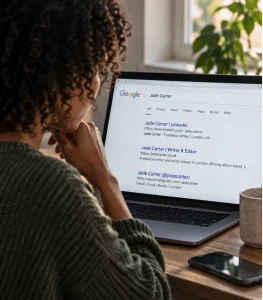
Search your current name and the names you've used previously. Try an exact-name search in quotation marks, then a version with your profession or town if your name is common. Check image results as well as ordinary links, and note old work biographies, forum accounts, directories and personal websites.
Open the source page before deciding what the result proves. A snippet can be outdated, and a person with the same name may have nothing to do with you. Mark uncertain matches as uncertain rather than treating them as exposure.
Google's Results about you can help find eligible contact details in Search and request their removal; availability varies by market and age. Removing a result doesn't delete the original webpage. If you find something sensitive, use our guide to removing your information from Google Search for the relevant route.
Look at the role each result plays in telling your story. An old staff biography can make a scam about a previous employer sound familiar; a cached event page might suggest you're still involved with an organisation you've left. Check the page's date and whether its contact details are still current before deciding what to change. Useful professional history may deserve a correction rather than deletion.
If Google shows an address that the source page no longer contains, record that difference. If the address is still on the page, start with the publisher as well as any eligible search-removal route. These are separate outcomes: making a page harder to discover can help, but someone who already has its link may still be able to open it.
Step 2: Review Your Public Social Media Profiles
Open your profiles while logged out or use the platform's public-view feature. A private window helps separate the view from your signed-in account, although some platforms still require login. Check what an ordinary visitor can actually see.
- Biographical details, workplace, school and location.
- Public posts, old photographs and visible tags.
- Personal contact information or a full date of birth.
- Posts that reveal your current address or plans you intended to share with friends.
Record the specific post or setting to change. A public professional biography may be useful; an old sale listing with your private number may no longer serve any purpose. These details can also connect across sites: our explainer on how strangers connect information about you online covers that risk in more detail.
Try reading the visible material as a collection. A school name in one post, a birthday message in another and a photograph of a street sign may add context you never intended to publish together. That doesn't mean every visitor can locate you from a photograph. Looking at the whole public view, including comments and tags, helps you see what the settings are actually protecting.
The account's purpose is a useful starting point for deciding what to keep public. A public work account may need your role and a business contact route, while a friends-only account can keep family updates to a smaller audience. If someone else's post exposes a detail, changing your own profile setting won't necessarily fix it; ask the person or use the platform's reporting route as appropriate.
Step 3: Check People-Search Sites
For US readers, established consumer people-search services are worth checking for a listing that appears to be yours. DSS's existing testing covers BeenVerified, Spokeo, PeopleFinders, Intelius and TruthFinder. Their coverage and supported searches differ, and a preview or paid report isn't proof that every matched detail is correct.
These listings are worth checking even if you've never created an account with the service. The FTC's explanation of people-search sites describes how public records, public social profiles and information bought from other brokers can be assembled into a report. The exposure can come from collection and redistribution, rather than something you deliberately published there.
A neatly presented report can feel reassuringly certain, so I check each detail on its own merits. A correct previous address doesn't validate an unfamiliar phone number or a suggested relative. Common names, shared addresses and outdated contact details can produce misleading associations. A report that gets several things right can still attach somebody else's information to you.
Start with a service relevant to your country and the information worrying you. Check enough identifiers to distinguish your listing from a namesake, then record what is actually visible. You don't need to buy several subscriptions merely to complete this audit. Avoid unfamiliar “free checker” pages that ask for unnecessary personal details.
Keep the goal narrow: is your contact information or a record about you exposed here, and is there an official opt-out route? Our guide to removing yourself from people-search sites handles the provider-specific follow-up. It also explains why an opt-out may need checking again later.
For UK directory exposure, review any relevant 192.com listing. Its online personal-data removal form covers name-and-address records; separate addresses need separate requests. A directory opt-out doesn't remove the underlying official record.
Imagine a listing that gets your former address right but calls the person who moved in after you an associate. In this fictional example, the correct address makes the invented connection look more credible. Log the address as a confirmed historical detail and the relationship as an incorrect or unverified association. You can seek correction or suppression without treating the combined profile as a reliable account of your life.
An opt-out is a useful reduction in access, not evidence that every copy has disappeared. The FTC notes that information can remain in associated people's reports or return after public-record updates. Keep the listing URL and confirmation, then recheck after processing. If the source still publishes a sensitive detail, consider whether there is a separate source-level change available.
Step 4: Check Public Records
Use legitimate official registers that apply to you. Depending on your country and circumstances, these might include company, professional or property records. Access and correction rules differ, and a record being public doesn't mean every detail about a person is open to anyone.
In the UK, check Companies House if you're a director, officer or person with significant control. Review the public service and registered-office addresses. A residential address supplied privately isn't ordinarily public, but using your home as a public correspondence or registered-office address can expose it.
If you find a home address in a filing, record the document reference and consult the current Companies House removal guidance. Eligibility depends on how the information was filed; it's a defined register process, not a general promise to erase every record.
Also check whether you're included in the open electoral register. You can ask your electoral registration office to opt you out without losing your vote. That doesn't erase the full electoral record or recall copies already distributed.
Read the label attached to an address before deciding what it means. A registered office or service address is a contact route for a particular purpose; it isn't proof that you live there. Equally, if you've used your home for that public purpose, the administrative label doesn't make the exposure harmless. Check the individual filing as well as the main profile; historical documents may contain different details.
Depending on what you find, you may need to change your public correspondence address, apply to suppress an eligible historical detail or correct a mistaken record. Those are different requests. Keep the document reference so you can follow the right process, and don't assume removing a directory copy has changed the official register.
Step 5: Check Whether Your Email Appears in a Data Breach
Use Have I Been Pwned to check email addresses you own against its known breach records. Read the named incident and the categories of data involved. A result for an old shopping account needs a different response from a public work biography.
A match doesn't automatically mean someone can access your current inbox. Equally, a clean result doesn't prove you've never been affected: the service's coverage has limits. Never enter your password into an ordinary breach-search form.
It helps to separate two things that breach notices can make sound very similar. Exposure means information escaped the protection it was supposed to have; compromise means somebody gained unauthorised access to an account or system. The notice may establish exposure without showing that anyone has entered your account. An email address in a breached retailer's customer list doesn't, by itself, show that your email provider was breached or that somebody is reading your inbox.
Read the list of exposed data carefully. It tells you which changes are worth making. An exposed email and delivery address can help someone write a believable order-related scam. An exposed password creates an additional risk wherever you reused it. An old breach can still matter if the contact information is current or the same password remains in use; its age alone doesn't settle the risk.
If credentials were exposed, change the affected password through the service's official website and replace it anywhere you reused it. Use unique passwords and multi-factor authentication where available. Review account activity and recovery settings if there's reason to suspect misuse. Note the security action in your log without recording the password itself.
Your main email account deserves early attention: it often receives the password-reset messages that help you regain access to other services. A unique password limits the usefulness of a password stolen elsewhere. Where supported, consider a passkey: the NCSC's 2026 assessment recommends passkeys, with two-step verification as the fallback. Passkeys bind sign-in to the genuine service, making common credential-phishing attacks harder. Keep recovery options and the account that stores or syncs your credentials secure too.
Unexpected sign-ins, altered recovery details or messages you didn't send warrant an account-recovery response through the provider. A historical breach match without those signs still deserves the relevant preventive steps. Have I Been Pwned's FAQ explains that changing a password doesn't remove the historical breach record. Judge progress by the security changes you've made, rather than expecting the search result to become clear.
Step 6: Search Your Email Addresses and Phone Numbers
Search each relevant address or number on a mainstream search engine. Try your number's normal local and international formats. Check for old contact pages, business listings or public profiles, then confirm that the result actually refers to you.
Don't assume that no result means no record exists. Some databases aren't indexed; a reassigned phone number can also produce another person's details. If a result needs closer interpretation, our guides explain what an email address can reveal and whether a phone number can connect to an address.
A contact detail can also connect contexts you'd prefer to keep separate. An email published for a hobby might be the same one used on a work biography; an old classified advert may still display your private number. Check whether each page still needs that particular contact route. Replacing it with a dedicated business or public-contact address may preserve legitimate enquiries while reducing unnecessary crossover.
Don't change a number or retire an email address without checking important account-recovery settings first. Otherwise, a privacy tidy-up can leave you dependent on a contact route you no longer control. Search visibility, spam and access to an account are related concerns, but they call for different actions.
Step 7: Separate Public, Leaked, Aggregated and Inferred Information
Distinguish the source of a detail from the way it becomes visible. The same address can appear in several categories, each requiring a different follow-up.
| Type | Example | Useful response |
|---|---|---|
| Public by choice | Your profile or website | Edit, restrict or delete what you control. |
| Public record | A company filing or property entry | Check the register's correction or suppression rules. |
| Aggregated | A people-search listing | Request correction or use the official opt-out. |
| Search visibility | A result linking to an exposed detail | Address the source and eligible search removal separately. |
| Leaked | Data exposed in a breach | Secure affected accounts; assess the data involved. |
| Inferred | A suggested household or interest | Mark it as unconfirmed; correct the listing and review its source signals. |
Suppose your home address appears in a filing, a directory and a search result. That is three places to follow up, potentially drawing on one original source. Removing the search result changes discoverability; a directory opt-out changes that listing; a register application addresses the official record where eligible. Log these as separate tasks so a successful request to one organisation doesn't close the whole issue prematurely.
If an AI summary or broker label makes a claim about you, keep the claim separate from its supporting material. An inference about your household or location isn't a verified fact simply because the wording is confident. Check the cited page and its date, and record a false claim as something that needs correcting. Giving a chatbot more private details to see whether it can guess correctly only adds to what you've shared.
AI adds another reason to keep this distinction clear. A web-enabled tool may compare accessible pages quickly, but a suggested relationship or location is still an inference. The ICO distinguishes AI-generated guesses from facts about a person. For your audit, record the original page and what it actually says. A copied error, namesake match or hallucinated conclusion needs an accuracy response, not acceptance as a newly discovered fact. Our strangers and information-discovery guide explores the wider AI implications.
Step 8: Prioritise What to Remove
Anything affecting your immediate safety or access to an account comes first. Then deal with unnecessary contact details and the older material you can tidy up later. A harmless mention in an old event programme shouldn't distract you from an exposed home address or identity document.
- Urgent: exposed credentials, identity or financial documents, and details linked to a specific threat or ongoing harassment.
- High priority: a current home address, private number, full date of birth or personal email you don't need publicly available.
- Housekeeping: obsolete profiles, old directories and inaccurate records.
- Manage: useful professional pages and records that legitimately need to stay public.
If something suggests identity misuse, contact the affected organisation through its official channels. If someone is threatening or harassing you, preserve relevant evidence and seek appropriate support before making changes that might alert them.
For the clean-up itself, follow how to remove your personal information from the internet. If broker listings are too numerous to manage yourself, our data-removal comparison explains paid options and their coverage limits. Removal services don't secure compromised accounts or guarantee a blank search page.
Context can move a finding up the list. A public business email may be necessary and manageable; a current home address linked to repeated unwanted contact needs a different assessment. An incorrect address can also matter if it sends unwanted attention towards someone else. In that situation, start with the action most likely to reduce the harm, even if another removal request looks easier to complete.
Be clear about the change you're trying to make: the private number is gone from the page, the false relationship is corrected, or the account no longer accepts a reused password. Keep the confirmation and set one realistic follow-up. You can't measure privacy by an empty search screen, but you can verify whether a particular exposure or security weakness has changed.
Choose the response according to the finding. A useful work biography can wait for a scheduled review. A private number on an obsolete advert is a removal task. A current password, recovery code or identity document exposed online needs prompt action with the affected provider; don't leave it in the removal queue. If banking details were shared with a suspicious contact, speak to the bank through its official app or published number. Our guide to checking suspicious emails helps with unfamiliar approaches.
For UK readers, the ICO's erasure guidance explains when you can ask an organisation to delete personal data and why exceptions can apply. Identify the particular information and keep a written record of the request. A justified refusal or a legally required register needs a different plan from an ignored opt-out. You can still reduce unnecessary copies and review the public contact details you control.
Harassment, an impersonation account or a threat to publish personal information needs a separate incident record. The eSafety Commissioner's evidence guidance explains why dates, URLs and a pattern of contact can help a report. If it's safe, retain those details before reporting or blocking; don't engage just to gather more evidence or delay getting help. If someone may monitor your device or react to changes, get specialist safety advice from a safer device first. Contact local police about threats and emergency services if you're in immediate danger. Don't download or forward sexual images of anyone under 18 to document them; record the location and seek reporting advice instead. Our guide for families responding to sextortion gives more focused support.
How Often Should You Check Your Digital Footprint?
A review every few months is a practical starting point, rather than a security guarantee. Do a focused check after moving home, changing your number, starting a business, making a profile public or receiving a breach notice.
Use your existing log to check unresolved items and confirm completed removals. If a detail returns, note where it came from and whether the original source still publishes it. Once you've checked the unresolved items and recorded any new exposure, you can leave the next routine review until it's due.
The follow-up is part of the audit. If the page still displays the detail after the stated processing period, use the organisation's follow-up route and retain the reference. If a different site republishes it, create a new entry instead of marking the original request as a failure. That distinction helps you decide whether the problem is an unfinished removal, a fresh listing or a source that still needs attention.
Digital Footprint Audit Checklist
- List the names, usernames and contact details you're checking.
- Review name searches and public social profiles.
- Check relevant people-search listings and official records.
- Check known breach exposure for email addresses you own.
- Search public contact details and confirm ownership of each match.
- Classify findings by source, accuracy and severity.
- Choose an action and follow-up date for each meaningful result.
- Secure affected accounts and revisit unfinished actions.
The most useful result is knowing what you're looking at and having a sensible response to it. You may decide to keep a work biography, correct an old record, restrict a family photograph or secure an account after a breach. For me, a useful audit leaves you with fewer avoidable problems and a clear idea of what still needs following up. The number of search results you've removed tells you much less.
Keep the checklist for your next review, especially when your home, work or accounts change. Some records will stay public and some removals will need another check, so maintaining control is an ongoing task with a reasonable stopping point each time. Deal promptly with evidence of harm, check that your changes worked and give the routine findings their place in the queue. Your name can still appear online while your privacy and account security are better protected.
Frequently Asked Questions
How do I check my digital footprint for free?
Start with search results, the public view of your social profiles, relevant official records and Have I Been Pwned for an email address you own. Record confirmed results and the next action in a secure document. Paid people-search reports or removal services are optional, not a requirement for a useful first audit.
Can I find all the information about me online?
No. Search engines do not index every page, and private platform records, restricted registers and broker databases may not be visible to you. An audit gives you a practical picture of discoverable exposure, not proof that no other information exists.
How often should I review my digital footprint?
A fuller review a few times a year is a practical starting point. Recheck after moving home, changing contact details, updating public profiles or learning about a relevant breach. Use your exposure log to decide which findings need an earlier follow-up.
What's the difference between public information and leaked information?
Public information is available through a public page, directory or lawful register. Leaked information was exposed without the intended permission, for example in a data breach. Public exposure usually calls for visibility changes or removal requests; a breach may also require password changes, stronger authentication and account checks.
What should I remove first?
Prioritise accurate details that create a meaningful safety or identity risk, such as a current home address combined with unwanted contact, private contact information or exposed identity documents. Correct false matches too. A professional profile or a legally public record needs a different response from a leaked credential.
