
When you buy through links on our site, we may earn an affiliate commission. Learn more



After three weeks of putting uMobix through its paces, i’m honestly impressed. As a monitoring tool, it proved to be both comprehensive and reliable, and genuinely comparable to popular monitoring tools like mSpy – it even had me questioning whether it could actually be better. The combination of extensive social media coverage and genuine stealth operation makes it ideal for families dealing with serious safety concerns or trust issues, provided your kid’s on Android – uMobix dropped iPhone support entirely in 2026, so iOS families can stop reading here. It’s still a firm favourite in our household (that’s me and my wife testing, our toddlers don’t count), but it doesn’t quite take the top spot.
Features (4.2/5): Comprehensive monitoring across 30+ platforms with deleted message recovery works reliably. Advanced Android features like keylogging and remote access performed well in testing. The GPS could be a little hit-and-miss at times. uMobix is Android-only as of 2026 – there’s no iPhone version at all, which will rule it out immediately for a lot of families. The lack of any traditional parental controls (screen time, content filtering) may disappoint some parents.
Security (4.3/5): AES-256 encryption, SOC 2 compliance, and professional data handling with no known breaches. Genuinely invisible operation once properly configured – my wife forgot it was running. Setup requires some technical confidence, particularly on Android. Legal considerations are serious – monitoring requires proper authority
Value (3.8/5): The annual plan represents good value for comprehensive monitoring needs. Monthly pricing at £47.99 is prohibitive for testing (check out our pricing table below for US pricing). Single-device limitation means families monitoring multiple children face multiplied costs. Better value than most competitors at annual rates, but requires significant commitment.


uMobix is high-grade monitoring software built for families navigating serious digital safety concerns. I’m talking about when your teenager starts acting differently and won’t tell you why, when you spot messages that worry you but can’t get straight answers, or when you’re concerned an elderly parent might be getting taken advantage of online.
One thing worth knowing before you go any further: uMobix is Android-only. If your child’s on an iPhone, this isn’t the tool for you – skip to the Alternatives section below.
The uncomfortable truth is that sometimes normal parenting tools aren’t enough. Perhaps you’ve noticed dramatic mood swings coinciding with phone use. Maybe school has contacted you about concerning behaviour. Or you’ve caught glimpses of messages that made your blood run cold. When gentle conversations and setting boundaries haven’t worked, you need something more substantial.
Unlike the more consumer-friendly best parental control apps like Qustodio that work best with cooperation, uMobix operates at a different level entirely. It’s built for extracting truth when someone won’t or can’t share what’s really happening. During my three-week trial with my wife’s consent, the depth of information it gathered was sobering. Think forensic-level social media analysis, pinpoint location data, complete typing history, and messages people believe they’ve permanently erased.
Today’s smartphones are essentially digital diaries, containing every relationship, every secret, every risky decision. When a family member is heading toward danger, their device often contains the warning signs. uMobix makes those warning signs visible before crisis becomes catastrophe.
For families worried about online safety, whether that’s inappropriate contacts, cyberbullying, or concerning behaviour changes, uMobix provides the information you need to step in when necessary.
But I will say up front – uMobix and similarly heavy-handed monitoring apps like mSpy should be used only when trust and communication with your teenager has broken down, and you need to take serious action to keep your loved one safe. To help avoid being in that situation, I would always encourage learning how to talk to your kids about online safety first.
The engineering philosophy here is straightforward: effective monitoring requires complete invisibility, and that’s how uMobix works – completely in the background. Whether protecting a vulnerable family member or investigating troubling patterns, the moment someone realises they’re being watched, they adapt their behaviour or switch devices entirely, so operating in stealth mode is key to effective monitoring.
My wife volunteered her Android phone for our trial. Setup involved downloading an APK file and adjusting several system settings, a process that took roughly 15 minutes. Once configured, the app essentially evaporated. No app drawer entry, no persistent notifications. The only immediate giveaway was the battery drain – she needed to charge it earlier in the day than normal. Some digitally sophisticated teens might be tipped off by this, but unlikely.
The synchronisation speed caught me off guard. Text messages my wife sent appeared in my monitoring dashboard before she’d even put her phone down. For situations requiring immediate intervention, like a child arranging to meet a stranger, this near-instantaneous update cycle could be the difference between prevention and disaster.
The catch: none of this is available if the phone in question is an iPhone. uMobix quietly dropped iOS support in 2026, and there’s no workaround.
Three weeks of hands-on testing revealed capabilities that would make any private investigator envious. The feature set goes far beyond basic parental controls, providing forensic-level insight into device usage that proved both comprehensive and slightly overwhelming in its detail.
In 2026, advanced social media monitoring has become so crucial. Today’s threats to young people rarely announce themselves – they develop through Instagram DMs from fake modelling scouts, Snapchat conversations that disappear in seconds, or TikTok comments that gradually groom vulnerable teens. These platforms are engineered for privacy, and teenagers are masters at covering their digital tracks.
During our trial, uMobix captured data from 14 social platforms, and what impressed me – more than the fact that my wife has over 14 social platforms – was the depth of recovery. My wife deliberately deleted several test messages across WhatsApp, Instagram, and Facebook Messenger to see if they’d truly vanish. They didn’t. Every single deleted message appeared in my dashboard within minutes, complete with timestamps and any attached media. This resurrection of ‘vanished’ content matters because predators often coach victims to delete evidence. The first thing someone with bad intentions teaches a child is how to hide their conversations.
The iOS Instagram integration I tested in earlier versions of this app no longer exists – uMobix pulled iPhone support entirely in 2026. If you’re monitoring an iPhone, this section, and most of what follows, simply won’t apply to you.
GPS monitoring reveals when stories stop adding up. Your child claims they’re revising at a friend’s house, but something feels off. A family member’s explanation for their whereabouts has inconsistencies. These discrepancies often signal bigger issues brewing beneath the surface.
During my testing I found the GPS tracking as a little hit-and-miss. Sometimes it was pinpoint sharp and refreshed instantly, but other times the location was off – and by around half a mile. I only know this because I was doing tame tests with my wife, who could tell me where she actually was. If I was secretly tracking my kid, I might not always know where they are. But on the whole it worked as it should.
uMobix’s GPS functionality doesn’t include geofencing, which is when you can create designated ‘safe zones’ and be alerted when your child leaves them. Or, designated ‘danger zones’ and know when your kid is going somewhere you don’t want them to. Geofencing is a massively powerful tool for concerned parents, so it’s disappointing not to see it included here.
What it does include, though, is location history, so if your kid comes home and tells you a cock-and-bull story about being at the library studying when they were really hanging around in a dangerous park after dark, you’ll know you’re being lied to.
The Android version unlocks capabilities that feel almost uncomfortably powerful. The keystroke logger captured everything my wife typed, from WhatsApp messages to Google searches to passwords (though I deliberately avoided looking at those for obvious reasons). Every single character appeared in the dashboard, including backspaced corrections and abandoned message drafts.
The remote access features let me activate her phone’s camera and microphone without any indication on the device (only on Android). During testing, I could see her office environment and hear ambient conversations. While ethically complex, these features could prove vital if a child goes missing or enters a dangerous situation.
App usage monitoring revealed patterns I’d never noticed despite years of marriage. My wife spends exactly 12 minutes on news apps each morning, checks weather three times daily, and has a peculiar habit of opening and immediately closing her banking app multiple times without actually doing anything. These behavioural fingerprints would make any deception immediately obvious.
The call recording worked flawlessly on Android, capturing both sides of conversations with clear audio quality. Combined with detailed call logs showing frequency patterns and contact networks, this creates a complete communication picture that would be nearly impossible to falsify.
Unlike ‘softer’ parental control tools like Net Nanny, uMobix isn’t very versatile when it comes to managing how your teen uses their device. While you can kill the phone’s connection to the internet and block individual apps and websites, it doesn’t allow you to set time limits on screen time – it’s a bit ‘all or nothing’. Apart from anything else, this is a dead giveaway to your kid that you are in control of their phone. If you could preset time limits, like you can on a parental control tool like Bark, your kid would likely feel a lot less spied upon.
The other significant letdown is the lack of live alerts or notifications. To see any activity on the target device, you need to be logged into the dashboard, the uMobix app doesn’t flag in realtime. How many apps or dashboards do you have on your screen for constant monitoring? For me, this is poor – as every second counts if your kid is getting into a dangerous situation online.
| Feature | Capability | Platform |
| Social Media | 30+ platforms, deleted message recovery, complete conversation history | Android |
| GPS Tracking | Real-time location, detailed history, route mapping | Android |
| Keylogger | Every keystroke including passwords and searches | Android |
| Remote Access | Camera activation, ambient recording | Android |
| Call Monitoring | Complete logs with contact details and duration | Android |
| App Usage | Detailed usage patterns and screen time data | Android |
Throughout our trial period, uMobix never missed a beat, other than when it came to GPS location tracking. Every message and every app interaction landed in the dashboard reliably. The combination of live monitoring and historical archives creates an evidence trail that would be nearly impossible to fabricate or dispute.
Installation demands basic technical competence, especially for Android. You’ll navigate through developer settings, approve various permissions, and configure invisibility options. The provided instructions are thorough, and their support team responds quickly when you hit snags.
The control panel prioritises function over form, which suits its serious purpose. Data gets organised into logical sections (communications, locations, media, apps) with robust search tools for finding specific incidents. Live data streams in constantly, keeping you current with device activity. Just a shame it doesn’t send notifications.
uMobix keeps its pricing simple with just one full-feature plan where the monthly rate depends entirely on your subscription length. There’s no feature gating or premium tiers; every subscriber gets the complete monitoring suite regardless of payment plan.
The pricing structure rewards longer commitments substantially. While the month-to-month option exists for those needing short-term monitoring, the annual plan brings professional-grade surveillance down to less than the cost of a Netflix subscription, which is remarkable considering the technical sophistication involved.
| Term | Monthly Price (UK) | Monthly Price (US) | Key Features | Best For |
| 1-month | £47.99 | $49.99 | Full access to all monitoring features (calls, messages, social apps, GPS, keylogger, browser history, etc.) | Short-term monitoring needs |
| 3-month (billed quarterly) | £28.99 | $29.99 | Same full access, lower per-month rate | Users seeking both savings and flexibility |
| 12-month (billed annually) | £11.99 | $12.49 | Same full access, best per-month value | Long-term monitoring with best value |
Prices shown reflect the live checkout rates when creating a uMobix account (UK and US). All plans include the full feature set; the only difference is subscription term.
Disclaimer: Pricing correct as of 14th August 2026.
They accept standard payment methods plus cryptocurrency for those prioritising transaction privacy. Regional promotions occasionally surface, though availability varies by location and timing.
When compared to similar professional monitoring tools, uMobix delivers superior capability per pound, especially considering the advanced Android features like keystroke logging and remote access that many competitors lack entirely. The annual plan particularly stands out as exceptional value for families needing ongoing monitoring.
But it’s not as affordable as something like Bark, which can cost as little as 5$ per month. Of course, Bark’s monitoring capabilities and technology are nowhere near the sophistication of that offered by uMobix.
Trial-wise, the picture’s a bit muddled. uMobix’s own site currently advertises a 7-day trial for $3, though this hasn’t always been the case and other trackers still report no trial at all beyond the live demo – worth confirming at checkout before you commit, as terms here seem to shift.
To pursue a refund, you’ll need to content uMobix at billing@umobix.com or use the uMobix live chat feature.
Yes, uMobix is safe to use from a technical security standpoint. The platform uses military-grade AES-256 encryption for all data transmission, ensuring that information captured from the monitored device reaches your dashboard without interception. During my three weeks of testing, I ran several security scans and network monitoring tools to check for vulnerabilities, and found the data flow consistently encrypted and secure.
My testing revealed several security strengths that should reassure users. First, the login system uses proper two-factor authentication if you enable it, adding an extra security layer to your account. Second, all data stored on their servers is encrypted at rest, meaning even if someone somehow accessed their servers, the information would be unreadable. Third, I found no evidence of data being shared with third parties or advertising networks, which is refreshingly different from many free monitoring apps that monetise user data.
The company maintains SOC 2 compliance and adheres to GDPR requirements for European users. Their servers are located in secure data centres with restricted physical access and regular security audits. There have also been no know security breaches for uMobix – the same can’t be said for rivals like mSpy.
It’s worth noting that while uMobix is technically secure, the ethical and legal considerations around monitoring software are complex and vary significantly by location.
Third-party sentiment largely backs this up. uMobix sits at 3.5/5 (“Average”) on Trustpilot across more than 600 reviews – support responsiveness comes up repeatedly as a strength, though there’s a recurring thread of billing and refund complaints worth going in with your eyes open about.
The legal landscape for monitoring software varies dramatically between regions. In the UK, parents generally have the legal right to monitor devices they own and provide to minor children. In the US, similar rules apply, though some states have additional requirements about consent and notification. The crucial factor across all jurisdictions is having lawful authority over the device being monitored.
During my research, I found that most legal issues arise when people use monitoring software on devices they don’t own or without proper authority. For instance, monitoring your spouse’s personal phone without consent is illegal in most jurisdictions, even if you pay the phone bill. Similarly, employers must have clear policies and often require written consent before monitoring company devices.
Rather than juggling multiple apps across different devices, uMobix takes a unified approach with a single web-based dashboard that works everywhere. This design choice makes practical sense and proved convenient during my testing.
The dashboard adapts remarkably well to different screen sizes. On my iPhone 14 Pro, I could quickly check location updates or read captured messages during my commute. The mobile interface strips down to essentials, making navigation simple despite the smaller screen. Swiping between categories felt intuitive, and pinch-to-zoom worked perfectly for examining screenshots or location maps.
Worth being clear on the distinction here: this is about viewing your own dashboard from an iPhone, iPad, or Mac – not monitoring a target iPhone, which uMobix no longer supports at all.
On my iPad, the experience expanded well. The larger screen allowed me to view multiple data streams simultaneously, such as watching location updates while reviewing message logs. This proved particularly useful when trying to understand patterns of behaviour, as I could cross-reference different types of activity without constantly switching screens.
Desktop browsing on my MacBook provided the fullest experience. Here I could open multiple browser tabs to compare historical data, export reports, and really dive deep into the collected information. The larger screen real estate made it easier to spot patterns and anomalies that might be missed on mobile devices.
The Android monitoring app itself (installed on the target device) operates completely differently. Once installed, it becomes invisible, running as a system service with no user interface whatsoever.
Our three-week experiment opened my eyes to just how much our phones know about us – the psychological impact of holding such complete information about another person’s digital existence hit harder than expected.
By day two, I had unprecedented visibility into my wife’s routine: complete messaging threads, movement patterns down to specific shops visited (mostly), app usage timings, and even draft emails she’d written but never sent. The dashboard updated essentially in real-time, creating an almost overwhelming stream of information.
What really resonated was imagining this tool during an actual family crisis. If my teenager was being groomed online, if addiction was destroying our household, if financial deception threatened our future, this level of detail could provide the evidence needed for intervention.
But while this is suitable for some parents, it isn’t for most. If you’re trying to build trust with your teenager and build healthy online habits, I recommend reading our guide on how to use technology to keep your family safe before taking the drastic route of purchasing uMobix.
uMobix serves specific scenarios where comprehensive monitoring becomes necessary, particularly when standard parental controls or open communication have failed to address serious concerns. Through my testing and research into user experiences, I’ve identified the situations where this level of monitoring makes sense.
When warning signs escalate beyond normal teenage challenges, you’re potentially dealing with genuine danger. Sudden personality changes, mysterious new ‘friends’, unexplained injuries or possessions, these red flags demand investigation when communication breaks down.
Full social media visibility exposes the complete network influencing your child’s behaviour. Message recovery reveals what they’re desperately trying to hide. Location verification confirms or contradicts their stated activities.
This is not the gentle approach many parents need, it’s a final line of defence when your kid has a high chance of coming to some harm online. In short, it’s a spying app, more than it is parental control software.
After major trust violations through addiction, infidelity, or financial deception, words alone can’t repair relationships. Those in recovery often appreciate monitoring as proof of their commitment, while family members need concrete verification to risk trusting again.
uMobix facilitates this verification transparently. Recovery meeting attendance gets confirmed through location data. Claimed sobriety gets supported by app usage patterns. Promises about cutting toxic relationships get validated through message monitoring. This evidence-based approach creates space for genuine healing rather than endless suspicion.
If you’re considering uMobix after infidelity or another breach of trust, remember that it’s Android-only in 2026. We’ve compared it with Spynger, mSpy, Eyezy and SpyBubble in our best apps to catch a cheating partner guide, including which options make more sense for iPhone, messages, social apps, deleted activity and location.
For this uMobix review I spent a lot of time browsing Reddit threads, tech forums, and parenting communities to see how real users’ experiences compared with my controlled test. This research helped validate my findings while revealing use cases and challenges I hadn’t anticipated during my personal trial.
The most consistent praise across platforms focused on uMobix’s reliability. Parents on r/Parenting repeatedly mentioned that unlike cheaper alternatives that frequently disconnected or missed data, uMobix maintained steady monitoring without interruptions. One particularly detailed post described how a mother discovered her 14-year-old daughter was being groomed by a 34-year-old man posing as a teenage gamer. The deleted Snapchat recovery feature revealed months of increasingly inappropriate conversations that her daughter thought were permanently erased.
Technical forums highlighted specific features that proved invaluable. Multiple users confirmed my experience with the keystroke logger catching passwords to secret social media accounts their children had created. Several parents discovered their teens maintained completely separate online identities unknown to family. The ambient recording feature, while ethically complex, helped one family locate their autistic son who had wandered off during a meltdown by listening to background sounds and identifying his location.
Common frustrations emerged too, particularly around iOS. Multiple users on tech forums wished for feature parity with Android, and understood Apple’s restrictions made much of it impossible – which is presumably why uMobix pulled iPhone support altogether rather than keep maintaining a second-rate version.
When evaluating monitoring software, it’s important to understand how different platforms serve different needs. Through my testing of various solutions and price checking in August 2025, I’ve compiled this comparison to help you determine which might work best for your specific situation. These prices are current as of my review date and include both UK and US pricing for accurate comparison.
One thing that’s changed the calculus here: uMobix’s Android-only stance is now a real dealbreaker for iPhone families, not just a weaker feature set. If your kid has an iPhone, mSpy and Bark both still support iOS – rule uMobix out immediately rather than reading further.
| Service | UK Monthly Price | US Monthly Price | Key Strength | Best For |
| uMobix | From £11.99 | From $14.99 | Comprehensive monitoring with excellent stealth | Complete device surveillance |
| mSpy | From £8.99 | From $11.66 | Geofencing and user-friendly interface | Balanced monitoring with alerts |
| Bark | £11.99 | $14.00 | AI-powered content analysis | Automated family safety monitoring |
| Qustodio | From £3.75 | From $4.58 | Multi-device family management | Transparent parental controls |
For thorough device surveillance, uMobix remains unmatched in capability, particularly with its Android keystroke logging and deleted message recovery. mSpy offers similar features with better geofencing but less reliable stealth operation in my testing. Bark takes a completely different approach, using AI to scan for concerning content and alerting parents only when issues arise, making it less invasive but potentially missing subtle problems. Qustodio focuses on transparent monitoring with educational components, ideal for younger children where hidden monitoring isn’t necessary.
The choice ultimately depends on your specific situation. If you need forensic-level investigation capabilities for a crisis situation, uMobix justifies its premium pricing. For ongoing family safety with less intensive monitoring, Bark or Qustodio might better suit your needs.
After three weeks of testing uMobix on my wife’s Android phone, I can confidently say it does what it claims, on Android. There’s no iPhone version to test, because uMobix dropped iOS support entirely in 2026. If your child has an iPhone, this review effectively ends here: look at mSpy or Bark instead.
For Android families, what surprised me most was how much information modern phones contain about our daily lives. Even in our consensual test, the sheer volume of data was eye-opening. In a real crisis situation, having access to this information could be the difference between catching a problem early and missing crucial warning signs. But without those high stakes, you’re just spying on your kid – so think hard about whether that’s the route you need to go down.
The £11.99 monthly cost (on the annual plan) feels fair for Android users who need comprehensive monitoring during a family crisis. The software never crashed, data arrived promptly, and support responded quickly to my questions.
Would I recommend uMobix? For Android users facing genuine safety concerns with teenagers or trust crises in relationships, yes. For anyone with an iPhone in the mix, it’s simply not an option anymore. Anything less than a genuine crisis, I’d urge you to look at less invasive parental control options first.
Reviewed August 2026. I’ll update this review if any updates are released that you need to know about.


Incogni Alternatives 2026: Which Service Would I Choose?
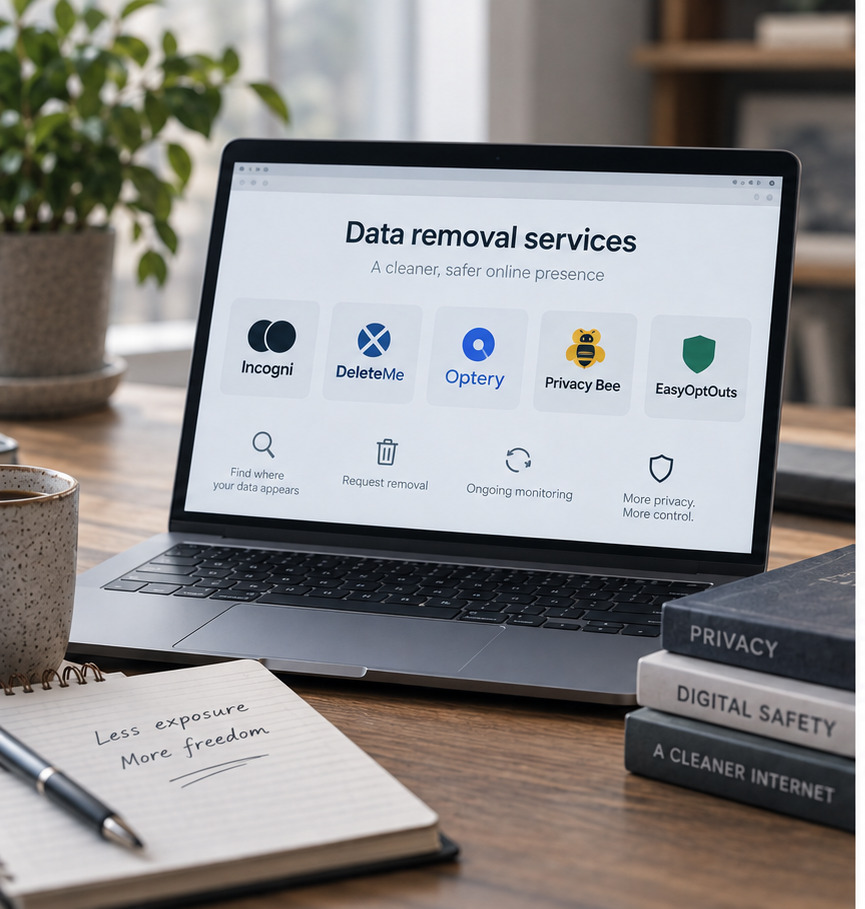
Best Data Removal Services in 2026: Reviewed & Compared

Best Apps to Catch a Cheating Partner in 2026: My Top Picks

Protecting Your Digital World One Step at a Time.
Some pages include affiliate links. We may earn a small commission at no extra cost to you. Our reviews remain unbiased and independent.
Copyright © 2025 | Digital safety squad | All Rights Reserved