


Last Updated on September 19, 2026 by Jade Artry
What Is Instagram?
Instagram is a photo and video sharing platform built around a feed, Stories, Reels, Direct Messages, an Explore page and a follower and following system. It’s owned by Meta, which also owns Facebook and WhatsApp.
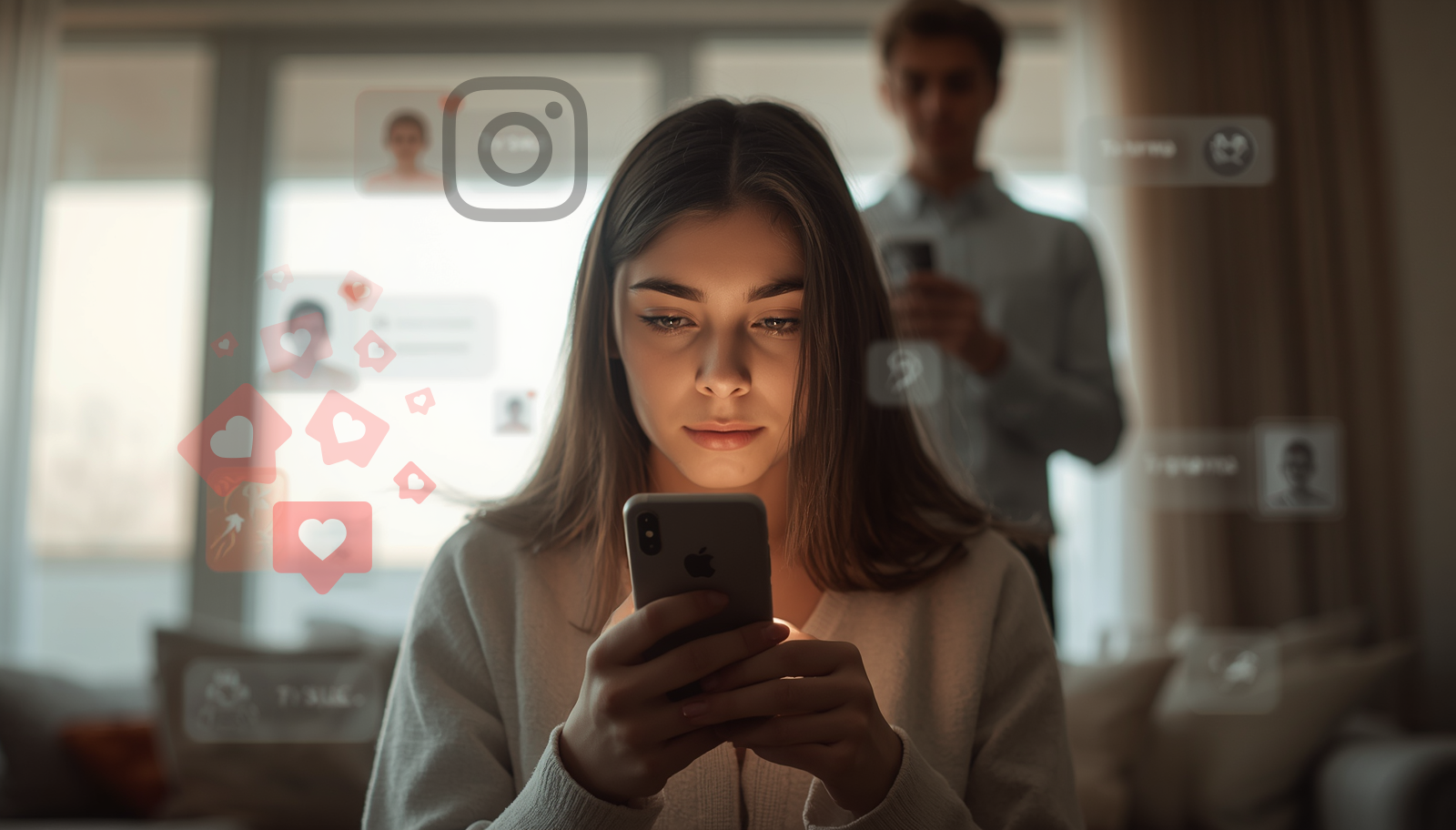
Children and teenagers use Instagram to share photos and videos, follow friends and creators, watch Reels, send DMs, keep up with what everyone else is doing and feel part of the social fabric of their school and peer group. To a child, Instagram can feel like social currency. Who follows you, how many likes a post gets and whether you appear in the right groups can feel genuinely important at this age.
From a parent’s side, the concern is what sits beneath that social layer. Instagram rewards attention, visibility and response. The more a child watches, likes, saves, comments or replies, the more the app learns what keeps them there. For teenagers, that can turn friendship, popularity, appearance and approval into something that feels constant.
How Does Instagram Work?
Instagram works by showing users a mixture of content from people they follow and content the app recommends. A child might open Instagram to check a friend’s Story, then move into Reels, reply to a DM, look at suggested posts, edit a photo, search for a creator or scroll through the Explore page.
The app learns from behaviour. What a child watches, skips, likes, saves, shares, comments on or lingers over can all shape what appears next. That means Instagram isn’t the same experience for every child. One child may see football, recipes, music and school friends. Another may be pulled towards beauty filters, diet content, influencer lifestyles, sad quotes, creator drama or emotionally charged videos.
Instagram also mixes public and private spaces. Reels, posts, comments, Stories, DMs and followers all sit close together. That’s why the risk isn’t only about what a child watches. It’s also who can contact them, what they feel pressured to post, how they compare themselves with others, and whether they’re managing more than one account.
What Is the Instagram Age Limit?
The Instagram age limit is generally 13, although some countries and regions have higher minimum age requirements. Instagram says people must meet the minimum age in their country before they can create an account.
It’s better to treat 13 as a minimum rule, not as proof that a child is ready for Instagram. The harder question is whether your child can manage private messages, follower pressure, appearance comparison, Reels, AI-edited content, unknown contacts, hidden accounts and the emotional side of being seen online.
Instagram isn’t suitable for younger children. For teenagers, it needs active supervision, strong privacy settings, clear message rules, no late-night access and regular conversations about online safety, including what the app is showing them and how it makes them feel.
How do social media age restrictions affect Instagram?
Social media age rules are also changing. In Australia, many social media platforms must now take reasonable steps to prevent under-16s from having accounts. In the UK, the government has announced plans to stop social media platforms offering services to under-16s, with protections expected to come into force in Spring 2027. For families, what the social media ban means in practice depends on where you live, which platforms are included, and how determined your child is to find workarounds.
The point for parents isn’t that every country will handle Instagram in the same way. It’s that the direction of travel has changed. Regulators and governments are no longer treating children’s social media use as a private family choice alone. They’re recognising that platform design, recommendation feeds, private messaging, age checks and addictive features all shape the level of risk children face.
Is Instagram Safe?
Instagram can be safe enough for some older teenagers when it’s used with strong boundaries, but it isn’t a low-risk app. The main concern is the combination of Reels, Direct Messages, follower culture, appearance-heavy content, comments, Stories, AI features and private contact in one place.
The app can look harmless because so much of it feels familiar. A child may just seem to be looking at photos, watching Reels or messaging friends. But Instagram can quietly affect how they feel about themselves, who they speak to, how late they stay online and how much of their social life moves into a space parents can only partly see.
It’s more useful to think about Instagram in terms of patterns rather than one obvious danger. If a child is using it openly, sleeping well, not being contacted by people the family doesn’t know, and not coming away from the app anxious or increasingly critical of themselves, the concern is lower. If they’re secretive, scrolling late at night, using a second account, hiding messages or becoming more anxious about appearance and approval, the wider risks of social media are starting to affect everyday life and Instagram needs stronger boundaries.
Is Instagram Safe for Kids?
Instagram isn’t suitable for younger children. For teenagers, it needs active supervision, strong privacy settings and clear rules around messages, followers, Reels, posting, image sharing and night-time use.
The concern isn’t that every photo or video is harmful. It’s that Instagram brings several pressures together at once. A child may be comparing their appearance, checking likes, replying to DMs, watching Reels, following creators and managing follower pressure in the same app.
Some teenagers will be able to use Instagram reasonably with Teen Accounts, a private profile, restricted messages, device-level limits and honest conversations at home. Others won’t be ready yet, even if they’re old enough under the platform’s rules. Waiting is reasonable if your child is already struggling with sleep, confidence, secrecy, body image, hidden accounts or private contact.
Why Parents Are Worried About Instagram
Parents are worried about Instagram because the app combines Reels, Direct Messages, follower culture, appearance-heavy content, comments, Stories, AI features and private contact in one place. The concern isn’t that every photo or video is harmful. It’s that the app can quietly affect how a child feels about themselves, who they speak to and how much of their social life moves into a space parents can only partly see.
That makes Instagram harder to assess than apps where the danger feels more obvious. A child may not come to you with one clear incident. Instead, you may notice smaller changes: more comparison, more secrecy, more late-night scrolling, more anxiety around photos, or more defensiveness about who they’re speaking to.
Ofcom’s 2026 research found that 73% of 11 to 17 year olds recalled seeing or hearing harmful content online in a four-week period, with Instagram named by 34% of children who had encountered harmful content. Ofcom also found that personalised feeds remained the most common route to harmful content, which matters for Instagram because Reels and recommendations are part of the everyday experience.
How Instagram Reels and Recommendations Shape What Children See
Instagram Reels and recommendations shape what children see by learning from what they watch, rewatch, skip, like, save and linger on. Meta says Instagram Feed Recommendations are selected, ranked and delivered by an AI system, which means the experience isn’t the same for every child.
This is why Instagram can be hard to judge from your own account. One child may see football clips, recipes, fashion, music and school friends. Another may be pulled towards beauty filters, diet content, fitness transformations, relationship advice, sad quotes, influencer lifestyles or emotionally charged videos. The app isn’t simply showing a neutral set of posts. It’s responding to behaviour.
The recommendation risk isn’t only about one harmful Reel. It’s about the pattern the feed builds around a child over time. A teenager who watches a few beauty or fitness videos can gradually see more body-focused content. A child who spends time on lonely or sad posts may be shown more emotional content, creating the kind of AI-driven loop that can affect mental health. A teenager who watches drama between creators may be pulled into comment sections, pile-ons and public arguments.
Instagram now gives users more ways to adjust recommendations and content settings, and those tools can help. But they aren’t the same as parental visibility. You may not know what the feed is repeatedly serving, how it’s affecting your child, or whether they’re moving between Reels, Direct Messages, Stories and another account. Some AI-generated content carries a label, but labels aren’t a complete solution. A child may still compare themselves with an artificial body, trust a synthetic account or believe content that was never real.
Appearance Pressure, Body Image and Mental Health
Instagram can affect body image and mental health because it’s built around visual comparison. Photos, Reels, Stories, filters, follower counts, likes, comments and curated profiles can create a constant pressure to look, post and be seen in a particular way.
For some children, Instagram is just a way to share moments and follow friends. For others, it becomes a place where they compare their face, body, clothes, skin, lifestyle, popularity or confidence against people who may be edited, filtered, carefully posed or professionally styled.
AI has made this more complicated. Children aren’t only comparing themselves with real classmates, creators or celebrities. They may also be comparing themselves with AI-generated faces, edited bodies, beauty filters, retouched photos, synthetic influencers and content designed to look effortless when it’s anything but. Helping them understand how AI-generated content works makes it easier to question what they see instead of treating every image as real.
There’s also a specific image safety risk. NCMEC reported a sharp rise in CyberTipline reports involving generative AI and child sexual exploitation. Public or partially public photos can be misused, edited or turned into deepfakes or fake sexual images. A child doesn’t need to send anything explicit for image-based abuse to become a risk, and threats to share or expose those images can become sextortion.
The signs worth watching are often small at first. A child may spend a long time editing photos before posting, become anxious about likes, compare their appearance with creators they follow, talk more negatively about their body or face, avoid being photographed, scroll late at night, or seem lower after using the app.
If Instagram is affecting your child’s mood, sleep, confidence or sense of themselves, act on it. Comparison, addictive design and private contact can create the same problems across several platforms, while difficulty stepping away from social media is a sign the app is starting to affect everyday life.
Instagram Direct Messages, Contact Risk and Grooming
Instagram Direct Messages create contact risk because they give people a private route to your child. Even where message settings are restricted, contact can begin through follows, likes, comments, Story replies, mutual friends or convincing fake profiles.
Grooming and manipulation rarely begin with something obviously threatening. They often start with attention, compliments, shared interests, sympathy, humour or a sense that the person understands the child better than adults do. A teenager may not recognise that as unsafe, especially if the account looks real, attractive, friendly or connected to people they know.
AI makes this harder to assess. Fake accounts can use AI-generated profile images, realistic biographies and personalised messages. A child may believe they’re speaking to another young person, a creator, a fan account or a friend of a friend when the identity isn’t genuine.
Instagram Teen Accounts help by limiting who can message teenagers, but they don’t remove the risk completely. If your child accepts a follow request, uses a second account, changes settings, or moves a conversation to Snapchat or WhatsApp, the parent view can become very limited. The message worth giving your child plainly and more than once is simple: not every account is real, not every face is real, and not every message may be from the person it appears to be.
If you’re worried about who your child is speaking to, the behaviour changes linked to contact with strangers online can appear before a child tells you what’s happening. Once a conversation moves into private or disappearing-message spaces, it can become much harder to trace.
Secret Instagram Accounts and Hidden Use
Secret Instagram accounts are a risk because a child can maintain one account that looks safe to you and another account that you don’t know exists. That second account may be where they post more freely, follow different people, receive messages or explore content they wouldn’t show on their main profile.
These accounts are sometimes called Finstas, meaning fake or private Instagram accounts. The name can make them sound harmless, and sometimes they are. A child may use one for close friends, jokes or a less careful version of themselves. But the concern from a parent’s point of view is visibility. A second account sits outside the supervision and trust attached to the account you know about.
A secret account matters more if your child is becoming defensive, using Instagram late at night, changing behaviour after being online, receiving messages from people you don’t know, or becoming unusually anxious about followers, comments or posts.
A second profile may also sit alongside hidden apps on your child’s phone, so a clean home screen or supervised main account doesn’t necessarily show the full picture.
What To Do If Your Child Has a Secret Instagram Account
Finding a secret account is unsettling, but the aim is to understand it before shutting it down. A second account isn’t always evidence of something serious. Sometimes it’s about privacy, a different friend group or posting without family watching. But sometimes it isn’t, and knowing which is which matters.
- Stay calm and don’t lead with punishment. Ask why they felt they needed it rather than announcing a consequence before you know what you’re dealing with.
- Check who they’ve been speaking to. If there are adult contacts or unknown accounts, that changes the response entirely. Remember that AI-generated profiles can look entirely real.
- Save anything concerning before you report it or close the account. Screenshots and evidence disappear quickly.
- Pause access while you talk it through, rather than immediately deleting everything.
- Use device controls to prevent reinstallation if you need to remove the app.
If the second account was being used for contact with people you don’t know, or if your child seems frightened or secretive beyond what the conversation explains, treat it as a safeguarding concern rather than a rules conversation. In the UK, the CEOP Safety Centre supports families in exactly this situation. In the US, contact the NCMEC CyberTipline.
Should I Let My Child Use Instagram?
This isn’t about whether Instagram is good or bad in the abstract. It’s about whether the child in front of you is ready for what it asks them to manage, whether you can talk about monitoring and trust without every check becoming a confrontation, and whether you have enough visibility to step in if something goes wrong.
Limited, supervised use may be workable if your child’s account is private, Teen Accounts supervision is set up and linked, messages are restricted to people they know, they understand the difference between real and edited content, phones stay out of bedrooms overnight, and they’re genuinely open with you about who they speak to. If most of those aren’t true yet, waiting is reasonable.
The hardest part for many parents isn’t the settings. It’s holding a boundary when a child says everyone else has it. You’re unlikely to be the only one holding the line, and a child being behind their friends on an app isn’t the failure it can feel like in the moment.
What Is Instagram Supervision?
Instagram Supervision is one of the built-in parental controls on social media, accessed through the Family Center in the app. You set it up by linking your own Instagram account to your teen’s. Your teen has to accept the invitation, and they can leave at any time, though you’ll be notified if they do.
Supervision gives you access to the controls inside Teen Accounts, lets you see who your teen has been chatting with recently, shows you time spent on the app, and lets you set content restrictions, time limits and contact controls. It doesn’t show you message content, second accounts, or activity that happens outside the supervised account.
What Instagram Teen Accounts Can and Can’t Do
Instagram Teen Accounts can reduce some risks, but they don’t give you full visibility. They’re a useful starting layer for privacy, contact limits, content controls and time management, but they can’t show everything a child sees or says.
Meta says Instagram Teen Accounts are automatically set to private, with protections built in that limit who can contact teenagers and the content they see. Teenagers under 16 need parent or guardian permission to make many settings less protective.
Teen Accounts also include message restrictions, sensitive content controls and time management features. Instagram says Teen Accounts are set to Sleep Mode from 10pm to 7am, and you can set time limits or block Instagram during specific times through supervision.
Those protections are real, especially compared with relying on a child to choose every safety setting manually. But the limits are important. Teen Accounts don’t let you read Direct Messages. They don’t show every Reel or post a child has watched. They don’t cover a second account, another device, browser access or conversations that move into WhatsApp, Snapchat, Telegram, Discord or another app.
Teen Accounts should be treated as the platform layer. If the concern is serious, you may still need a device-level parental control or one of the social media monitoring tools designed for parents to give stronger visibility across apps, accounts and browsers.
What Parents Can and Can’t See on Instagram
With supervision set up through Instagram, you can see who your teen has chatted with in the last seven days, their friends list and recent additions, time spent on the app, and some settings. That’s more useful than nothing, but it’s a limited picture.
Family Center can’t tell you whether a contact is who they say they are. An account built on AI-generated photos looks identical to a genuine friend in the contacts list. And supervision only covers the account you’re linked to. A second account sits entirely outside it.
Can parents see Instagram messages?
No, not through Instagram’s own tools. This is the most important limitation to understand before relying on Teen Accounts or supervision alone. Instagram supervision can show useful signals, such as who your teen is connected with, who they have chats with and how much time they spend on the app. It doesn’t let you read the messages themselves.
If your concern is general privacy or contact settings, Teen Accounts and supervision are the right starting point. But if you’re worried about what’s actually being said in DMs, such as pressure to send images, bullying on social media, grooming, secrecy or conversations with unknown accounts, Instagram’s own tools won’t show you that conversation.
That doesn’t mean every family needs monitoring. It means parents need to understand the gap. Instagram can help you restrict some contact, but it can’t give you the full message picture if something is already happening out of sight.
Can parents see Instagram history?
Not in full. You can see recent contacts and some activity signals through supervision, but not a complete message history, not Reels or posts your child has watched, and not anything from a second account or before supervision was set up. Screen time data can show how long your child was on Instagram, but not what they were doing.
Can parents see deleted Instagram messages?
No. Instagram doesn’t hold a copy of deleted or disappeared messages for parents to review through supervision tools. Once a message is deleted, it isn’t available through Instagram’s parent view. This is one of the reasons dedicated monitoring tools may matter when there’s a serious concern. Before using one, understand the difference between a parental monitoring app and stalkerware: the purpose should be proportionate child safety, not unrestricted surveillance.
What Parents Can’t See on Instagram
The blind spots matter as much as what you can see. Instagram supervision doesn’t show you the content of Direct Messages, every Reel or post a child has watched, activity on a second account, usage on another device, or conversations that have moved into WhatsApp, Snapchat, Telegram, Discord or another app.
It also can’t tell you whether the images a child has received are real or AI-generated, or whether the person behind a profile is who they claim to be.
Can Children Hide or Bypass Instagram Restrictions?
Children can hide or bypass Instagram restrictions through second accounts, browser access, another device, a friend’s phone, different email addresses, deleted messages or moving conversations into another app. This is why platform settings shouldn’t be the whole safety plan.
A supervised Instagram account may look clean and safe, while a second or secret account carries the real activity. A child may also use Instagram through a browser, log in on another phone, or create a new account with a different age or email address.
This matters more as under-16 social media restrictions come in. Removing access doesn’t always tell you whether a child has accepted the boundary or simply found another route back in.
That’s likely to become a bigger issue as bans and age restrictions change the landscape. Some children may lose access through official routes, but still try to return through second accounts, browser access, older dates of birth, VPNs, friends’ phones or platforms that aren’t yet restricted.
Those workarounds are why removing the visible app or supervising one account doesn’t always prove that access has stopped.
How To Make Instagram Safer for Your Child
To make Instagram safer for your child, focus first on privacy, messages, Reels, time limits, hidden accounts and night-time access. Clear family technology rules reduce contact risk, limit algorithmic exposure and make it harder for a child to bypass the boundary quietly.
- Set up Instagram Teen Accounts properly. Make sure the account is private, the content setting is protective, message settings are restricted and supervision is linked.
- Use dedicated parental controls as the stronger boundary. Choose a parental control app around the problem you need to solve, because Instagram settings only help inside Instagram while device-level tools can cover app limits, downloads, browsers and workarounds.
- Talk about Direct Messages. Make clear that people your child doesn’t know in real life shouldn’t be in their messages, and that they can show you something uncomfortable without being punished for asking for help.
- Talk about filters, AI and edited content. Children need to understand that the faces, bodies and lifestyles they see online are often filtered, edited, posed or generated, and what to do if they’re bullied with AI-generated images.
- Keep phones out of bedrooms overnight. Late-night Instagram use can make comparison, messaging pressure and poor sleep worse, so night-time phone boundaries should be enforced at device level rather than left to willpower.
- Review who they follow. Parents need some sense of the creators, friends and accounts shaping the feed, without it feeling like an interrogation.
- Watch for second accounts. If your child has another account, the supervised account may not show the full picture.
- Check whether the app is changing how they feel. Mood, sleep, sense of themselves and anxiety are often more useful warning signs than any individual post.
When Should You Block Instagram?
Consider blocking Instagram if the app is affecting your child’s safety, sleep, mood, confidence, honesty or ability to step away. Blocking doesn’t have to be permanent, but it can be necessary when settings aren’t enough.
Blocking is worth considering if your child is under 13, is using a secret account, is being contacted by people you don’t know, is hiding messages, is becoming anxious or increasingly critical of themselves after using Instagram, is scrolling late at night, is bypassing Teen Account settings, or can’t follow the boundaries you’ve set.
For serious concerns, blocking should happen at device level rather than only inside Instagram. App settings don’t stop a child using a browser, another device, another account or reinstalling the app if downloads aren’t controlled. Parental controls on phones and home devices can close more of those routes, while the best parental control apps add stronger controls where built-in settings aren’t enough.
How To Block Instagram on iPhone and Android
The most reliable way to block Instagram is at device level, not inside the app. Restrictions set inside the app can be worked around with a browser, another device or a reinstall if downloads aren’t controlled.
On iPhone, open Settings, then Screen Time, then App Limits. Add Instagram and set the limit to zero, or use Content and Privacy Restrictions to block specific apps. Use a Screen Time passcode your child doesn’t know, and restrict the App Store so Instagram can’t be reinstalled. Set Downtime to cover overnight hours.
On Android, use Google Family Link to block Instagram or set it to require approval to open. Turn on approval for new app downloads so it can’t simply be reinstalled. You can also restrict content through Play Store content settings.
On both platforms, device-level parental controls need to cover downloads, browser access and overnight use. Bear in mind that a determined child may still try a friend’s phone or a second account, so blocking works best alongside a conversation about why.
Can Parents Monitor Instagram?
You can only monitor Instagram partly through Instagram’s own tools. Teen Accounts and supervision can show useful signals, but they don’t show message content, every Reel watched, hidden accounts, deleted messages or activity outside the supervised account.
If the concern is mild, Instagram supervision may be enough to start a conversation and set boundaries. If the concern is serious, such as unknown contacts, secret accounts, image pressure, grooming concerns, deleted messages or sudden changes in mood, you may need stronger visibility at device level.
Dedicated parental controls and social media monitoring tools can help when the risk goes beyond ordinary screen time. They’re most relevant when you need to understand what’s actually happening across messages, apps, accounts and browsers, rather than relying only on what Instagram’s own tools show. Options such as mSpy, uMobix and Eyezy work at device level rather than inside one platform account. The aim should be to use technology to keep your family safe without invading privacy, unless a serious safeguarding concern makes wider visibility necessary.
For wider household online protection, Aura may help if you’re thinking about family devices, scam risk and identity protection. The right level depends on the concern, and parental control apps work best when the tool, rules and conversations all support the same boundary.
If you ever find evidence that your child is being groomed, exploited, coerced or harmed, monitoring stops being the priority. Save what you’ve already seen and report it. In the UK, use the CEOP Safety Centre and the police, or 999 in an emergency. In the US, report to the NCMEC CyberTipline and local law enforcement, or 911 in an emergency.
Final Advice for Parents About Instagram
What you do next depends on your child’s age, maturity, behaviour and the concern in front of you. For younger children, the safest answer is no. For teenagers, Instagram needs privacy settings, Teen Accounts, parental controls, clear message rules and regular check-ins.
The wider landscape is changing too. Social media bans and under-16 restrictions are already reshaping how families think about Instagram, but they won’t remove every risk. Even where access is restricted, children may still look for workarounds through second accounts, browsers, older dates of birth, friends’ phones or other apps.
Instagram shouldn’t be treated as a harmless photo-sharing app for children. The risks aren’t only about one upsetting image or one dangerous message. They come from the way Reels learn from attention, the pressure that follower culture creates, the appearance comparison built into the platform, and the fact that Direct Messages give people a private route to a child that parents can’t fully see through Instagram’s own tools.
If your child is using Instagram openly, sleeping well, not being contacted by people you don’t know, and not coming away from the app anxious or increasingly critical of themselves, a combination of Teen Accounts, device controls and conversation may be enough for now.
If your child is secretive, using a second account, being contacted by people you don’t know, hiding messages, scrolling late at night, or becoming more anxious about appearance and approval, the issue is no longer just settings. Stronger parental controls or fuller visibility may be needed so you can understand what’s actually happening and decide what support your child needs next.
Nick's take as a parent
Instagram is one of those apps that can look ordinary from the outside while carrying a lot underneath. I wouldn’t judge it only by whether the account is private or whether Teen Accounts are switched on. I’d look at how the child feels after using it, who they’re speaking to, whether Reels are pulling them into comparison, and whether they’re becoming more protective of the phone.
If Instagram is calm, open and bounded, parents may not need to panic. If it’s making a child secretive, anxious, self-critical or hard to reach, trust that pattern and tighten the boundary.
Nick Francis, parent and Digital Safety Squad parental controls tester
