


Last Updated on October 2, 2026 by Jade Artry
At a glance
Can Someone Find You From Your Email Address
Reuse is the real problem. One address used for banking, shopping, forums and public profiles turns a single leak into a map of your life.
Three separate problems. Public exposure, breach exposure and an actually compromised mailbox each need a different response.
Check Have I Been Pwned. It shows which services were breached and which categories of information were involved.
Separate addresses help. Two or three clearly separated addresses stop one identifier being attached to every part of your life.
Impersonation is account security. If someone is using your address to impersonate you, secure the mailbox rather than filing broker removals.
An email address doesn't feel especially sensitive when you hand it over several times a week. The problem starts when the same address has followed you for years across shopping accounts, forums, social media, work pages, newsletters and services that later suffered breaches.
If somebody finds your employer, social profile or old username from an email address, that doesn't automatically mean they've hacked your inbox. More often, the address has become a long-lived identifier connecting information that was published, sold, aggregated or leaked somewhere else.
From a security point of view, my biggest concern is using one important email for everything. If that address turns up in a breach or broker database, it can become a map to much more of your digital life. AI makes the resulting phishing easier to personalise, but the fix is still practical: understand what the address connects to, remove unnecessary public references and keep your most sensitive accounts separate from lower-trust sign-ups.
What I'd Worry About Most With an Exposed Email
A generic phishing email is easy to ignore. One that knows your employer, names a real colleague and uses language that sounds appropriate is much harder.
The NCSC says AI is increasing the effectiveness and efficiency of reconnaissance and social engineering. An email address can be the starting identifier that helps someone gather the context for that kind of message.
I separate the address itself from what it connects to, because the second problem is usually the more revealing one. If one address is used for banking, shopping, forums, newsletters and public profiles, a single leak can expose a much clearer map of your life.
Using separate or masked addresses won't stop phishing, but it can limit how much one breach or broker record tells somebody about you.
What Can an Email Address Reveal?
Potentially:
- your name
- usernames
- social or professional profiles
- employer or business
- old forum accounts
- public posts
- people search records
- known data breaches
- other contact details where databases have linked them
That doesn't mean every email address reveals all of this. What worries me more is repetition. The more places the same address appears, the easier it becomes to connect otherwise separate parts of your online life.
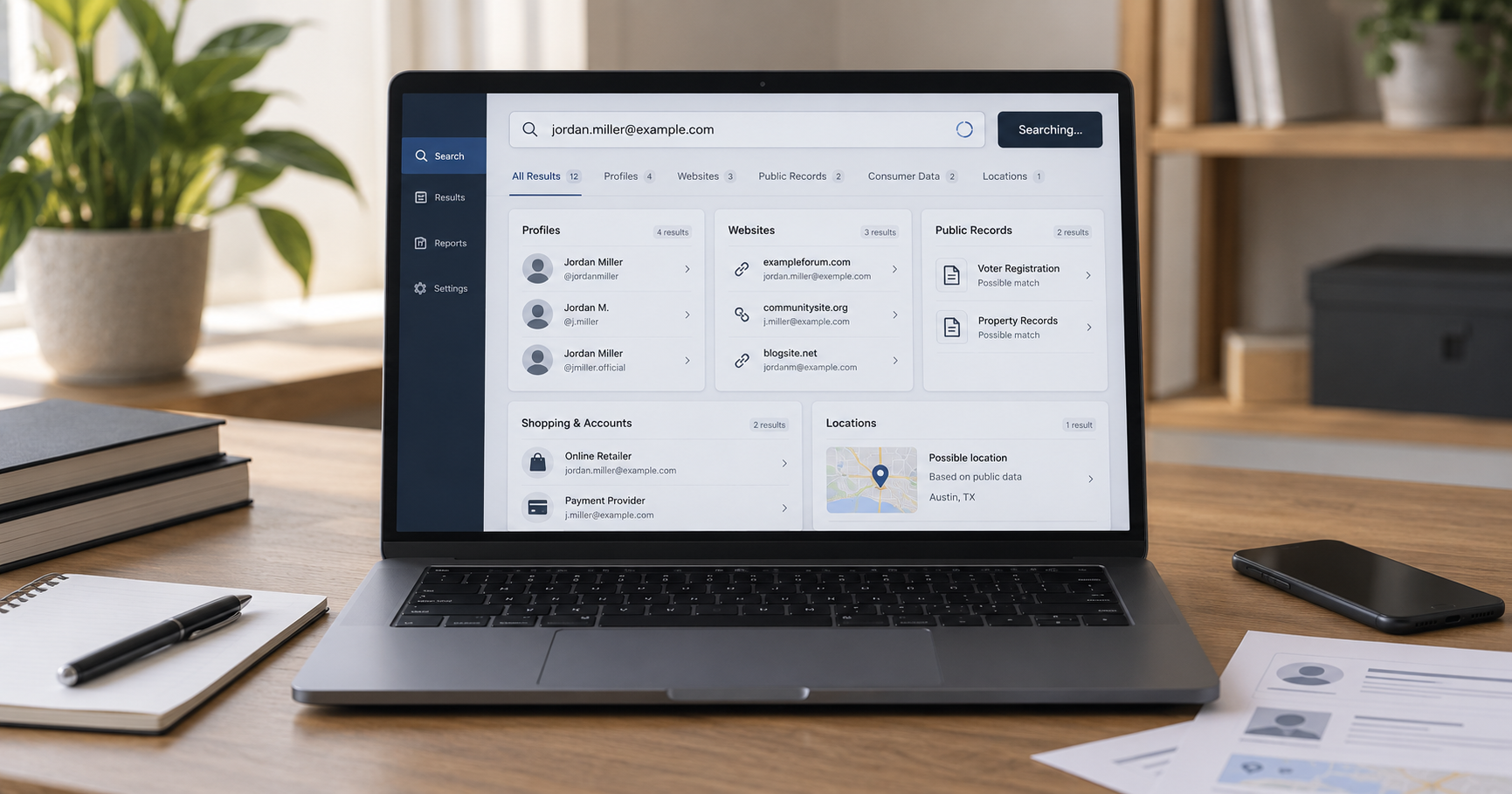
Can People Search Sites Search by Email?
Some do. DSS already tests several US-focused services that support multiple search types.
BeenVerified
BeenVerified is particularly relevant because email is one of the identifiers it can use to connect public-record and people-search information. For a self-audit, that makes it useful for seeing whether an email you consider 'private' is already attached to a wider profile.
Spokeo
Spokeo also operates email and people-search tools and is a useful comparison when the goal is contact and profile discovery rather than a formal background-screening decision.
TruthFinder
TruthFinder can provide wider people-search context and is more relevant when a simple contact match isn't the only concern. These tools focus primarily on US records.
Don't use consumer people-search reports for regulated employment, tenant or credit decisions. Best Background Check Services separates consumer lookup tools from services designed for those regulated uses.
Can Someone Find Your Social Media From Your Email?
Sometimes, but the answer changes as platforms tighten privacy settings. Possible links can come from a public profile displaying the address, a username derived from the email, an old account page indexed by search engines, contact-discovery features, third-party people search databases or breach and broker records.
Don't assume a platform's 'find by email' setting is the only way an email connects back to you. Public reuse elsewhere can create the same link.
Can Someone Find Your Address From Your Email?
Potentially, if the email has been connected to an address in a people-search, commercial or public-record database. That's not the same as an email provider handing somebody your home address.
The connection usually comes from information aggregated somewhere else. For example, the same email could be associated with an old directory listing, a business filing, a people-search profile, a marketplace account, a public professional page or commercially sourced contact data.
Accuracy varies.
Check Whether Your Email Has Appeared in a Data Breach
This is one of the most useful checks you can do. Have I Been Pwned lets you enter an email address you own and see whether it appears in known data breaches loaded into the service.
If it does, pay attention to the data categories exposed. If a password was exposed, change it anywhere you reused it.
If the breach included phone numbers or addresses, be more alert to phishing that uses those real details. If the breach exposed security questions or other account-recovery information, review those too.
A breached email isn't proof that somebody has taken over your identity, but it gives attackers more material to work with. This is where AI changes the risk in a practical way: a message built around a real employer, old password breach, city or colleague can be written fluently and at scale, so the old advice to spot phishing by bad grammar is much less useful than it used to be.
A clean result only means the address was not found in the breach datasets loaded into that service. It does not prove that the address has never leaked or that your mailbox is secure.
How to Check What Your Own Email Address Reveals
Use a limited self-audit:
- Search the exact email address on Google.
- Check old profiles you recognise.
- Search it through an established people-search service if you're in a supported market.
- Check it in Have I Been Pwned.
- Look for old usernames or public pages tied to the address.
- Remove unnecessary public references.
You don't need to feed your email into dozens of unknown search sites. The goal is to reduce exposure, not distribute the address further.
For the full audit, use how to find out what information is public about you online.
How to Remove Your Email From Search Results
If the email appears in Google Search and qualifies as personal contact information, Google's 'Results about you' and personal-information removal tools may help. Then remove the address from the original source as well where possible.
If the source is a profile you control, edit it. If it's a people search site, opt out. If it's a broker, use the relevant deletion route. If it's an old website account, close or update it. If it's a public record, check the official rules before assuming it can be removed.
If the address is also appearing in Search, handle that result separately with how to remove your information from Google Search, because Google removal and source removal are two different jobs.
Should You Use a Separate Email Address for Sign-Ups?
I think this is one of the easiest ways to reduce future linkability. You might keep one important personal address for banking, government and trusted accounts, another for shopping and lower-trust sign-ups, and a public work address if your job requires one.
Masked or alias addresses can also help where a privacy tool supports them. Cloaked is relevant here because it combines data removal with masked contact tools.
I wouldn't create ten inboxes you can't manage. Two or three clearly separated addresses are usually enough to stop one email becoming the identifier attached to every part of your life.
What If Someone Is Using Your Email to Impersonate You?
Treat that as an account-security issue rather than a people-search problem. Check whether your email account itself is secure, recent login sessions, forwarding rules, password and recovery settings, multi-factor authentication and unexpected password-reset messages.
If you're seeing financial or identity misuse as well, consider identity monitoring. For US readers that means services such as Aura, Identity Guard or Norton LifeLock, and for UK readers an identity-protection service available here. Follow the NCSC hacked-account recovery steps if you suspect unauthorised access. A forged sender address can also be spoofing without access to your mailbox, so check the evidence before assuming compromise. Data removal reduces exposure; it does not secure a compromised mailbox.
Can You Remove an Email From Data Brokers?
Often, yes, where the broker provides an opt-out or deletion route and your request applies. You can do this manually or use a data removal service such as Incogni, DeleteMe or Optery to manage supported brokers.
Start with free people-search opt-outs; compare ongoing broker coverage in Best Data Removal Services.
Remember that an email address appearing in breach data is a separate issue. A broker deletion request can't recall copies already stolen in an unrelated breach.
Frequently Asked Questions
Can someone find my name from my email address?
Sometimes. Public profiles, people-search services and other databases may connect an email address to a name.
Can someone find my address from my email?
Potentially, if the email and address have been linked in a public, commercial or people-search database.
Can I see whether my email has been leaked?
Have I Been Pwned lets you check whether an email address you own appears in known breach datasets.
How do I stop people finding me through my email?
Remove unnecessary public references, tighten profile privacy, opt out of people-search sites and avoid using the same personal address for every low-trust sign-up.
Should I change my email address if it appears in a breach?
Not automatically. Secure the account, change compromised or reused passwords and enable strong authentication. Changing the address may be useful in some cases, but it doesn't erase old breach records.
