
Best Cheating Apps in 2026: 21 Apps Cheaters Use
Modern infidelity is often digital first, hidden behind disappearing messages, vault apps, second accounts and social media features that can make activity much harder to spot. I tested the apps that come up most often to see what they actually do, how easy they are to miss and what finding one really tells you.
When you buy through links on our site, we may earn an affiliate commission. Learn more
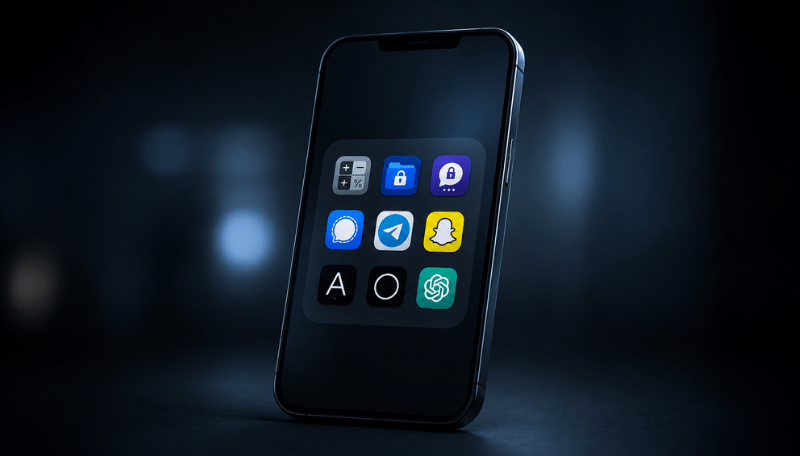
Common Hidden Apps Cheaters Use
You know when something feels off. The phone turns away, passwords change, notifications disappear, and suddenly there are apps or accounts you’ve never seen before. Cheating has moved further online too, with hidden chats, vault apps, second accounts and AI companions making it easier to keep parts of a digital life separate.
I’ve tested hundreds of security, monitoring, privacy and communication apps over the years, so I’m not looking at these as a random list of supposedly ‘suspicious’ apps. I’m interested in what the technology actually lets somebody hide, separate or disguise, and what that can mean for trust and personal safety in a relationship.
For this guide, I tested 21 of the apps and app types that come up most often, including some of the stranger ones that are easy to miss. I installed them, used the privacy features and handed the phone to my wife to see what she actually noticed during normal use.
If you’re looking for a tool to catch a cheater in the act, I’ve also tested the leading apps designed to catch a cheating partner with the help of my wife, to see what they actually reveal, what evidence they can surface and where the biggest differences are.
In this guide, I’ll show you which apps cheaters may use in 2026, what they actually do, what stood out in testing and what finding one can realistically tell you.

Table of Contents
Common Cheating Apps at a Glance: What to Look For
Digital infidelity now covers much more than finding a dating app on somebody's phone. Private messaging, secondary accounts, disappearing content, hidden files and affair-focused platforms can all play a role, while AI has added new questions around romantic companions, synthetic identities and conversations that may not involve another human at all.
The apps below don't carry the same weight. Some are designed around discreet dating or concealed communication. Others are mainstream privacy tools used by millions of people for completely legitimate reasons. What I look at is what the technology is actually designed to do, whether the activity appears current and what other digital signals sit around it.
That wider context can be much more useful than the app icon itself. An active dating profile, a recurring subscription, a second number, an undisclosed account or unexplained spending can tell you far more than finding WhatsApp or Signal installed. Digital secrecy can also overlap with financial infidelity, fake identities, hidden accounts or somebody trying to access your own devices.
If you're checking a phone you own or have permission to inspect, the apps worth understanding fall into a few distinct groups, including dating and affair apps, secret messaging services, hidden or disguised apps, vaults, burner numbers and apps that support second accounts. Mainstream apps can also be used privately, so I would identify the app first and then look at the activity around it before deciding what it means.
| If you're looking for… | Apps to know | What to understand |
|---|---|---|
| Disguised messaging apps | DailyNewsTalk, Calculator Pro+ | These are designed to make private communication look like something else, such as a news app or calculator. Finding one is more noteworthy than finding an ordinary messenger because concealment is part of the design, although it still does not tell you who somebody is talking to or why. |
| Affair and discreet dating apps | Illicit Encounters, Ashley Madison, Gleeden, Victoria Milan | Discreet dating or relationships outside conventional monogamy are central to these services. An active account, recent messages or a current subscription can therefore carry considerably more relationship context where exclusivity has been agreed. |
| Dating apps | Tinder, Pure, Bumble, Hinge, Facebook Dating | Current profiles, subscriptions, matches or recent activity are far more useful than an old download. Facebook Dating can also be easier to miss because it sits inside Facebook rather than necessarily appearing as a separate app. |
| Apps with hidden or disappearing chats | WhatsApp, Snapchat, Telegram, Signal, Instagram | These are mainstream apps with legitimate privacy features including locked chats, disappearing messages, temporary media and Secret Chats. Behaviour around the app usually tells you more than the icon itself, particularly if hidden conversations appear alongside other changes in digital behaviour. |
| Apps for second accounts or identities | Kik, Session, burner-number apps, Parallel Space, Samsung Secure Folder | These can separate one identity, phone number or account from another. They are also widely used for work, privacy and security, so an undisclosed second identity, number or account is usually more significant than the technology used to create it. |
| Hidden photo and file apps | Calculator vaults, Keepsafe, Private Photo Vault, secret folders | Vault apps can hide photographs, videos, screenshots and files behind another lock or disguise. Finding one tells you somebody wanted additional privacy, not what is inside or why it was hidden. |
| AI relationships | Replika, Nomi and other AI companion apps | AI has created a new form of digital relationship where romantic, sexual or emotionally intimate conversations may happen without another human being involved. Whether that crosses a line depends on the boundaries of the relationship and whether the interaction is being deliberately concealed. We look at that question in more depth in our guide to emotional bonding with an AI partner. |
| AI-generated or manipulated identities | Generative AI used alongside dating, social or messaging apps | AI can now create or alter photographs, messages, voices and profiles, so apparently convincing digital evidence may not always represent a real person or a real-world relationship. If an identity itself looks questionable, it may be worth considering catfishing or checking how to verify someone's identity online rather than assuming infidelity is the only explanation. |
The app itself is only the starting point. An active Illicit Encounters profile means something very different from WhatsApp being installed, while a disguised calculator app tells you somebody wanted additional privacy without telling you what they were hiding.
I would look at the wider digital footprint too. Is the account active? Is there a new number or email address attached to it? Are there subscriptions or unexplained payments? Has somebody created a second identity or started routinely hiding notifications, conversations or accounts? In some cases, the financial trail or the pattern of secrecy tells you more than the app itself.
There is another side to digital trust as well. If somebody is hiding activity, they may also be checking what you are doing. Unexpected login alerts, unfamiliar apps, new permissions or a partner knowing things they should not know can shift the situation from a relationship concern into a personal safety issue. Our guide to signs someone may be snooping on your phone explains what to look for.
AI has made digital infidelity harder to define as well as harder to interpret. A private relationship may now involve another person, an AI companion or somebody using an AI-generated identity. If AI itself is creating uncertainty in the relationship, our AI relationship boundaries guide looks at where couples may want to draw those lines.
In the full list below, I test the apps and privacy features that are easiest to miss, explain how they actually appear on a phone and look at what finding each one can realistically tell you.


How I Tested These Cheating Apps
I’ve tested hundreds of security, privacy, communication and monitoring apps over the years, so I know how easy it is for a feature list to sound impressive without telling you much about what actually happens on a phone.
For this guide, I wanted to know what these apps really let somebody hide, separate or disguise. I installed the apps myself, tested their privacy features and then handed the phone to my wife without telling her what I had changed.
I checked:
- how easy the app was to spot during normal phone use
- whether it could be hidden, renamed or disguised
- what still appeared in Settings or the installed-app list
- whether messages, photos or other activity disappeared automatically
- whether one app could hide multiple accounts or identities
- whether the same service could be used in a browser without an app icon
- what traces were left behind in notifications, accounts, subscriptions or other parts of the phone
When I test technology for Digital Safety Squad, I’m rarely interested in one feature on its own. I’m looking at the wider digital trail and whether the technology makes it easier to hide activity, create a second identity or keep part of somebody’s digital life separate. You can read more about how we test digital safety tools.
Apps Cheaters Commonly Use in 2026
There isn’t one type of app people use to hide an affair, another relationship or a conversation they don’t want somebody else to see. The apps cheaters use can include affair and dating platforms, secret texting and messaging apps, disguised or decoy apps, second accounts, private browsers, hidden folders and ordinary social apps with privacy features.
Some are genuinely built around discretion. DailyNewsTalk hides private chats behind a news-style interface. Calculator Pro+ puts private messages behind a working calculator. Illicit Encounters is explicitly aimed at married people looking for discreet connections. Others are ordinary messaging, privacy or storage apps with features that can be used perfectly legitimately.
That distinction is important when you’re looking at hidden or secret cheating apps. An active affair-site account in a relationship where exclusivity has been agreed is very different from Signal simply being installed. A second calculator may be worth identifying if it turns out to be a vault, but the existence of a vault still doesn’t tell you what somebody is keeping private.
After years of testing security, privacy, communication and monitoring software, I tend to look beyond the app icon itself. I want to know what the technology allows somebody to separate, hide or delete, whether the activity is current and what other digital signals sit around it. A second account, recurring subscription, unexplained payment or burner number can sometimes tell you more than the app alone.
AI has widened the picture again. Romantic or sexual conversations no longer necessarily involve another person, while AI-generated photographs, messages, audio and profiles can make online identities harder to interpret. A list of apps can tell you what is possible on a phone. It can’t tell you the whole story of what is happening on it.
I didn’t want this to become another list built from app-store descriptions, so I installed and tested the more unusual apps and privacy features myself. I also handed the test phone to my wife without telling her what I had added to see which apps, accounts and hidden features she noticed during ordinary use. Some supposedly secret apps were easier to identify than I expected, while mainstream features such as hidden WhatsApp chats and Samsung Secure Folder were much easier to miss.
21 Cheating Apps: What They Do and What We Found
The table below covers all 21 cheating apps and app types in this guide, including what each one can do and what stood out when I tested it.
| Cheating app or type | What it can do | What stood out in testing |
|---|---|---|
| DailyNewsTalk | Disguises private chats behind a news-style interface | Easy to ignore at a glance, although the app listing and Settings are less discreet |
| Calculator Pro+ | Hides private messaging behind a working calculator and decoy PIN | The calculator front is convincing until you know there is a second calculator to question |
| Pure | Private casual dating with disappearing chats and media | Much less ambiguous once the app itself is identified |
| Illicit Encounters | Dating service for married people seeking discreet connections | Browser access means there may be no app icon at all |
| Kik | Username-based messaging | Separates conversations from a normal phone number, but looks like an ordinary messenger |
| Session | Private messaging without a conventional phone number or email identity | The privacy is in the account model rather than an obviously hidden interface |
| Calculator vault apps | Conceal photos, files or other content behind a calculator interface | Easy to overlook until the duplicate calculator is noticed |
| Photo vault apps | Protect photos, videos and files behind another lock | Usually obvious as a privacy tool, although the contents remain hidden |
| Burner-number apps | Create another phone number without another physical phone | The app may be visible even though the second number is not |
| App cloners and Secure Folder | Allow duplicate apps, accounts or protected app spaces | Secure Folder can disappear from the app screen, but traces can remain elsewhere in Settings |
| Private browsers | Reduce locally stored browsing information | The app is visible; the missing history is the feature |
| Shared Notes | Allow collaborative communication outside normal messaging apps | Nothing about the Notes icon looks suspicious |
| AI companion apps | Support romantic, sexual or emotionally intimate AI relationships | Some app names give very little away about how intimate the conversation can become |
| Private messengers | Offer encryption, disappearing communication or identity separation | Usually visible as apps; the privacy sits inside the conversation |
| Affair-focused platforms | Services centred on discreet or extramarital dating | Current use is far more significant than a generic privacy app |
| Snapchat | Temporary messages and private sharing | Once content disappears, there may be very little left to interpret later |
| DMs, disappearing media and multiple accounts | A second account is easy to miss during ordinary scrolling | |
| Locked chats, disappearing messages, archived chats and View Once media | A hidden locked chat can leave almost nothing on the normal Chats screen | |
| Signal | Strongly encrypted private messaging | The app itself is visible; message history can be deliberately temporary |
| Telegram | Usernames, multiple accounts and Secret Chats | Secondary accounts and Secret Chats are more relevant than the Telegram icon itself |
| Tinder and other dating apps | Dating profiles and private messaging | Current account activity matters far more than an old download |
Want a clearer picture of what’s happening on the phone?
Finding an unfamiliar app is only part of the picture. If you need more visibility, monitoring tools can help surface messages, app activity, typed searches, screen activity and location, depending on the device and setup.
Of the tools I’ve tested, Spynger is my best overall pick when you want a broad view of activity in one place. mSpy is the one I’d look at when typed activity, searches, screen activity or less obvious apps are the bigger concern.
I tested both on real phones, along with the other leading options, so you can see what they actually pick up and where they differ. Use monitoring tools only on devices you own, manage or have permission to monitor.
1. DailyNewsTalk
DailyNewsTalk is one of the more literal secret communication apps I found. The private-chat function is deliberately hidden behind what looks like a news experience.
According to its current Google Play and App Store listings, private messages can appear as breaking-news-style notifications. Tap the notification, enter a PIN and the private chat opens. Leave the app and it returns to the news screen. The service also advertises private voice and video calls and usernames rather than requiring a phone number.
I installed it alongside the apps I normally keep on the test phone and handed the phone to my wife. She didn’t pick it out from the Home Screen. Her first assumption was exactly the one the app is designed to create: that it was some sort of news app I had downloaded for testing.
The disguise became much weaker once I moved away from the Home Screen. The current store listing is considerably more explicit about what the app actually does, and an installed-app search gives you more to work with than the news interface alone.
The notification test was the bit I found more convincing. A generic news-style alert attracts much less attention than a notification containing a person's name and part of a private message. If somebody only glanced at the phone, I can see how it would be overlooked.
I would take an unexplained DailyNewsTalk installation more seriously than WhatsApp or Signal because concealment is part of the product itself. It still can’t tell you who somebody is talking to or whether the conversation crosses a relationship boundary.
2. Calculator Pro+
Calculator Pro+ is a much better disguise than the name initially suggests.
The current Android version still works as a real calculator. Enter the secret PIN on the keypad and it opens a private area for SMS, app-to-app messages, calls and media. It also supports a fake PIN that opens an empty decoy inbox, automatic locking and fingerprint access.
On Android 10 and later, the icon remains visible as a calculator. Older Android versions can hide the icon entirely. The developer also advertises a companion setup that can route selected SMS conversations away from the normal inbox.
I put it beside the standard calculator on the test phone and gave the phone to my wife. She noticed there were two calculators, but she didn’t immediately assume one of them was hiding messages. Her reaction was closer to ‘why have you downloaded another calculator?’ than ‘this is obviously a secret app’.
Opening it without the PIN did not help much because it behaved like a calculator. The decoy PIN was also more convincing than I expected. If you already knew the app was a vault, you would know what you were looking at. If you didn’t, there was very little in the normal interface to tell you.
The full installed-app list was more useful than the Home Screen. It confirmed there was an additional calculator installed and gave me an exact app name to search.
If you find a second calculator on a phone you are authorised to inspect, identify it rather than assuming it is redundant. I still wouldn’t treat the app itself as evidence of an affair. Calculator Pro+ can hide private material, but private material and cheating are not interchangeable.
If disguised or hidden apps are what concern you most, mSpy is one of the tools I’d look at first. Its Android keylogger, screen recording and app visibility were particularly useful in my testing when the activity wasn’t tied to one obvious messaging or social platform.
3. Pure
Pure sits in a different category because it is openly a dating app rather than something pretending to be another utility.
Pure currently describes itself as a privacy-focused dating app with disappearing chats and consent-led media controls. Temporary conversations and media can leave less history than a conventional messaging thread, but those features can change and no app can stop somebody photographing a screen with another device.
Once I had identified Pure on the test phone, there was far less ambiguity about what kind of app I was looking at. My wife recognised it as dating-related once she opened it, even though the icon itself would not necessarily mean much to somebody who had never seen Pure before.
I also tested what happened after temporary content disappeared. There was much less historical context left behind than you would have with a conventional SMS conversation. That is useful for privacy and safer casual dating, but it also explains why an old glance through the app may not tell you much about previous conversations.
If exclusivity has been agreed, recent use of Pure is more relevant than an old download. I would look for an active profile, current subscription or recent use before assuming that its presence means somebody is dating now.
4. Illicit Encounters
Illicit Encounters is particularly relevant to UK readers because the service is explicitly aimed at married people looking for discreet connections.
It supports private messaging without immediately giving another member your personal email address, and the service has promoted anonymous profiles, discreet billing and private photo controls.
There is much less interpretive work to do here than there is with Signal or a vault app. If somebody has agreed to a monogamous relationship and is actively using an affair-focused dating service without their partner knowing, the purpose of the account is directly relevant.
One thing I would not rely on is the app drawer. Illicit Encounters can be used through a browser, so somebody could have an active account without a recognisable app icon appearing on the phone at all.
An old account, a browser visit, an active subscription and recent conversations still tell you four different things. I would want current context before drawing a conclusion. I would also look at the wider picture, including recurring subscriptions or unexplained payments. Romantic and financial infidelity can overlap, and sometimes the money trail tells you more than the icon on the phone.
5. Kik
Kik allows people to communicate using usernames rather than requiring them to give another user their everyday phone number.
That separation is useful in online communities and other legitimate situations. It can also keep a conversation away from somebody's normal calls, SMS records and phone contacts.
When I put Kik on the test phone, there was nothing particularly hidden about the app itself. My wife recognised it as a messaging app, although she would not have known which account or contacts were attached to it simply from seeing the icon.
The account model is more relevant than the appearance. Somebody can have a Kik identity that is not obviously connected with the contact details a partner already knows.
6. Session
Session takes identity separation further. You do not need a conventional phone number or email address to create an account, and it supports encrypted conversations and disappearing messages.
I found the app itself fairly easy to spot once I knew I was looking through the installed apps. My wife did not recognise the Session name, though, and would not have known from the icon alone that it was a private messenger.
The privacy is mostly inside the account rather than in a disguised calculator-style interface.
There are legitimate reasons to use Session, particularly if somebody wants to reveal less personal information online. If it appears alongside an unexplained second identity or a wider change in behaviour, you have more context than the app alone gives you.
7. Fake Calculator Vault Apps
Calculator Pro+ is not the only app using this disguise. There are dozens of calculator-style vaults with names such as Calculator Vault, Secret Calculator and Calculator+.
Some simply protect photographs, videos or files. Others include browsers, notes, hidden contacts or additional private areas behind the calculator interface.
I tested one basic calculator vault beside Calculator Pro+ and the phone's normal calculator. Three calculator icons on one phone looked odd once my wife stopped and counted them, but none screamed ‘hidden photos’ from the Home Screen.
The weaker point was Settings. Once we opened the full installed-app list and searched the exact app names, it became much easier to work out what we were looking at.
If a phone already contains the calculator it came with, I would always identify an unfamiliar second calculator rather than dismissing it. The presence of a vault still only tells you somebody wanted additional privacy.
8. Photo Vault and Secret Folder Apps
Keepsafe, Private Photo Vault and similar apps are much less deceptive about being privacy tools.
They put photographs, videos and files behind an additional password, PIN or biometric check. Someone may be storing passport scans, financial documents, intimate photographs, family files or confidential work. The same type of vault could also be used for screenshots, saved conversations or other material somebody does not want in the normal gallery.
My wife spotted the purpose of a conventional photo vault much faster than the calculator versions. The icon and app name made it fairly clear that private files were involved.
What she could not tell was what was inside it, which is the part people sometimes skip over when they are already worried. Finding a vault does not answer that question, and it does not give you permission to bypass another adult's password.
9. Burner-Number Apps
Burner, Hushed, TextNow, Phoner and similar apps can provide an additional phone number without somebody carrying a second physical phone.
There are plenty of legitimate reasons to do this. I have used separate numbers for work and online services myself. People selling things online, travelling or dating for the first time may also reasonably want to keep their main number private.
On the test phone, the app itself was visible enough. My wife could tell Hushed or TextNow was some sort of communication service once she opened it, but the existence of a second phone number was not obvious from looking at the phone normally.
The extra number is more useful context when it appears alongside unexplained calls, another identity, a second account or communication somebody has deliberately kept separate.
10. Parallel Space, App Cloners and Samsung Secure Folder
This was one of the more interesting tests. Parallel Space, App Cloner and built-in tools such as Samsung Dual Messenger allow more than one version or account of the same app to exist on a phone. Samsung Secure Folder can go further by creating a protected space for duplicate apps, accounts and files.
Samsung currently allows Secure Folder to be removed from the Home and Apps screens completely. It can also be renamed and given a different icon. I hid it from the app drawer and put a second test account inside it before handing the phone to my wife.
She didn't find the second account during normal use. There was nothing on the Home Screen pointing her towards it.
Once we went into Settings, the picture changed. Secure Folder can still be accessed through the phone's security settings, and recent Samsung users have also reported app or account information from Secure Folder appearing in ordinary Settings areas. In other words, hidden from the launcher does not mean erased from the device.
I found this more convincing than several of the ‘secret app’ disguises because it is a normal Samsung feature rather than a suspicious-looking third-party download.
There are equally normal reasons to use it. Work accounts, private photos and financial apps are obvious examples. I would pay attention to an undisclosed second account, not treat Secure Folder itself as evidence.
This is another situation where I’d lean towards mSpy if the aim is to understand wider activity across an authorised Android phone rather than one single app. Its combination of typed activity, screen recording and app visibility made it more useful to me here than a tool focused mainly on one supported messenger.
11. Private Browsing Apps and Hidden Browser Vaults
DuckDuckGo, Brave, Firefox Focus, Ghostery and other privacy-focused browsers can reduce how much browsing information is stored locally.
Some make clearing local traces deliberately quick. DuckDuckGo's Fire Button is built around closing tabs and removing local browsing data in one action.
The apps themselves were not difficult to spot on my test phone. The privacy sits in what is no longer left behind after browsing.
I use privacy browsers myself, so I would be very wary of treating one as suspicious. There are good reasons to reduce advertising tracking and local browsing history.
The same browser can obviously be used to access a dating profile, affair site, secondary email account or AI service. A blank browser history cannot prove that nothing was visited, just as the browser itself cannot prove something was.
12. iPhone Notes and Shared Notes
Communication does not always need a messaging app.
Two people can collaborate inside a shared Apple Note and see edits without creating a conventional SMS or WhatsApp thread. Individual Notes can also be locked, although Apple puts limits around locking content that is actively being shared.
I tested the basic shared-note idea with my wife and it felt almost comically ordinary. There was no new messaging icon to discover, no secret app and nothing unusual on the Home Screen. Unless somebody already knew which Note to open, Notes looked exactly like Notes.
I would not put much weight on frequent Notes use by itself. Most people opening the app are writing lists, saving links or keeping information they do not want to forget.
It's useful mainly as a reminder that there is no complete list of apps somebody has to use to communicate privately.
13. AI Companion and Chat Apps
AI companion apps have changed this category more than I expected. Replika lets users choose a relationship status that can include a romantic partner, while its paid tier unlocks romantic conversations and other relationship features. Nomi openly offers AI girlfriends, boyfriends and emotionally intimate relationships built around long-term memory.
I tried both because I wanted to see how obvious that side of the product was from the phone itself.
My wife recognised Replika as an AI app but didn't immediately associate it with a romantic relationship. Nomi was even less obvious from the icon and name. You had to open the app or look at the store description before the girlfriend/boyfriend framing became clear.
Inside the products, the relationship potential was much more explicit. Replika allows the relationship status to be changed, and Nomi is designed to remember personal details and build an ongoing relationship rather than treating every conversation as disposable.
This is where I think couples need to have a conversation that barely existed a few years ago. There may be no other human involved, but somebody can still be spending time, intimacy and sexual or emotional attention inside a relationship their partner knows nothing about.
I asked my wife which part she would expect me to tell her about. Her view was less about whether the software was ‘real’ and more about whether I was deliberately building an intimate relationship and hiding it from her. I think that is a much more useful way to frame it.
Our guide to emotional bonding with an AI partner looks at that question in more depth.
14. Secret Messaging Apps
Threema, Dust, CoverMe and similar services sit within a wider group of privacy-focused messengers. Depending on the product, they may offer encrypted communication, disappearing messages, protected inboxes, identity separation or private file storage.
I didn't find the apps themselves especially difficult to spot when installed normally. The harder part is understanding what the privacy controls inside them mean and whether any conversation history remains.
Older articles can also be misleading here. Wickr Me still appears on lists of secret cheating apps even though the consumer service closed at the end of 2023. Check that an app is current before worrying about advice written years ago.
15. Affair-Focused Platforms
Ashley Madison, Gleeden and Victoria Milan sit apart from ordinary privacy tools because discreet or extramarital dating is central to how they are positioned.
I wouldn't put an active account on one of these services in the same category as an encrypted messenger.
If somebody has agreed to an exclusive relationship and is actively using an affair-focused dating service without their partner knowing, the account itself provides considerably more context.
Current use still needs to be established. An abandoned account, a one-off browser visit, a paid subscription and recent messages are not interchangeable. If there are unexplained dating subscriptions, hotel charges, gifts or other payments alongside the account, that wider financial pattern is worth understanding too.
16. Snapchat
Snapchat is one of the most familiar examples of temporary communication. Photographs, videos and messages can disappear after they are viewed or after a selected period, and private sharing can limit who sees particular content.
I ran a basic disappearing-message test and handed the phone back to my wife afterwards. Once the temporary content had gone, there was much less for her to interpret than there would have been in an ordinary SMS thread. She could still see that Snapchat existed and, depending on the interaction, that a contact or conversation had been present, but not reconstruct everything that had already disappeared.
Snapchat is also a huge mainstream platform. I would never treat installation as meaningful on its own. A sudden change in how somebody uses it is more useful than the icon.
17. Instagram DMs and Multiple Accounts
Instagram surprised my wife more than some of the explicitly private apps. I added a second test account, muted its notifications and then handed her the phone while the main account was open.
She did not notice the second account during ordinary scrolling. Once she opened the profile/account switcher, it was easy to find. Until then, the main Instagram experience looked completely normal.
That is useful context if you are checking your own or a jointly managed device. One Instagram icon can contain several identities, and notifications can be managed separately.
Instagram itself is not suspicious. A deliberately undisclosed second dating or messaging identity is a different question.
18. WhatsApp
WhatsApp was the strongest example of a mainstream feature being more discreet than some apps marketed as ‘secret’.
I locked a test chat, created a secret code, hid the locked-chat folder and muted the conversation. WhatsApp's current design allows hidden locked chats to disappear from the normal Chats view and be reopened through the secret-code search flow. Notifications for locked chats can also hide the contact name and message content. I then gave the phone to my wife.
From the normal Chats screen, she didn't spot the locked conversation. There was no obvious folder sitting there telling her I had hidden something, and the notification gave her very little to work with.
Once she knew there was a locked conversation and started looking more deliberately, there were other routes that could reveal that something existed. Recent WhatsApp users have also pointed out that searching contacts or approaching the conversation through other parts of the app can sometimes expose the fact that a chat is locked, even when the normal folder is hidden.
So I wouldn't describe Chat Lock as invisible. It's simply much easier to miss during ordinary use than most people realise.
There are also many legitimate reasons to lock a WhatsApp conversation. Financial information, work, private family issues or simply wanting another person who borrows your phone not to read a chat are all reasonable examples.
If hidden chats, messages and broader phone activity are the main concern, Spynger is the monitoring app I’d start with. It gave me the strongest overall balance of supported messages, app information and location in one dashboard during testing. My Spynger review goes through exactly what I could see.
19. Signal
Signal is built around private communication rather than pretending to be another type of app.
It offers end-to-end encryption, disappearing messages, View Once media, usernames and privacy controls around notifications and the app screen.
My wife spotted Signal immediately as a messaging app. What she couldn't tell from the phone was what had previously happened inside a disappearing conversation.
I would be particularly careful about calling Signal a cheating app. Journalists, security professionals, activists and ordinary privacy-conscious users choose it precisely because it collects and exposes less information.
Privacy and deception are separate questions. Behaviour around the app carries more weight than the logo.
20. Telegram
Telegram supports usernames, multiple accounts and a mix of public and private communication. Secret Chats add device-specific encryption and self-destruct timers.
I found Telegram itself completely ordinary to spot. The account structure was more interesting.
A second account could sit behind the same app icon, and a Secret Chat looks different only once you are inside Telegram and know what you are looking for. Telegram's own documentation notes that Secret Chats are identified with a lock icon and can use self-destructing messages.
For plenty of people, Telegram is simply where work groups, communities, friends or news live. I would pay more attention to an unexplained second identity than to Telegram being installed.
21. Tinder, Facebook Dating and Other Dating Apps
Tinder, Bumble, Hinge and Plenty of Fish remain among the most recognisable dating platforms.
Facebook Dating is easier to miss because it sits within Facebook rather than necessarily appearing as a separate dating-app icon. Somebody can have a distinct Dating profile while the only obvious app on the phone is Facebook.
An old download is weak evidence. People delete dating apps without deleting accounts, and app-store histories can hang around for years.
Recent usage, a current subscription, an active profile, dating notifications or repeated reinstallation tell you considerably more.
AI is also making this area harder to read. Dating platforms increasingly use AI to help with profiles, matching and safety, while generative tools make it easy to create convincing photographs, messages and even voices outside those platforms.
If the person behind an unfamiliar profile has never been met or independently verified, I would consider the possibility of impersonation or a romance scam as well as infidelity. If that is part of what you are dealing with, our guide to verifying someone's identity online can help you check whether the person behind an account is who they claim to be.
A convincing profile is no longer enough to establish that the person pictured exists in the way you assume.
If dating apps are the main concern, Spynger is again my strongest overall pick from the monitoring apps I tested. If the activity you are trying to surface is less obvious, particularly typed searches, screen activity or apps without a dedicated integration, mSpy is the other option I’d compare closely.
What I learned from hiding the apps in plain sight
The apps I expected my wife to spot were not always the ones she noticed. The explicitly disguised apps were convincing from the Home Screen, but several became easier to identify once she used the full installed-app list or Settings. Mainstream features such as WhatsApp Chat Lock and Samsung Secure Folder were almost the reverse: the apps themselves looked completely ordinary because they were ordinary, while the private activity sat one or two layers further down.
The second Instagram account was another good example. There was no second suspicious Instagram icon to find. Until she opened the account switcher, the phone looked exactly as it normally would.
AI companion apps created a different problem. They were not necessarily hidden at all. The name and icon simply did not tell her how intimate the relationship inside the app could become.
After testing all of them, the biggest lesson was that the technology itself is only one part of the picture. I would look for patterns across apps, accounts, subscriptions, second numbers, payments and changes in how somebody uses their devices rather than treating one icon as proof of anything.
I would also pay attention to what is happening on your side of the relationship. If you are seeing unfamiliar logins, permissions you did not grant, apps you did not install or a partner knowing things they should not know, our guide to signs someone may be snooping on your phone explains what to check. At that point, it is no longer only a question of infidelity. It is a digital safety issue too.
If the concern goes beyond one unfamiliar app, our how to catch a cheater page looks at the wider signs, digital evidence and other ways to work out what is happening.
If you already know you want more visibility from the phone itself, see my tested comparison of apps to catch a cheating partner. For most people, Spynger and mSpy are the two I’d start by comparing, depending on the kind of activity you are trying to uncover.
How Secret, Hidden and Decoy Cheating Apps Work
Secret cheating apps don’t all hide activity in the same way. Some are deliberately disguised, while others use privacy features already built into messaging, social and dating apps. After testing the apps above, I found that most hidden activity falls into a few recurring patterns:
- Disguised and decoy apps: Apps such as DailyNewsTalk can make private communication look like ordinary news activity, while Calculator Pro+ and other calculator vaults put messages, photographs or files behind a working calculator. In my testing, these disguises were much easier to identify once I checked the complete installed-app list rather than relying on the Home Screen.
- Secret messaging and texting apps: Snapchat, WhatsApp, Signal, Telegram and Instagram can all support temporary, locked or disappearing communication in different ways. Dedicated private messengers may also separate conversations from somebody’s ordinary calls, texts or contacts. The app itself may remain completely visible while much less conversation history is left behind afterwards.
- Locked chats, hidden folders and vaults: WhatsApp Chat Lock, photo vaults and protected spaces such as Samsung Secure Folder can keep conversations, photographs, files, accounts or apps away from the normal screen. Some of the built-in privacy features I tested were actually easier to miss than third-party apps marketed as ‘secret’.
- Secondary accounts, burner numbers and cloned apps: One app icon can contain more than one identity. Instagram and Telegram support multiple accounts, burner-number apps can provide another phone number and Android features such as Dual Messenger and Secure Folder can separate different accounts or copies of the same app.
- Private browsing and browser-based services: Not every dating, affair or private-chat service requires an installed app. Illicit Encounters can be accessed in a browser, Facebook Dating sits inside Facebook, and AI companion or communication services can also be browser-based. Private browsers can reduce the local history left behind afterwards.
That’s why I’d be careful with lists of ‘secret apps for cheaters’. The technology tells you how somebody could keep activity separate or less visible. It doesn’t tell you why they’re doing it.
After years of testing privacy, security, communication and monitoring software, I tend to look for the wider digital footprint as well. A hidden app may sit alongside a second account, burner number, subscription, unusual payment, new email address or a sudden change in how somebody uses their device. Those surrounding signals can be much more useful than the app icon itself.
None of these methods proves somebody is cheating. Disappearing messages, secure folders, second numbers and private browsers all have legitimate uses. What they do tell you is where activity can be separated, concealed or made harder to reconstruct later.
Apps Cheaters Use on iPhone and Android
The same broad types of cheating apps exist on iPhone and Android, but the ways apps, accounts and private spaces can be hidden are different. That distinction is important because a hidden cheating app on Android may leave a very different trail from the same type of activity on an iPhone.
Cheating Apps on iPhone: Hidden and Secret Apps to Look For
Dating apps, Snapchat, Instagram, WhatsApp, Telegram, Signal, vault apps, private browsers and AI companion services can all be used on iPhone.
iPhone also has built-in privacy features that can make downloaded apps less obvious during normal use. Apps can be locked behind Face ID, Touch ID or a passcode, while compatible apps can also be hidden from the Home Screen and moved into the Hidden folder in App Library.
Locking an app can reduce what appears in places such as notification previews, search and Siri suggestions. These are legitimate privacy protections built into iPhone rather than features created for cheating.
If you’re checking an iPhone you own or have permission to inspect, I wouldn’t rely solely on the Home Screen. An app can be absent from there without having been deleted, while browser-based dating services, AI companions and private accounts may not require a dedicated app at all.
I’d also distinguish between an old app and current activity. A dating app sitting in an App Store history tells you much less than a live profile, current subscription, recent notification or account that’s still being used.
Finding one of the hidden or secret cheating apps people search for still doesn’t tell you why it was hidden. An active dating profile or affair-focused account carries much more context than an ordinary app simply being protected with Face ID.
Cheating Apps for Android: Hidden and Secret Apps to Look For
Android supports the same dating, messaging, vault, private-browser and AI companion categories, but many Android phones also provide more ways to separate apps and accounts.
Depending on the manufacturer, that can include app cloning, secondary users, work profiles and protected spaces. Samsung Secure Folder, for example, can contain separate apps, accounts and files and can be removed from the normal Home and Apps screens.
When I tested Secure Folder with a second account inside it, my wife didn’t find the account during normal phone use. Once we deliberately went into Settings, there was more to work with.
That’s something I’ve seen repeatedly when testing Android privacy and monitoring tools. What looks invisible from the Home Screen often leaves traces elsewhere on the device, whether that’s an installed-app list, account setting, notification, browser activity or another part of the operating system.
Android varies considerably between manufacturers, so instructions written for one Samsung, Pixel or Xiaomi phone won’t necessarily apply to another.
There’s also a limit to any installed-app check. Dating sites, AI companions, secondary email accounts and private communication services can all exist in a browser. One mainstream app may contain several accounts, while an app may have been deleted even though the underlying account remains active.
If the concern is less about one visible app and more about wider Android activity, mSpy is one of the tools I’d look at first. Its combination of typed activity, screen recording and app visibility was particularly useful in my testing when the activity was spread across several apps or wasn’t tied to one obvious platform. See how these tools compare.
Are There Free Cheating Apps?
Many of the apps people may use to keep conversations or accounts private are completely free. WhatsApp, Snapchat, Instagram, Signal and Telegram all cost nothing for ordinary use, while burner-number apps, private browsers and dating platforms often have free or freemium versions.
AI companion services can also offer a free starting tier, with subscriptions unlocking additional messages, relationship or customisation features. Price still tells you very little about whether a conversation is casual, intimate or being deliberately concealed.
That’s why searches for free cheating apps can be misleading. There isn’t a special category of free apps reserved for cheating. Often, the same messaging, dating and privacy tools millions of people use legitimately can also be used to keep a conversation, second account or dating profile separate.
Affair-focused and dating services work slightly differently. Some allow free registration or limited browsing before charging for messaging, subscriptions or other features. If you find one on a phone, current account activity or a recent subscription tells you considerably more than whether the app itself was free to download.
Those payments can be relevant in their own right. Dating subscriptions, unexplained transfers, hotel bookings, gifts or other spending can form part of a wider pattern of financial infidelity, even when the app itself doesn’t tell you exactly what’s happened.
If by ‘free cheating app’ you actually mean software that can help you uncover more of what’s happening on a phone, that’s a different category. I’ve separately tested the leading apps designed to catch a cheating partner and compared what they can see, where Android and iPhone differ and what evidence they surfaced in my testing.
AI Girlfriends, Boyfriends and Companion Apps
A concealed romantic, sexual or emotionally intimate relationship can now involve an AI rather than another person. That does not make the behaviour automatically equivalent to a human affair, but it does mean that an unfamiliar app may contain much more personal interaction than its name or icon suggests.
These services can be used through a dedicated app or in a web browser, so there may be no app icon on the phone even when an account is active.
Current companion services illustrate the range. Replika presents itself as an AI companion that remembers people, routines and personal details, while Nomi explicitly supports friendships, AI girlfriends, AI boyfriends and other evolving relationships built around short-, medium- and long-term memory. These are product capabilities, not proof of how any particular account is being used.
The more useful questions are usually about secrecy and boundaries. Has somebody built an ongoing romantic or sexual dynamic, hidden it from their partner or spent money and emotional attention in ways that conflict with what the couple has agreed? Different couples will answer those questions differently, which is why the software being ‘real’ matters less than the behaviour and the boundary around it.
For a deeper look at the relationship question, read our guides to AI partner cheating and setting AI relationship boundaries.
What Finding a Cheating App Actually Means
An active Illicit Encounters or Ashley Madison account in an agreed exclusive relationship carries considerably more context than finding WhatsApp, Signal or Brave. A current Tinder profile tells you more than Tinder appearing in an old download history. A calculator vault tells you somebody has protected private content, while saying nothing about what that content actually is.
Before I met my wife, I was cheated on, and I remember how quickly uncertainty made every unexplained detail feel as though it belonged to the same story. One unfamiliar app can take on much more meaning when you’re already worried.
That’s why I’d look for a pattern rather than treating one app as the answer. I’d pay more attention when it sits alongside something more concrete, for example:
- an active dating or affair-focused profile where exclusivity has been agreed
- an undisclosed second account, phone number or identity being deliberately kept separate
- recent messages, subscriptions or account activity rather than an old installation
- unexplained dating subscriptions, transfers, hotel payments, gifts or other spending
- repeatedly deleted conversations, hidden notifications or sudden changes in phone behaviour
- a second email address, browser profile or account that doesn’t fit the explanation you’ve been given
AI changes what counts as convincing digital evidence
Generated profile photographs, altered images, synthetic identities, AI-written messages, cloned voices, generated video and fake screenshots can all look persuasive. A convincing profile, photo, voice or message is no longer enough by itself to establish who is behind it or whether it is authentic.
If the material itself may have been generated or altered, use our deepfake guide and identity-verification checklist before treating it as proof.
Cheating Apps and Financial Infidelity
Cheating doesn’t only leave a trail in messages and apps. Sometimes the clearest clue is financial. Dating subscriptions, hotel bookings, gifts, unexplained transfers, new payment accounts or spending that suddenly stops making sense can all add context to what you’re seeing on the phone.
That can become financial infidelity in its own right too. Hidden debt, secret accounts or money being deliberately kept from a partner can damage trust even when there isn’t a physical affair involved.
If an unfamiliar app, second account or hidden conversation appears alongside unexplained spending, I’d look at those things together. A dating app tells you one thing. An active account, regular payments and a second identity start to give you a much clearer picture.
For the wider behavioural signs, including sudden phone secrecy, unexplained payments, changing routines and repeatedly deleted conversations, use our guide to digital cheating signs. This page is better used to identify the app itself and understand what finding it can realistically tell you.
I’d also consider whether the identity behind the activity is genuine. AI makes digital evidence harder to interpret because photographs, messages, voices and video can now be generated or altered convincingly. If an unfamiliar profile or person doesn’t add up, our guide to verifying someone's identity online explains how to check who’s actually behind it.
There’s also a form of digital infidelity that doesn’t necessarily involve another human at all. Someone can maintain a romantic, sexual or emotionally intimate AI relationship in an app such as Replika or Nomi. Couples may increasingly need to decide for themselves where that sits within their relationship. Our AI relationship boundaries guide can help with that conversation.
When Cheating Apps Become a Digital Safety Issue
Sometimes the problem goes beyond what somebody’s hiding on their own phone. If a partner is also trying to access your accounts, checking your location, reading your messages or getting into devices you thought were private, you’re dealing with more than broken trust. Your own digital safety is involved too.
Watch for login alerts you don’t recognise, passwords changing unexpectedly, unfamiliar apps or permissions, devices appearing on your accounts or a partner knowing private information you never shared with them.
If any of that sounds familiar, our guide to signs your partner may be snooping on your phone shows you what to check.
Hidden identities can create another problem. If you’ve found a second account, unfamiliar profile or person who doesn’t quite add up, our guide to verifying someone's identity online can help you work out who’s really behind it.
Can Monitoring Apps Detect Cheating Apps?
Yes. Monitoring apps can help surface activity that’s difficult to spot during an ordinary phone check, including installed apps, messages, typed searches, screen activity, browser activity and location, depending on the device and setup.
That can be useful when you’ve found one suspicious app but still don’t know whether it’s actually being used, or when the activity is spread across several apps, accounts or parts of the phone.
Android generally gives monitoring tools more visibility than a standard iPhone setup. That was one of the clearest differences I found when testing these products on real devices.
Even then, visibility is incomplete. Encrypted or disappearing chats, protected spaces, browser sessions and unsupported apps can limit what appears, while standard iPhone setups are usually more restricted than Android. A monitoring tool may surface app use, typed activity, screenshots, browser history or location without showing the full conversation, and it still cannot determine whether somebody has cheated.
Of the tools I’ve tested, Spynger is my strongest overall pick when you want messages, app activity and location together in one place. It gave me the best overall balance of visibility and ease of use on Android. You can see exactly what it showed me in my Spynger review.
mSpy is the one I’d compare most closely when typed activity, searches, screen recording or harder-to-spot apps are the bigger concern. Its Android keylogger and screen recording were particularly useful when there wasn’t a dedicated integration for the app I was looking at. My mSpy review goes through that testing in more detail.
If your main goal is to catch a cheating partner, I’ve compared Spynger, mSpy and the other tools I tested side by side, including what each one can actually show and where Android and iPhone differ.
I test monitoring software on real devices rather than relying on provider feature lists. You can read more about how we research and test digital safety tools.
Only use monitoring software on a device you own, manage or have permission to monitor.
What to Do If You Find a Cheating App
If you find an unfamiliar app, hidden account or private space, start by working out exactly what you’ve found. The aim is to build a clearer picture rather than let one icon answer a much bigger question for you.
- Confirm the exact app. Check the full name and developer rather than relying on an icon or a list of supposedly suspicious apps online. Disguised calculators, vaults and privacy apps can look very similar from the Home Screen.
- Check whether the activity is current. An app downloaded three years ago, an active profile, a current subscription and messages sent yesterday are very different pieces of information.
- Understand what you actually found. An affair-focused dating platform, mainstream messenger, encrypted app, photo vault, burner-number service and private browser don’t carry the same meaning.
- Look at the wider digital footprint. A second number, hidden account, unusual subscription, unexplained payment, new email address or repeated clearing of messages may give you more context than the app itself. Romantic and financial infidelity can overlap, so don’t ignore the money trail if something doesn’t add up.
- Check whether the identity itself is real. If profiles, photographs, messages, audio or video are involved, remember that AI can now generate or materially alter all of them. Our guide to verifying someone's identity online can help if an unfamiliar person or account looks questionable.
- Pay attention to your own digital safety. If you’re also seeing login alerts you don’t recognise, apps you didn’t install, permissions you didn’t grant or a partner knowing things they shouldn’t know, read our guide to signs someone may be snooping on your phone.
- Stay within your legal access. Don’t guess passwords, break into private accounts or install covert monitoring software on another adult’s phone.
If you need to move from identifying an app to working out whether somebody is actually cheating, our how to catch a cheater page looks at the wider evidence, digital signs and other ways to work out what’s happening.
If you already know you want more visibility from the phone itself, see my tested comparison of apps to catch a cheating partner. Spynger is my strongest overall pick, while mSpy is the one I’d compare most closely when typed, screen or less obvious app activity is the priority.
If your concern is that somebody may be checking your phone without permission, read Signs Your Partner Is Snooping. We also explain where transparent monitoring crosses into covert surveillance in our guide to monitoring apps vs stalkerware.

Nick Francis
Frequently Asked Questions
What are the most common cheating apps?
There is no reliable evidence showing one universal ‘most common cheating app'. Mainstream services such as WhatsApp, Instagram, Snapchat and dating apps have enormous user bases, while affair-focused platforms such as Ashley Madison and Illicit Encounters are much more specifically associated with infidelity. The significance of an app depends more on how it is being used than how many people have installed it.
What secret apps do cheaters use?
Secret apps associated with cheating can include disguised communication apps such as DailyNewsTalk, calculator vaults, photo vaults, burner-number apps and private messengers. Mainstream apps can also contain hidden chats, secondary accounts or disappearing messages. None of these proves that somebody is cheating simply because it is installed.
What are disguised cheating apps?
Disguised cheating apps are apps that make their private function less obvious from the normal phone interface. A calculator vault may behave like a normal calculator until a PIN is entered, while DailyNewsTalk presents private communication behind a news-style interface. The disguise is designed to make the app easier to overlook during ordinary phone use.
Can cheaters hide apps on iPhone?
Apps can be made less prominent on iPhone using legitimate Apple privacy and organisation features, including locking or hiding compatible downloaded apps. Services can also be accessed through browsers or inside another app, as with Facebook Dating. The absence of an icon from the Home Screen does not establish that no account or service exists.
Can cheaters hide apps on Android?
Android phones can offer several ways to separate apps and accounts, depending on the manufacturer. These can include cloned apps, secondary profiles and protected spaces such as Samsung Secure Folder. They are widely used for legitimate work and privacy purposes as well, so finding one does not establish why it is being used.
Can an app tell me if somebody is cheating?
No app can reliably tell you whether somebody is cheating. Monitoring software may show supported phone activity on a device you are legally entitled to monitor, while dating or affair accounts may provide useful context. The software cannot decide whether a relationship boundary has been crossed.
Can AI make cheating harder to spot?
Yes. AI can make digital activity harder to interpret by creating or altering photographs, profiles, messages, voices and video. It can also support romantic, sexual or emotionally intimate relationships through AI companion apps, which means a concealed relationship may not involve another human at all. Separately, locked chats, disappearing messages and auto-delete features can leave less conversation history behind. For more detail, see our guide to AI and relationship boundaries.
Can AI be used for cheating?
Yes, depending on what a couple considers cheating. AI companion apps can support romantic, sexual and emotionally intimate relationships, while generative AI can also be used to create profiles, photographs, messages, voices and video that make online identities harder to verify. Our guide to AI relationship boundaries looks at the conversations couples may want to have around this.
What apps should you check for cheating?
If you are looking at a phone you own or have permission to inspect, I would check unfamiliar dating or affair apps, secret messaging apps, disguised calculators, photo vaults, burner-number apps, private browsers, app cloners, secondary accounts and AI companion apps. Mainstream services such as WhatsApp, Instagram, Snapchat, Signal and Telegram can also contain locked, private or disappearing conversations, but finding one installed does not prove somebody is cheating.
What apps do cheaters use to communicate?
There is no single messaging app used by cheaters. Private communication can happen through mainstream apps such as WhatsApp, Instagram, Snapchat, Signal and Telegram, dedicated private messengers such as Session or Threema, username-based services such as Kik, burner-number apps, shared Notes or even browser-based services. Some leave less history behind than others, but the presence of a private messaging app alone does not establish why it is being used.
Are there free cheating apps?
Many apps associated with digital infidelity are free or offer free versions. WhatsApp, Instagram, Snapchat, Signal and Telegram are free to use, while some dating apps, vaults, burner-number services and AI companion apps offer limited free tiers. Affair-focused platforms may charge for particular features. Whether an app is free tells you very little about how somebody is actually using it.
Are there really 7 most popular cheating apps?
There is no reliable evidence supporting one universal list of the seven most popular cheating apps. The apps people use vary by country, age, device and what they are trying to conceal. Mainstream messaging and social apps have the largest overall user bases, while services such as Illicit Encounters and Ashley Madison are much more specifically associated with affairs. I would use a current list of common cheating apps as a way to identify unfamiliar technology rather than treating any seven apps as definitive.
Related Articles

Best Apps to Catch a Cheating Partner in 2026: My Top Picks

Digital Cheating: The New Signs of Infidelity in 2026

AI Relationship Boundaries: How AI Creeps In Without You Noticing
Ready to protect your family digital life too?
Our family safety content is crafted by digital security specialists with real-world experience. No fluff. No sponsored bias. Just clarity and control for your peace of mind.
We take your family's safety as seriously as you do.
